What’s inside the box?
Explore FlowRota’s features
FlowRota brings staff scheduling, employee availability, leave, clocking and timesheets together, giving managers a clearer way to organise shift-based teams without adding more admin.
Build and publish rotas, fill gaps, record worked hours and handle holiday requests from the same straightforward system. Employees can check what they are working and complete everyday tasks from their phone, while managers keep control of approvals, staffing levels and changes.
Less time piecing information together. More time managing the team.
A rota rarely exists on its own. Managers also need to know who is available, who is away, whether a shift has been covered and how many hours were actually worked. FlowRota connects those jobs so that a change made in one place is easier to understand everywhere else.
Explore every FlowRota feature
Start with the area you want to improve, or open any feature below for a closer look at how it works for managers and employees.
Leave, people and permissions
Time, attendance and reporting
Notifications
What FlowRota helps your business achieve
The value is not simply having more tools. It is removing the small, repeated problems that take managers away from the rest of their job: rebuilding the same rota, chasing availability, checking message threads and correcting hours at the end of the month.
Create rotas more quickly
Reuse regular patterns and make changes without starting from a blank spreadsheet each week.
Reduce uncovered shifts
See availability, leave and existing shifts before publishing, then offer gaps to suitable employees.
Keep records in one place
Connect scheduled shifts with clocking, timesheets, overtime, leave and absence information.
Give staff more clarity
Employees can see their rota, receive changes and submit requests without relying on group chats.
Staff scheduling and rota planning
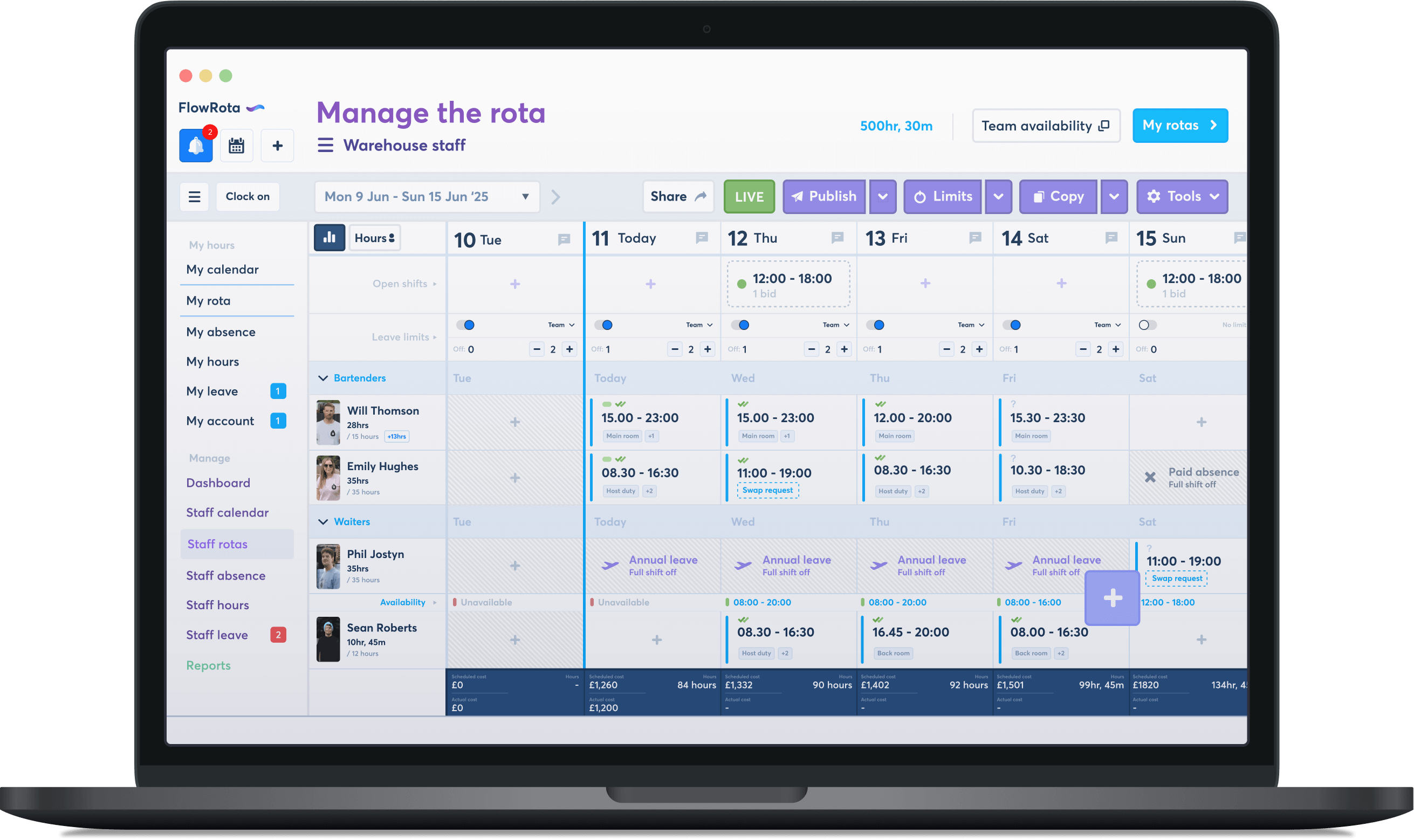
FlowRota is designed to make rota building quicker without taking decisions away from the manager. Start with a familiar working pattern, check the information that affects cover, then publish a rota employees can access wherever they are. For a closer look at the scheduling workflow, visit our staff rota software page .
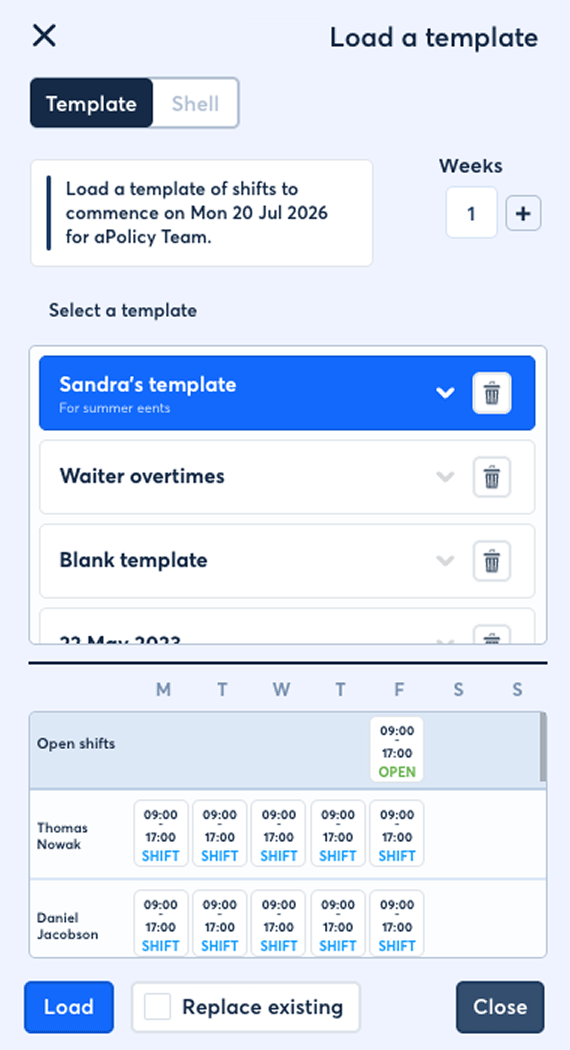
Reusable rota templates and rolling rotas
Most teams have shifts or staffing patterns that repeat. Save those patterns and bring them into a new rota instead of entering every employee, time and role again.
Features- Save frequently used rota templates
- Set up rolling patterns for recurring schedules
- Copy shifts and adjust only what has changed
- Publish completed rotas to the relevant team
Benefit: Build the normal working week in minutes and spend your time handling genuine exceptions.
Employee availability beside the rota
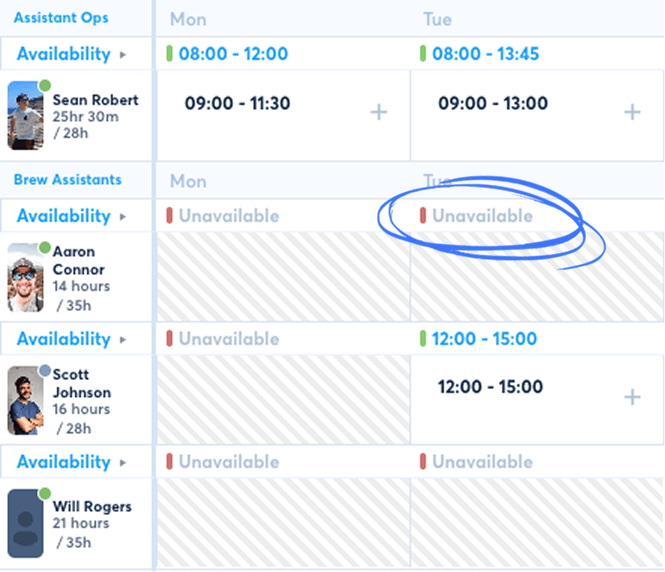
Staff can submit when they are able to work, and managers can ask for availability for a specific period. That information is then available when shifts are being assigned.
Features- Employee-submitted availability
- Manager availability requests
- Availability shown during rota creation
- Clearer planning for flexible and part-time teams
Benefit: Reduce unsuitable shifts and the last-minute messages that follow them.
Open shifts and controlled shift swaps
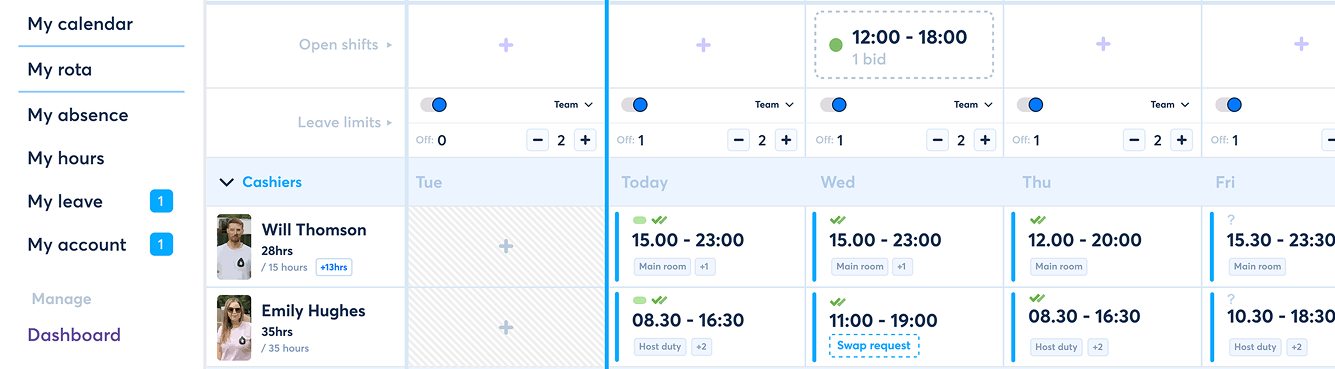
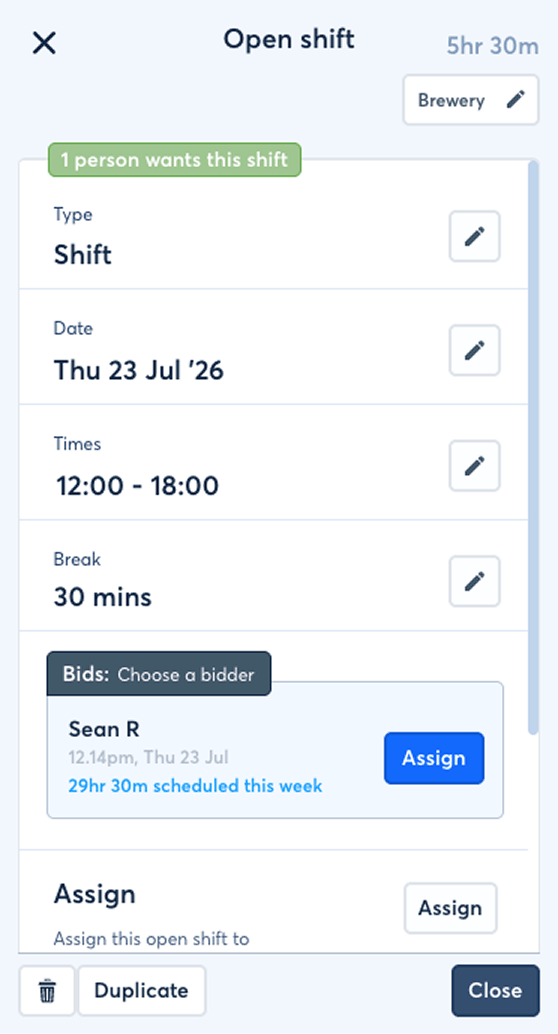
When a gap appears, offer the shift to the team rather than contacting people one at a time. Employees can also request swaps or drop shifts, with managers retaining the final say where an approval is needed.
Features- Open shifts employees can claim
- Automatic assignment or manager selection
- Employee shift-swap and drop requests
- Checks for clashes before a change is confirmed
Benefit: Fill gaps faster while avoiding unrecorded swaps and confusion about who is actually working.
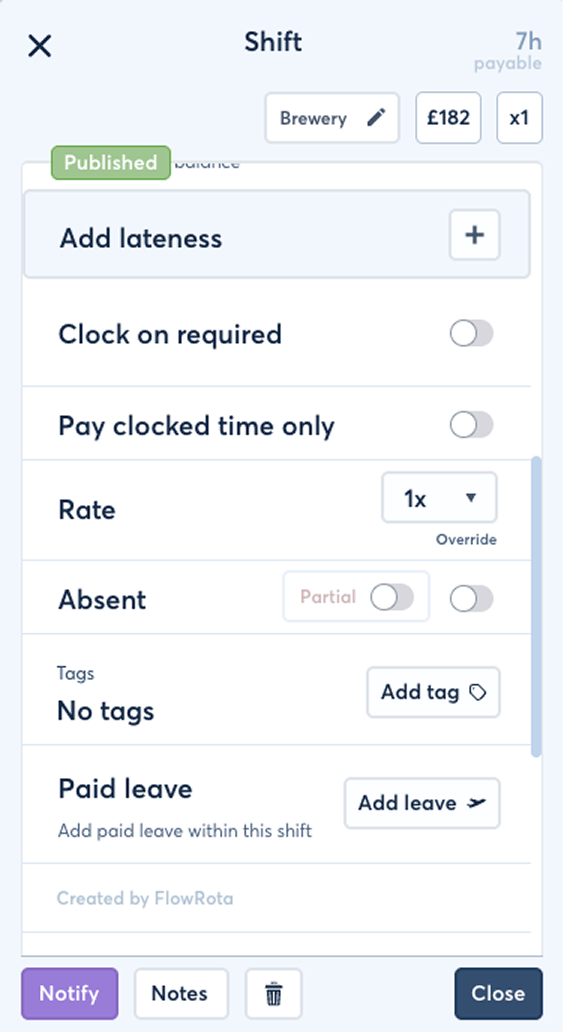
Clear shift details and responsibilities
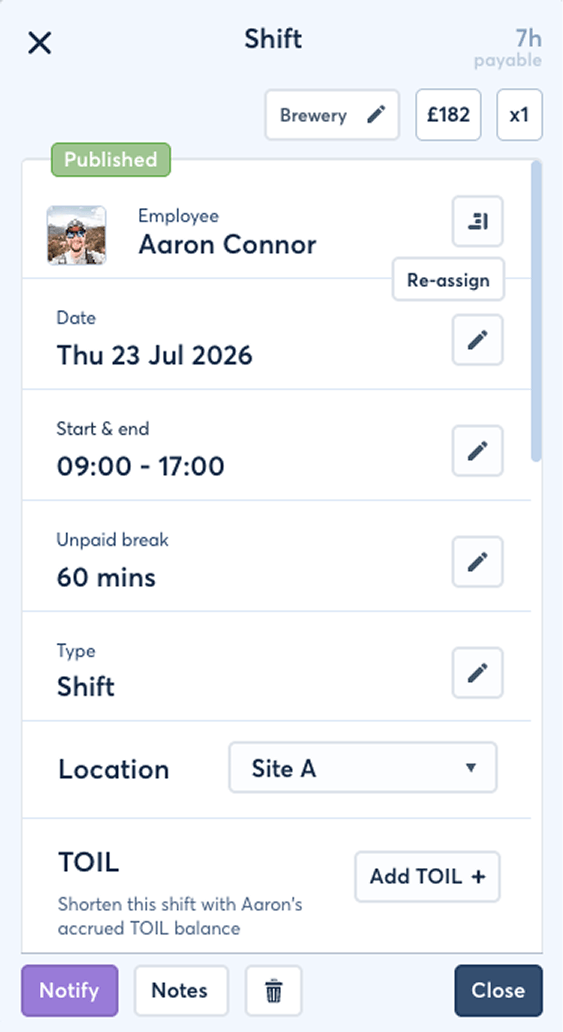
A shift can carry more than a start and finish time. Add duties, locations and notes so employees arrive knowing what is expected and managers do not have to repeat the same instructions.
Features- Shift notes and day comments
- Job titles, duties and shift tags
- Team and location-based scheduling
- Warnings for overlapping shifts
Benefit: Give each employee enough context to prepare for the shift before it begins.
Templates and rolling rotas
remove repetitive setup while leaving every shift editable.
“FlowRota has completely streamlined how we manage our team rotas across the brewery and taproom. What used to take hours of back-and-forth is now done in minutes. The visibility it gives us over shifts and staffing levels has been a real game-changer for planning ahead. It just works — simply and intuitively.”
Employee clocking, timesheets and attendance
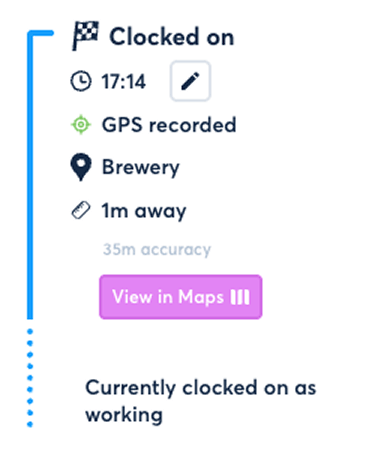
The published rota shows what was planned; attendance records show what happened. FlowRota gives employees simple ways to clock in and gives managers a consistent record to review before hours reach payroll.
Mobile GPS clocking
Employees can clock on and off from their phone. Location data helps managers understand where a clocking action took place, which is particularly useful when teams work across different sites.
Features- Mobile clock on and clock off
- GPS location attached to clocking records
- Clock-card review for managers
- Automatic clock-off options for forgotten sessions
Benefit: Create a clearer attendance record without installing specialist clocking hardware.
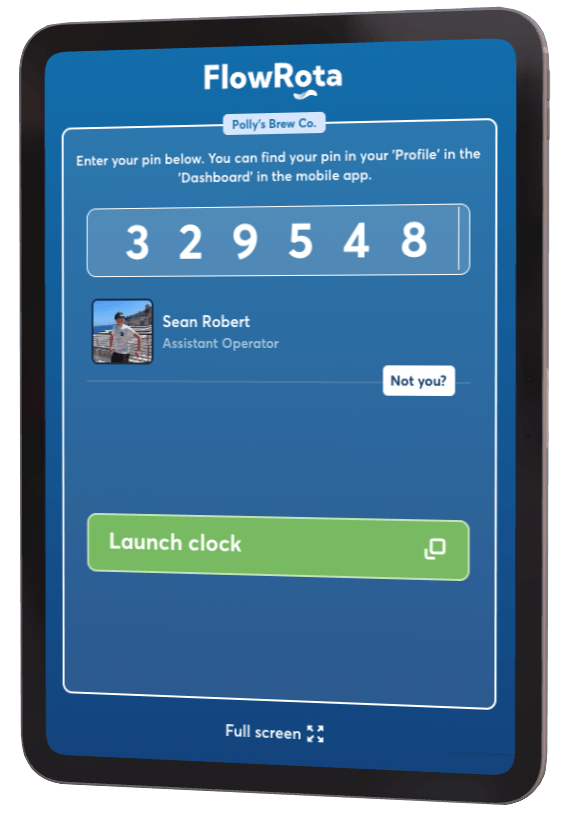
Shared terminal clock-in
For employees who should clock at the workplace, use a shared tablet or device as a terminal. It provides one familiar clocking point while keeping each employee's record separate.
Features- Shared on-site clocking terminal
- Suitable for tablets and workplace devices
- Individual employee clocking records
- Manager visibility over active sessions
Benefit: Give on-site teams a consistent clocking process without requiring everyone to use a personal phone.
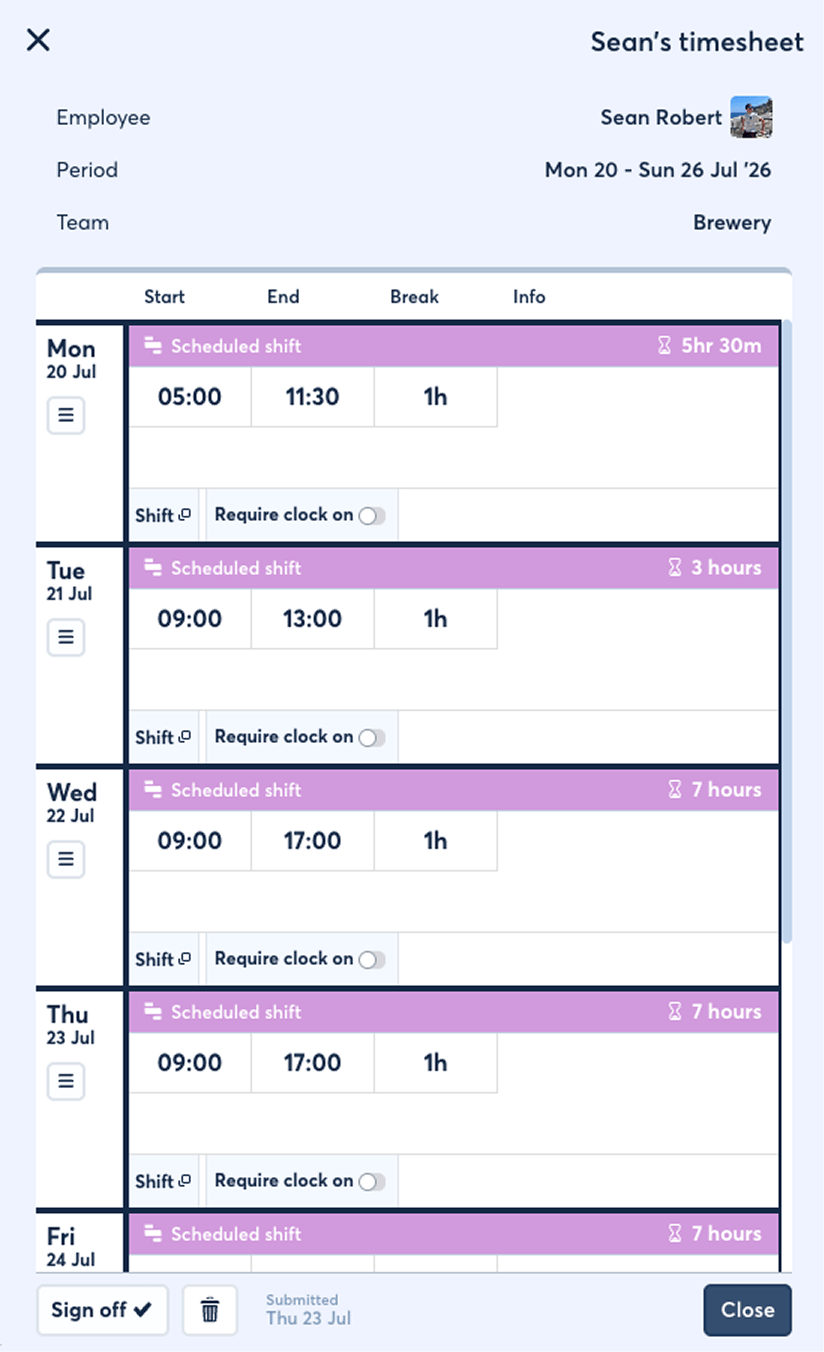
Timesheets, breaks, overtime and pay rates
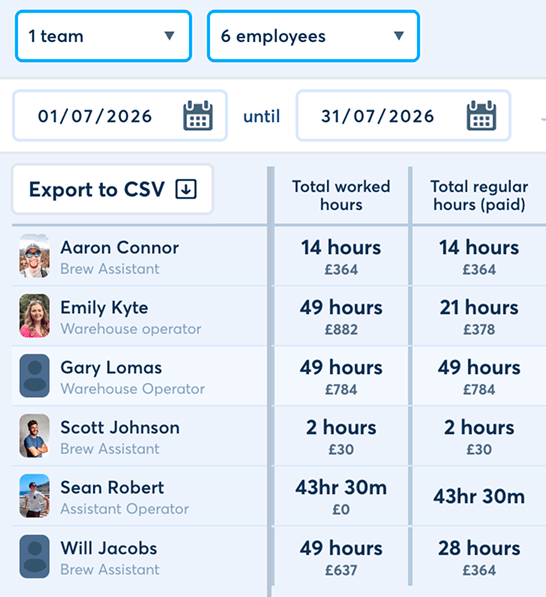
Review the hours recorded against scheduled work, make authorised corrections and keep overtime or enhanced rates visible. The resulting information is easier to check before it is exported.
Features- Timesheet entry and manager amendments
- Break and overtime recording
- Different rates such as standard time and double time
- Timesheet export for payroll preparation
Benefit: Spend less time reconstructing worked hours from paper, messages and memory at the end of the pay period.
Annual leave, TOIL and absence management
Leave affects staffing, pay and employee expectations, so it needs to sit close to the rota. FlowRota lets employees submit requests without chasing a manager and gives managers the information needed to make a consistent decision. See the full leave management software features .
Leave requests and manager approvals
Employees select the dates they need and submit the request from the app. Managers can review the request, consider existing leave and either approve or decline it with a recorded outcome.
Features- Full-day and half-day leave requests
- Manager approval and decline workflow
- Request history for employees and managers
- Approved leave visible during rota planning
Benefit: Replace informal requests with a clear process that both the employee and manager can refer back to.
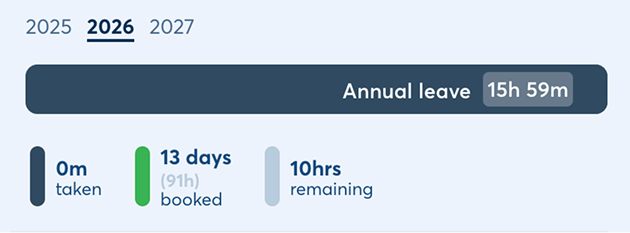
Allowances, accrual and public holidays
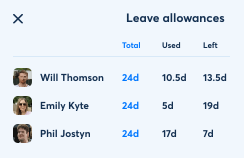
Different employees do not always earn or use leave in the same way. FlowRota can manage allowances based on contracts or worked hours and account for public holidays and business closure rules.
Features- Contracted and hours-based leave allowances
- Allowance adjustments and audit history
- Public holiday region settings and exclusions
- Closed-day and company policy controls
Benefit: Give managers and employees a more dependable view of entitlement throughout the leave year.
Leave limits that protect staffing levels
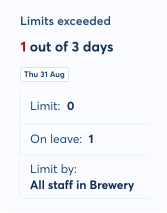
Set how many people can be away from a team or job title on a particular day. Employees can see when a date is likely to be difficult before they submit a request.
Features- Limits by team, day or job title
- Visibility of available leave capacity
- Manager warnings when a limit would be exceeded
- Exceptions where a manager needs discretion
Benefit: Approve leave more fairly without discovering too late that a key role has been left uncovered.
TOIL, absence and return-to-work records
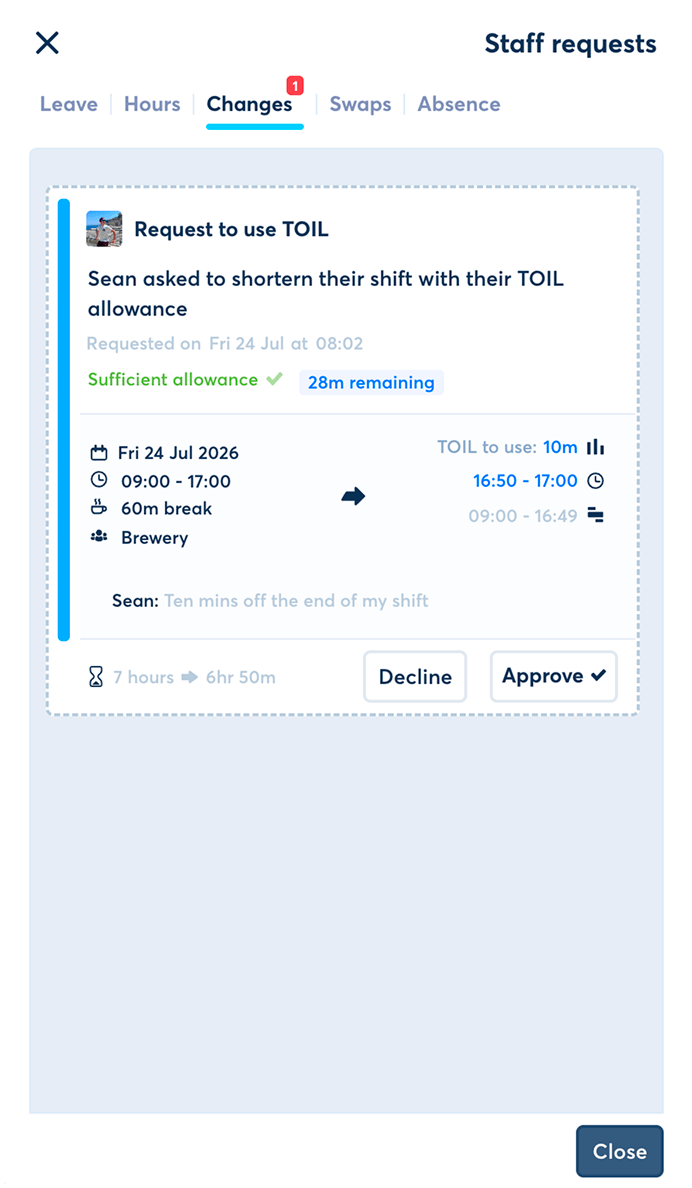
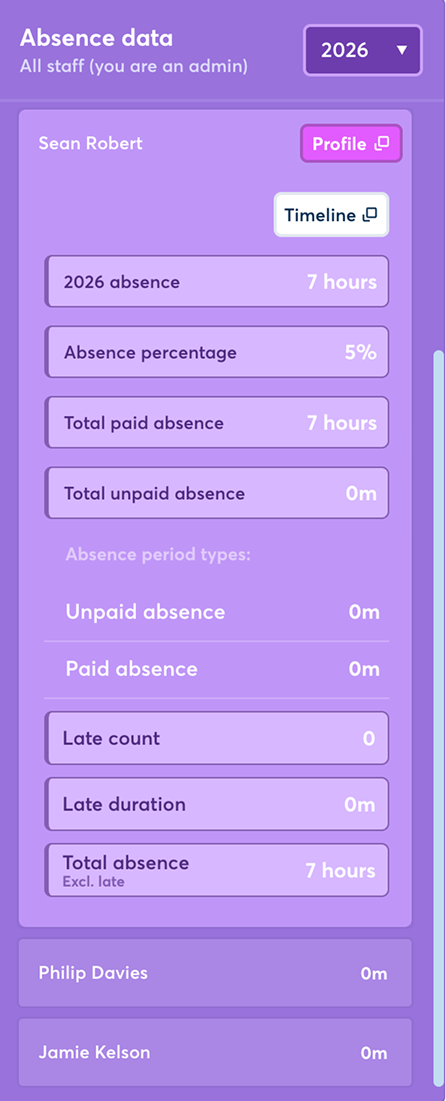
Keep planned leave separate from unexpected absence while still maintaining one useful employee record. Overtime can be converted into time off in lieu, and return-to-work information can be recorded after absence.
Features- Time off in lieu balances and requests
- Absence, lateness and no-show recording
- Return-to-work forms
- Team-level absence information for managers
Benefit: Keep a more complete record of time away from work without mixing every absence type into annual leave.
Manager controls, records and reporting
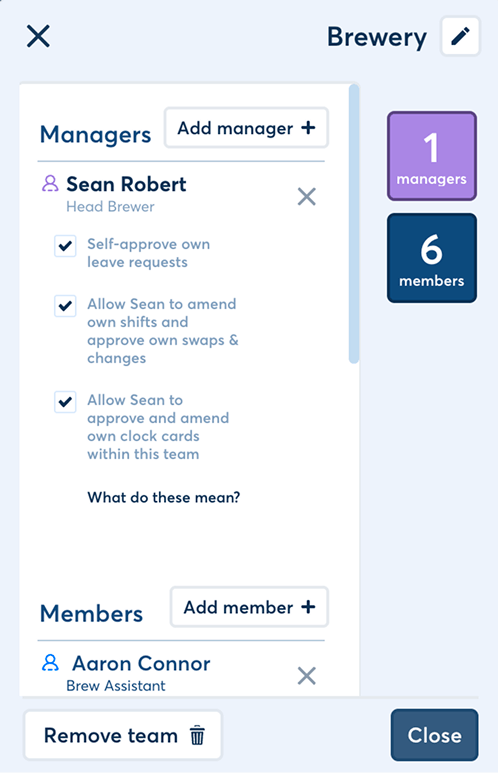
Managers need enough control to run their area without every user seeing or changing the same information. FlowRota keeps everyday administration together while allowing access to reflect a person's actual responsibilities.
Teams, locations and permissions
Organise employees in a way that reflects the business, then give supervisors and managers the tools relevant to the people they manage.
Features- Teams, locations and job titles
- Manager and user permission controls
- Primary teams and manager responsibilities
- Business-wide settings with local management
Benefit: Support a growing structure without giving every manager unrestricted access across the company.
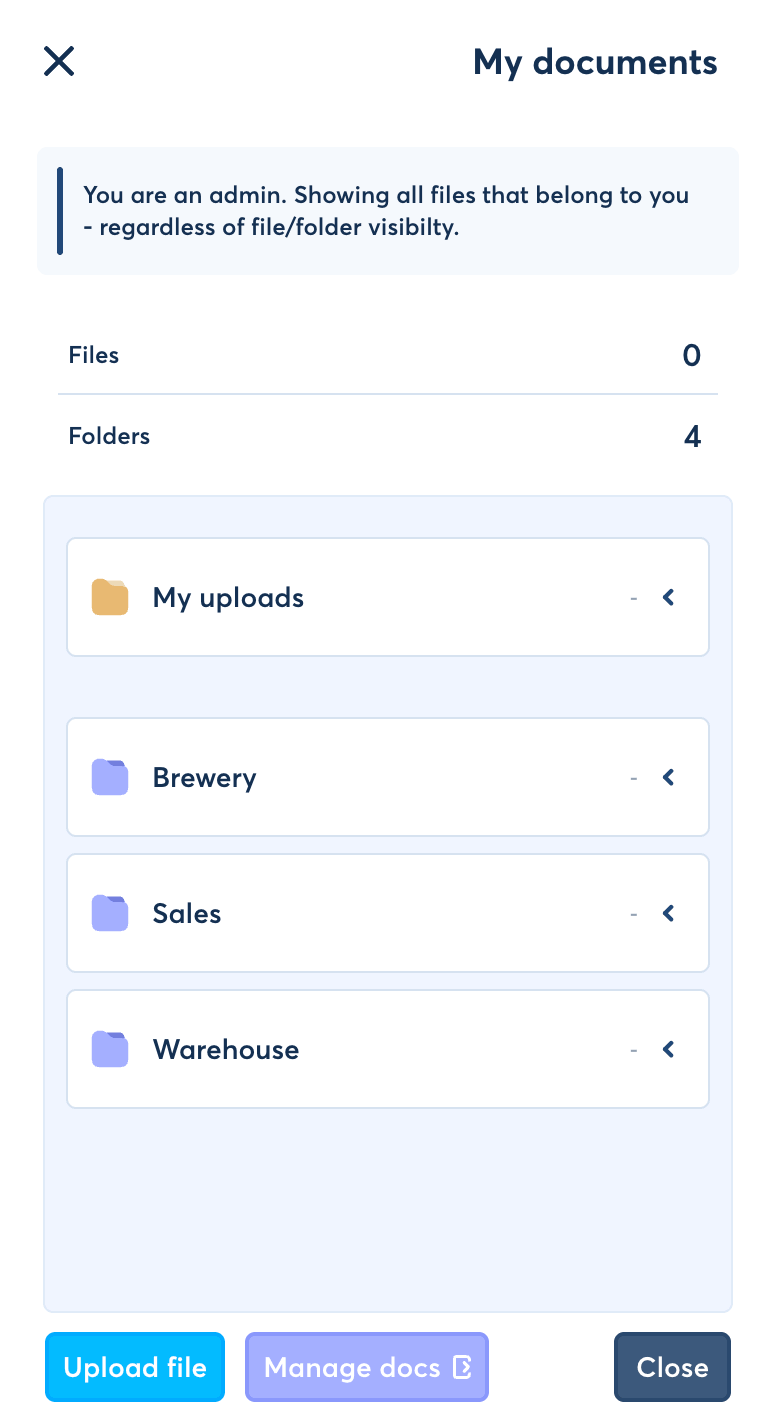
Documents and employee information
Store relevant workplace files alongside the employee record so managers know where to look when a contract, certificate or other document is needed.
Features- Up to 5GB document storage per user
- Contracts, certificates and workplace files
- Central access for authorised managers
- Less reliance on separate local folders
Benefit: Reduce time spent searching different systems for basic employee documents.
Reports and payroll-ready exports
Turn rota and attendance information into records managers can actually review. Export approved timesheet data for the next stage of payroll rather than copying each figure by hand.
Features- Scheduled and worked-hour visibility
- Attendance and absence information
- Timesheet and payroll exports
- Custom rates recorded against relevant work
Benefit: Give payroll preparation a cleaner starting point and make unusual hours easier to investigate.
Automation, accuracy and shift compliance checks
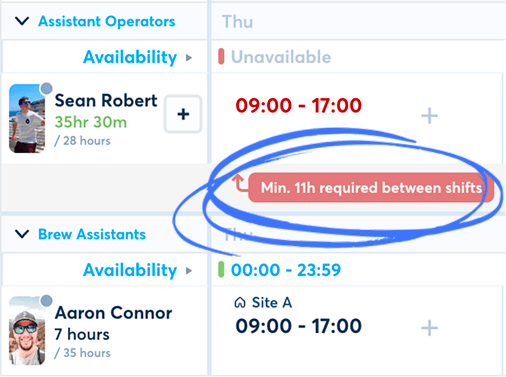
Useful automation should draw attention to a problem without making the rota harder to control. FlowRota checks common scheduling details as managers work and handles predictable calculations in the background.
Rest-period and working-time warnings
Managers can be alerted when a proposed shift pattern appears to conflict with configured rest, break or working-time rules.
Benefit: Spot a potential issue while the rota can still be corrected, rather than after it has been worked.
Clash and coverage checks
FlowRota highlights overlapping shifts, existing leave and other information that may affect whether an employee can cover the work.
Benefit: Reduce avoidable scheduling errors without relying on a manager to remember every commitment.
Automatic calculations and reminders
Leave accrual, worked-hour totals and scheduled notifications can be handled consistently using the information already recorded in FlowRota.
Benefit: Remove repetitive calculations and make important updates less dependent on somebody remembering to send them.
Compliance prompts support good rota decisions, but they do not replace an employer's responsibility to understand and apply the law and any rules specific to its workforce.
Employee mobile access and notifications
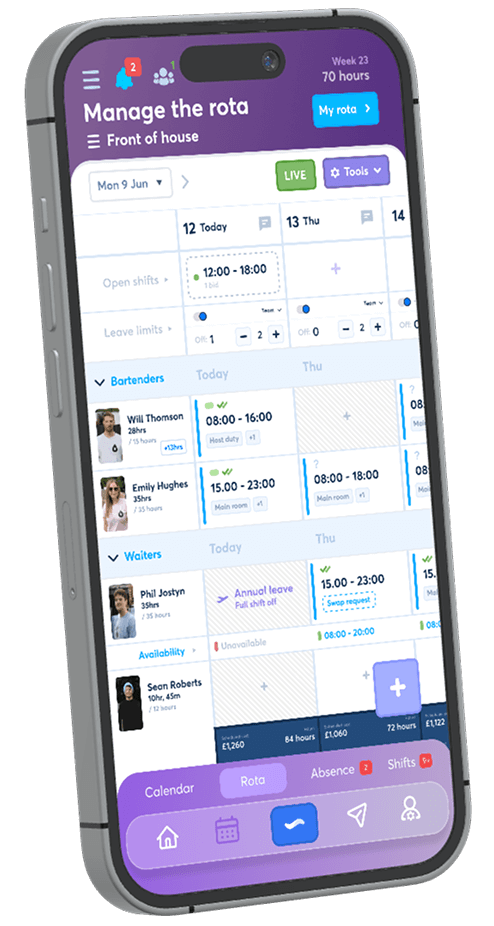
A rota only helps when employees can see it. FlowRota gives staff a direct place to check shifts and complete routine tasks, reducing the need for managers to repeat updates across different channels.
Rotas and requests on mobile
Features- View published shifts from iOS, Android or the web
- Submit availability and leave requests
- Claim open shifts and request swaps
- Clock in and out where mobile clocking is enabled
Benefit: Give employees one reliable place to manage the work information that affects them.
Shift updates and reminders
Features- Push and email notifications
- Published-rota and shift-change updates
- Reminders for upcoming work
- Request and approval notifications
Benefit: Keep changes visible and reduce missed shifts caused by an update being buried in a chat.
FlowRota features compared with their practical benefits
Here is the short version: what each core feature does, and what that means during a normal week for the manager, employee or payroll team.
| Feature | What it does | Practical benefit |
|---|---|---|
| Rota templates | Reuses regular shifts and working patterns. | Reduces repetitive rota setup and manual entry. |
| Employee availability | Shows when flexible employees can work. | Helps managers assign suitable shifts first time. |
| Open shifts | Offers uncovered work to eligible team members. | Fills gaps without contacting employees one by one. |
| GPS and terminal clocking | Records when employees start and finish work. | Creates a clearer attendance record for review. |
| Timesheets and rates | Records worked hours, breaks, overtime and enhanced rates. | Provides cleaner information for payroll preparation. |
| Leave limits | Checks requests against team or job-title capacity. | Helps protect minimum staffing and supports fairer decisions. |
| TOIL management | Converts approved overtime into time-off balances. | Keeps earned and used TOIL visible to both sides. |
| Shift-rule warnings | Flags clashes and configured rest-rule concerns. | Allows managers to correct potential problems before publishing. |
| Mobile notifications | Sends rota, shift and request updates directly to employees. | Reduces missed messages and repeated manager follow-up. |
Made for small and growing shift-based businesses
FlowRota works especially well where staffing changes across the week and managers need a quick answer about cover, availability or worked hours. The system is flexible enough for different working patterns without becoming difficult for employees to use.
Hospitality
Plan busy services, cover variable demand and keep front-of-house, kitchen and venue teams informed.
Retail
Schedule stores and job roles, record availability and manage holiday cover across trading hours.
Breweries and taprooms
Coordinate production, warehouse and customer-facing teams even when their shift patterns differ.
Other flexible teams
Support part-time, seasonal and mixed-contract employees without relying on separate spreadsheets.
Practical guidance for better rota and leave planning
Good software helps most when the process around it is clear. These guides cover two of the most common causes of rota disruption and show how to handle them before the schedule is published.
Frequently asked questions about FlowRota features
What can FlowRota help my business manage?
FlowRota brings staff rota planning, employee availability, open shifts, shift swaps, time tracking, timesheets, annual leave, absence, TOIL and team notifications into one system.
Can employees submit their availability before I build the rota?
Yes. Employees can add their availability and managers can request it for a particular scheduling period. Availability is visible while the rota is being built, helping managers avoid unsuitable shifts and repeated messages.
Does FlowRota include employee clocking and timesheets?
Yes. Teams can use mobile GPS clocking or a shared on-site terminal. Managers can review clock cards, timesheets, breaks, overtime and different rates before exporting the data for payroll.
Can FlowRota manage annual leave and TOIL?
Yes. Employees can request leave from the app, managers can approve or decline it, and allowances can be managed using contracted or accrued hours. FlowRota also supports time off in lieu and configurable leave limits.
Does FlowRota help with shift compliance?
FlowRota can warn managers about shift clashes, insufficient rest and configured working-time rules while rotas and changes are being prepared. These prompts support better decisions but do not replace an employer's legal responsibilities.
Can FlowRota be used across different teams and locations?
Yes. Businesses can organise employees by team, location and job title, give managers the permissions they need and keep scheduling information together without giving everybody access to everything.
How much does FlowRota cost?
FlowRota costs £1 per user per month after a 30-day free trial. No credit card is required to start the trial. Visit the pricing page for full details.