Announce the finished week
Tell staff that the published rota is ready for them to view.

Notify the team when a published rota week is ready to view, then keep individual employees informed when a manager changes their shift.
FlowRota prompts managers at the right moment and leaves the final choice with them. Shift change alerts follow the employee’s notification settings, using push or email where enabled.
A published schedule is only useful when employees know to check it. From the Manage rota page, managers can tell staff that their rota week is ready. If something changes later, the affected employee can be notified without sending another update to the whole team.
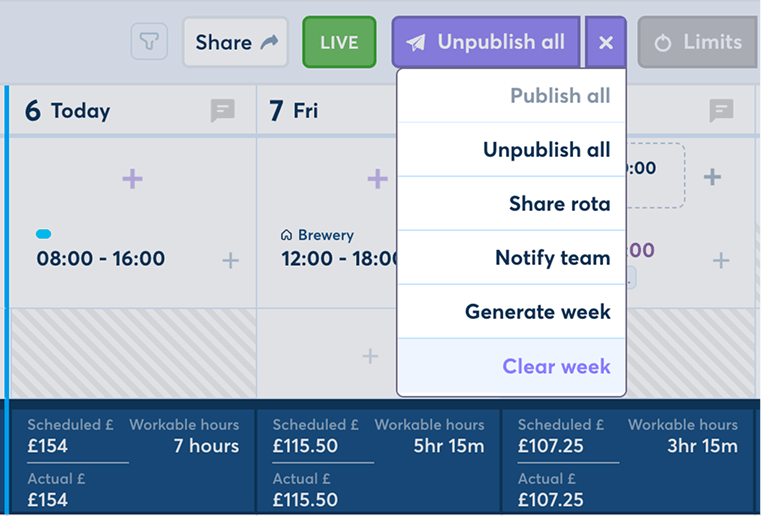
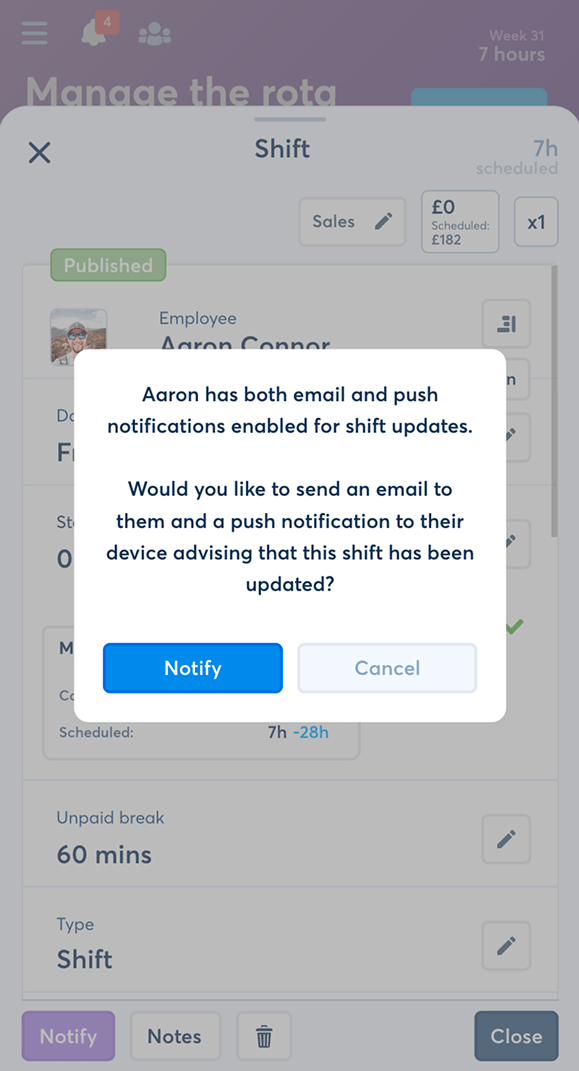
Alerts appear around the actions that make a rota useful: publishing the finished week and changing an employee’s scheduled shift.
Tell staff that the published rota is ready for them to view.
Ask whether staff should be notified after all shifts have been published.
Offer a direct alert when a manager changes an individual shift.
Follow the employee’s enabled notification settings for shift change delivery.
Let the manager decide whether the publication or change needs an alert.
Communicate from the rota instead of recreating the same update in a separate chat.
Once the manager has finished the week and published all its shifts, FlowRota asks whether they want to notify their staff.
The prompt appears within the Manage rota workflow, where the manager has just completed the schedule. They can send the alert immediately or decline it if no notification is needed.
Features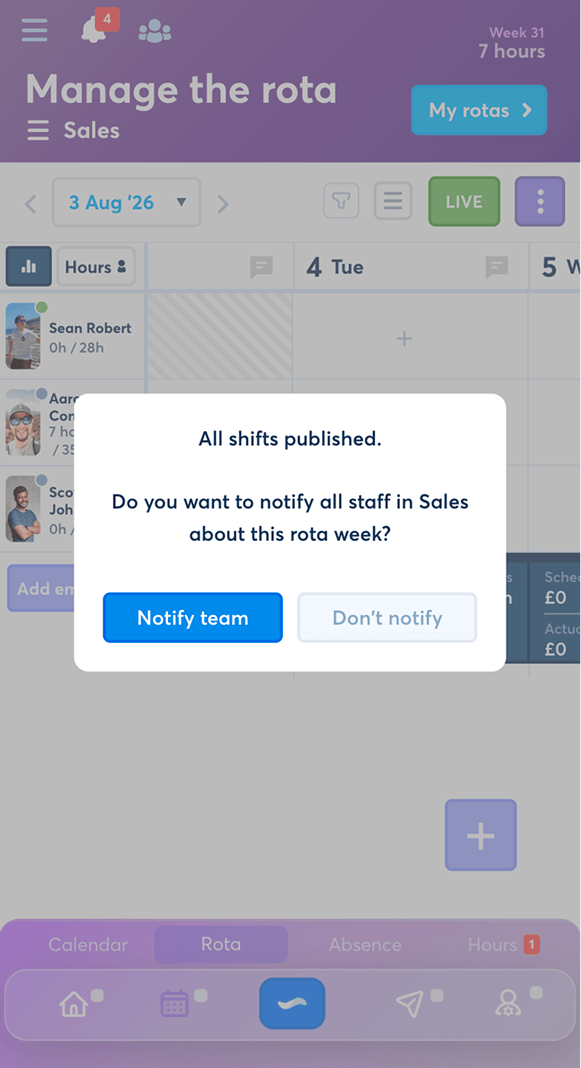
The notification decision follows the publication process rather than relying on the manager to remember it later.
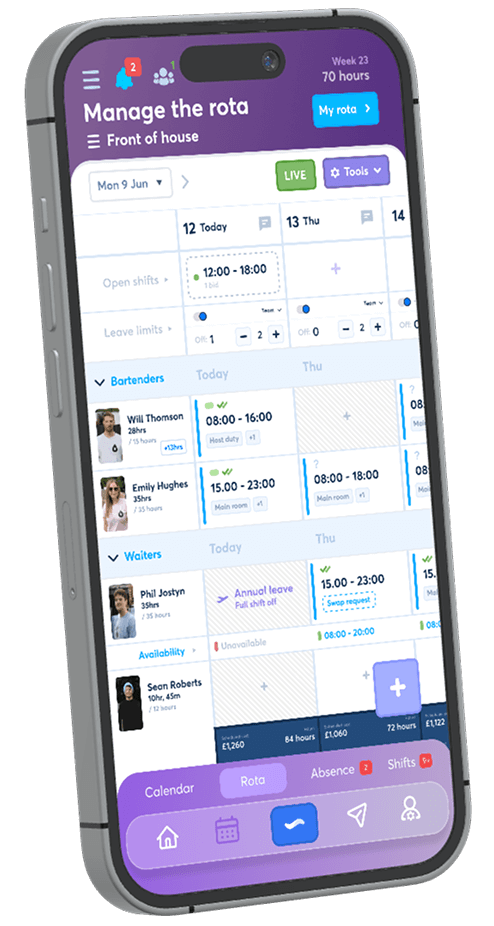
The manager creates and reviews the shifts from the Manage rota page.
The completed shifts are published so the week is ready for employees to view.
A prompt asks whether they want to notify staff that the rota is ready.
They send the rota-ready alert or continue without notifying the team.
 A timely reminder, not an automatic assumption.
FlowRota raises the question while the finished rota is still in
front of the manager.
A timely reminder, not an automatic assumption.
FlowRota raises the question while the finished rota is still in
front of the manager.
Publishing the week is not always the end of rota management. If a manager later changes an employee’s shift, FlowRota gives them the option to notify that employee.
A scheduled shift is changed from within the normal rota workflow.
The alert stays connected to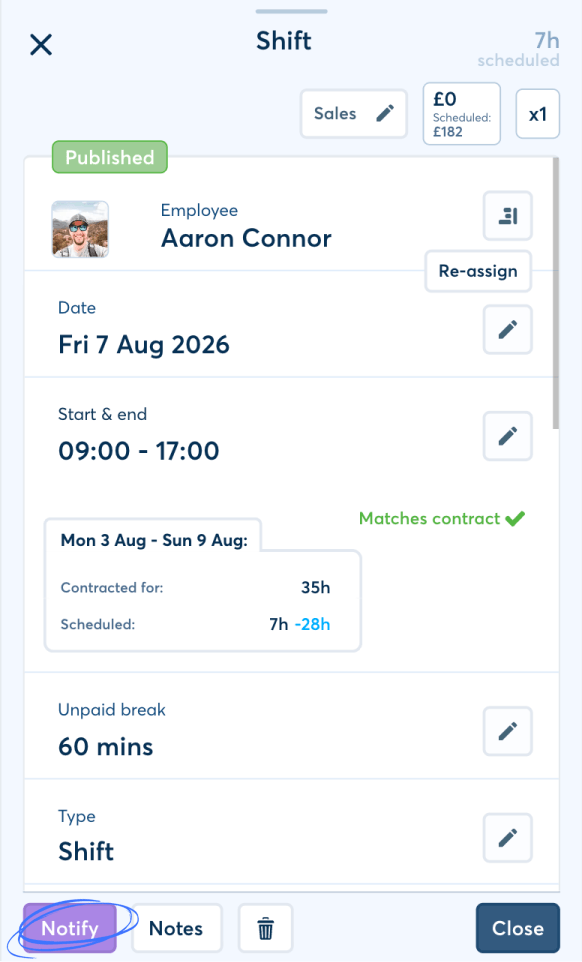
The manager can choose whether the employee should be alerted to the change.
Why the choice matters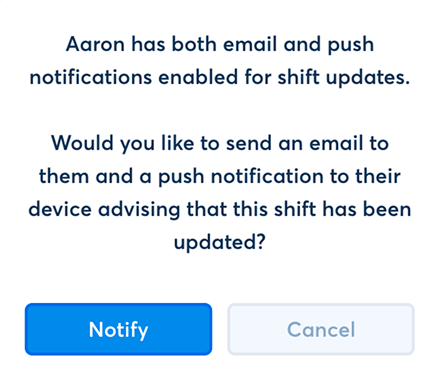
When the manager sends the alert, it is directed to the employee whose shift was changed.
Benefits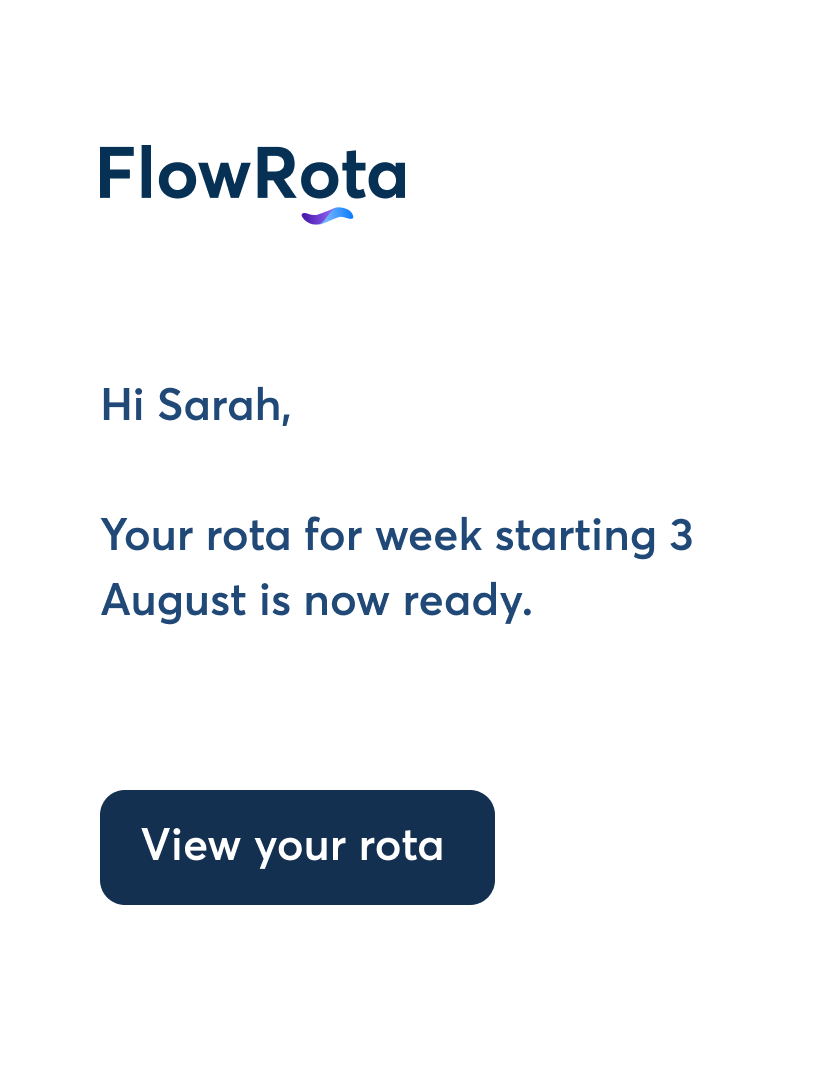
Employees do not all want updates in the same way. FlowRota uses the notification channel available through each employee’s settings.
Where push is enabled for the employee, the shift change can reach the device they use to check FlowRota.
Useful forWhere email is enabled in the employee’s notification settings, the shift change alert can use their inbox.
Useful forThe manager decides whether to send the alert. The employee’s notification settings then determine whether push or email is available for delivery.
See the wider FlowRota push and email notification settings or focus specifically on email notifications .
A whole rota week becoming ready and one employee’s shift changing are different events. FlowRota keeps their audience and timing distinct.
| Alert | When it is offered | Who it is for |
|---|---|---|
| Rota week ready | After all shifts in the week have been published. | Staff covered by the published rota week. |
| Shift change | When a manager changes an employee’s shift. | The employee affected by that change. |
Rota alerts sit beside publishing and editing actions, reducing the chance that the manager finishes the scheduling work and then forgets the communication step.
Benefits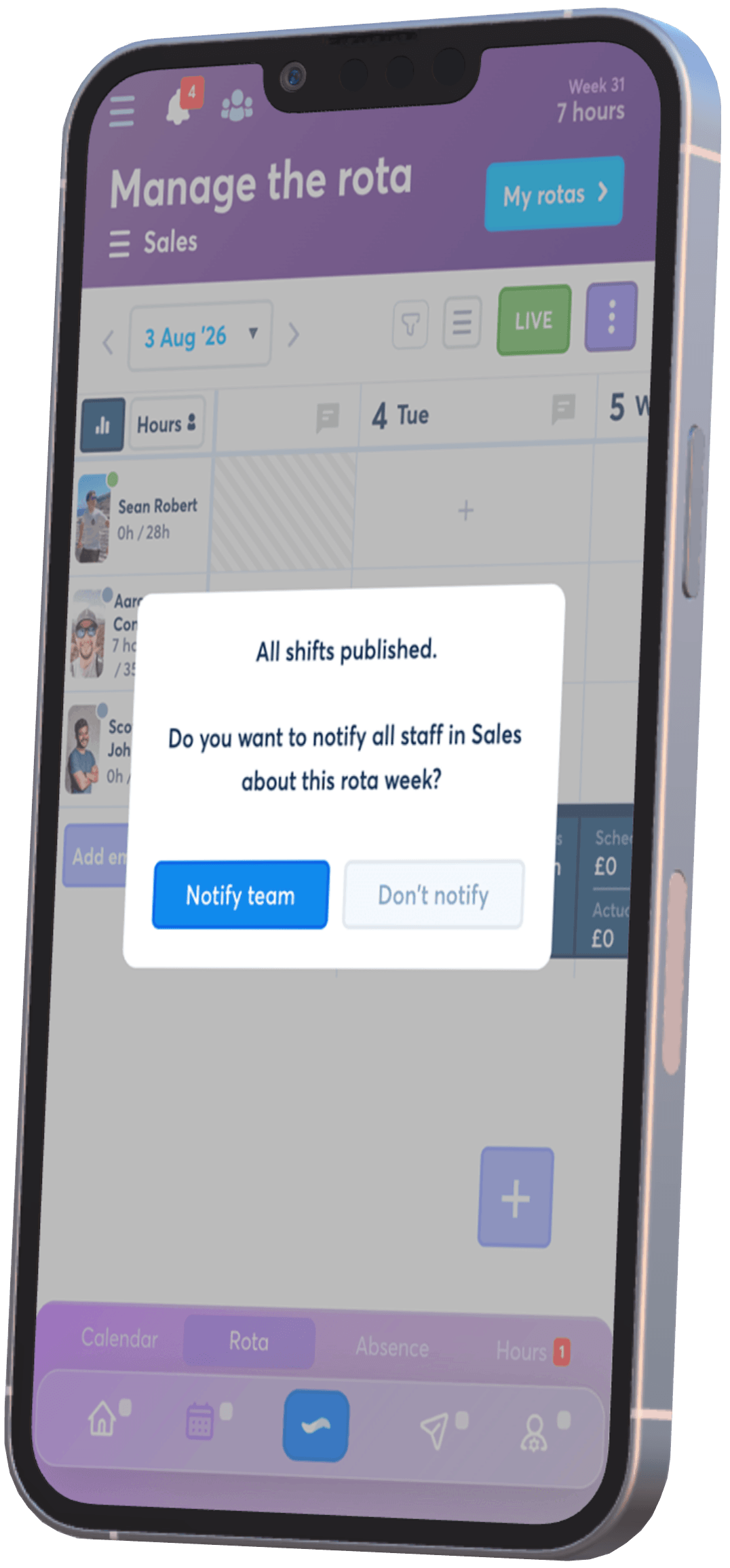
Staff need to know both when the schedule is ready and when something they had already seen has changed.
Give employees a distinct signal that the published week is ready to check.
Send the update from FlowRota instead of repeating it across team chats.
Direct an individual shift-change alert to the employee it affects.
Use push or email according to the notification settings the employee has enabled.
Publishing, notifications and rota checks work together to give staff a schedule they can understand and managers a clearer way to maintain it.
A rota alert lets a manager tell staff that their rota week is ready to view after the shifts have been published.
Managers can send the rota-ready notification from the Manage rota page.
Yes. Once all shifts are published, FlowRota asks the manager whether they want to notify their staff.
The notification is intended for the staff covered by the published rota week so they know the schedule is ready to view.
Yes. When a manager changes a shift, they have the option to send a notification to the employee affected.
Yes. FlowRota gives the manager the choice to send the notification when changing the shift.
A shift change alert can be delivered by push notification or email, depending on the employee’s notification settings.
Yes. The available delivery route follows the employee’s configured notification settings.
A rota-ready alert tells staff that the published week is available, while a shift change alert is directed to the employee whose individual shift was changed.
FlowRota costs £1 per user per month after a 30-day free trial. No credit card is required to start the trial. Visit the pricing page for full details.
Tell the team when their week is ready and notify individual employees when their shift changes. The trial is free for 30 days, no credit card is required, and continued access costs just £1 per user per month.
Start your free trial