Separate employee and manager alerts
Control the updates someone receives about their own work and the additional events they manage for a team.

Keep employees and managers informed about shifts, requests, approvals, leave, availability, timesheets and more.
Notification settings are separated by the user’s role as an employee or manager. Each event can be controlled individually, while shift reminders and new-shift alerts include additional timing options so useful updates arrive at the right point.
Rota changes create dozens of moments when somebody needs to know what happened. FlowRota turns those events into clear, controlled notifications: employees can follow changes to their own work, and managers can respond when their teams submit requests, forms and records.
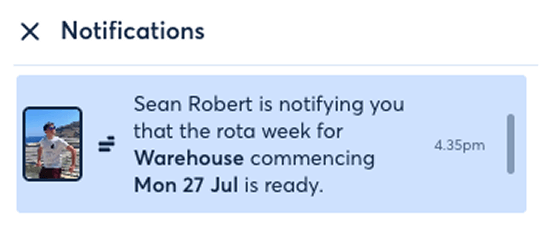
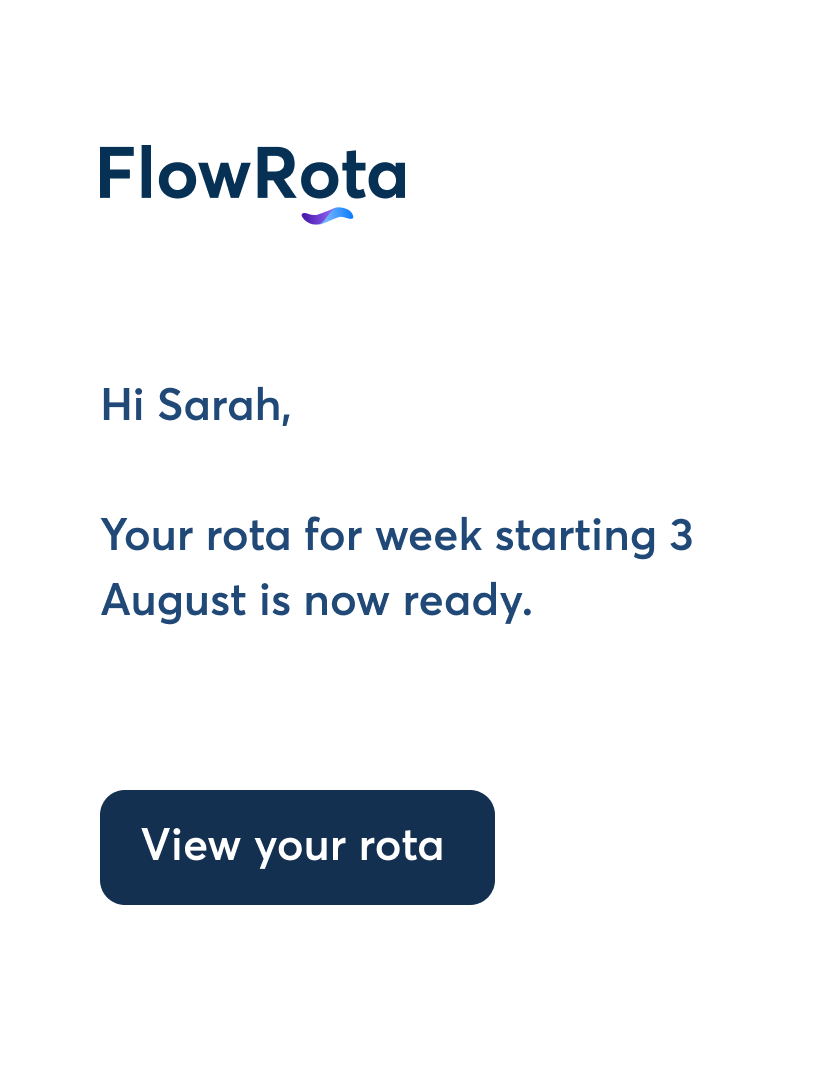
FlowRota connects each alert to a real scheduling or workforce event, helping people act on changes without filling their inbox with every possible update.
Control the updates someone receives about their own work and the additional events they manage for a team.
Enable the notifications that are useful and leave unrelated email categories switched off.
Send a reminder before a scheduled start, using the lead time selected in the employee’s settings.
Notify the right person when leave, swaps, TOIL, shift changes, timesheets or other requests move forward.
Surface clock cards, availability, notes and return-to-work forms when somebody needs to review or respond.
Use email for the selectable alerts shown in settings and an in-app alert for manager clock-on and clock-off updates.
Employee notifications cover the journey from a new shift appearing on the staff rota to later amendments, requests, approvals and reminders.
Employees can choose alerts around their shifts, time away, clocking records and conversations. The settings stay granular: a user can keep a shift reminder without also subscribing to every note, swap or timesheet update.
Features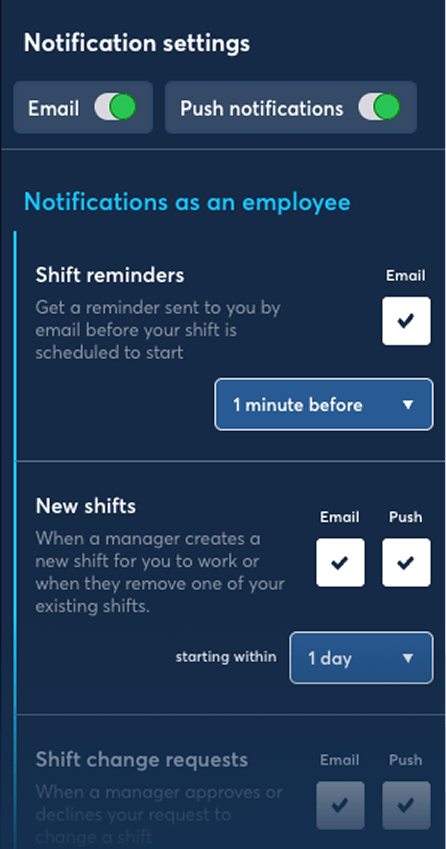
Settings are organised around the user’s two possible roles, then broken down by the individual events that can generate an update.
Review notifications received as an employee and, where applicable, the separate set received as a manager.
Enable the email checkbox for each type of shift, request, approval, record or form update that is useful.
Choose how long before a shift to send a reminder and the starting-within window used for new-shift emails.
When the selected event occurs, FlowRota sends the configured email or, for manager clocking updates, an in-app notification.
 Granular rather than all-or-nothing.
Users can keep the alerts that help them act and switch off the
categories they do not need.
Granular rather than all-or-nothing.
Users can keep the alerts that help them act and switch off the
categories they do not need.
The complete employee list spans scheduled work, time away, clocking, requests and shared records. Each item has its own email control.
Keep track of new work, later amendments and requests involving an employee’s scheduled shifts.
Available email notificationsBenefit: Give employees a direct update when their schedule changes or a shift workflow needs their attention.
Follow time away and attendance records from the first request or reminder through to manager approval.
Available email notificationsBenefit: Let employees see when a request, record or form has moved on without having to ask a manager for an update.
Stay informed when a manager updates a timesheet or somebody adds to a shared shift, leave, swap or open-shift conversation.
Available email notificationsBenefit: Keep the conversation attached to the FlowRota record while still alerting the employee that something changed.
Manager notifications focus on employee activity: requests, decisions, bids, submissions and records that would otherwise require the manager to keep checking FlowRota manually.
See when employees respond to scheduled work or ask for a change involving a shift you manage.
Available email notificationsBring requests and completed workforce forms to the manager’s attention when an employee takes action.
Available email notificationsFollow key attendance events and updates to records linked to the employees in a manager’s team.
Available notifications
Manager alerts reflect the team relationship.
A manager receives the selectable updates generated by employees
they manage, rather than notifications about unrelated teams.
Some notifications need more than an on-or-off switch. FlowRota adds timing controls where the value of the email depends on how close the scheduled shift is.
Employees can receive a reminder before a shift they are due to start, with the reminder timing selected in their settings.
FeaturesNew-shift emails can use a starting-within period, helping the user focus on shifts created or removed within the lead-time window they choose.
FeaturesThe remaining events retain their own checkbox, so users do not need to accept a single catch-all email setting simply to receive one important update.
Benefits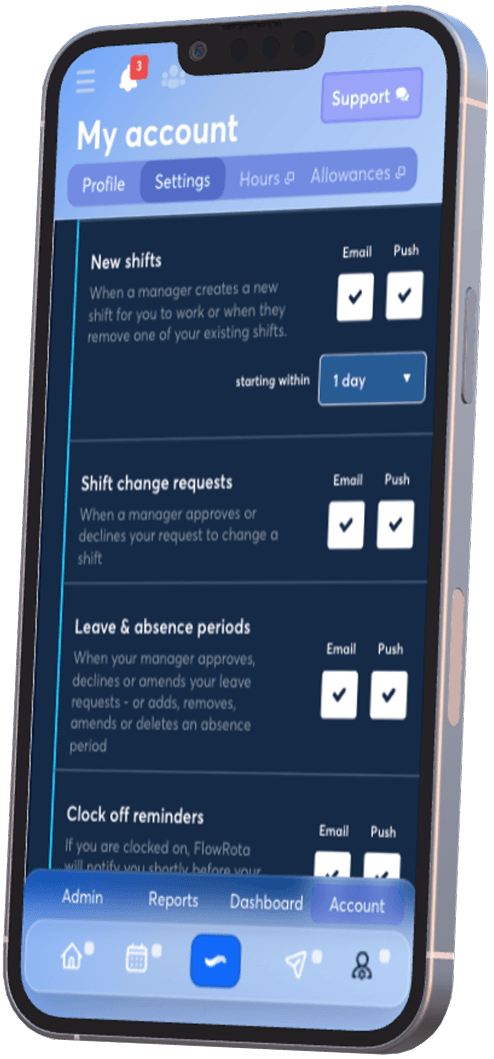
Most selectable events shown in the notification settings use email. Manager updates for an employee clocking on or off are labelled as in-app, keeping live attendance activity inside FlowRota.
When an employee clocks on to or off from a shift, the manager notification is delivered in-app. This is separate from the employee’s optional email reminder to clock off shortly before a scheduled finish.
Staff can use FlowRota across web, iOS and Android. Visit the FlowRota installation page for access options.
Employee and manager settings may refer to the same workflow from opposite sides. One person submits or receives a change; the other reviews or responds to it.
| Notification group | Typical events | Channel shown |
|---|---|---|
| As an employee | Shift reminders and changes, decisions on requests, clock cards, timesheets, availability and forms. | |
| As a manager | Leave, change and TOIL requests, shift responses, swaps, open-shift bids, submissions, timesheets and notes. | |
| Manager clocking updates | An employee managed by the user clocks on to or off from a shift. | In-app |
A rota system only feels connected when people know that something changed. Selective notifications help each workflow move forward without requiring constant checking or a second message thread.
Let employees know about new shifts, amendments and decisions on their requested changes.
Surface leave, TOIL, swaps, open-shift bids, availability and other employee submissions that need review.
Give employees a prompt before a scheduled start or clock-off time instead of relying entirely on memory.
Keep the underlying request, shift, note or form in FlowRota while still alerting the person who needs to act.
Email alerts sit around the scheduling, absence and workforce workflows already taking place in FlowRota. These related pages add useful context to the events employees and managers receive.
Employees can receive notifications for shift reminders, new shifts, shift changes and requests, leave and absence, clock-off reminders, swaps, clock-card approvals, TOIL, open shifts, availability requests, timesheets, notes and return-to-work forms.
Managers can be notified about employee leave, accepted or declined shifts, shift change and TOIL requests, swaps, open-shift bids, return-to-work forms, availability submissions, timesheets and staff notes.
Yes. FlowRota provides separate controls for individual notification events, grouped by notifications received as an employee and as a manager.
Yes. The shift reminder setting includes a timing control so the employee can choose how long before a scheduled shift the reminder should be sent.
Yes. The new-shift notification includes a starting-within setting, allowing the user to choose the relevant lead-time window.
Yes. Employees can receive notifications when a manager amends a shift and when a shift change request is approved or declined. Managers can be notified when an employee submits a change request.
Yes. Employees can receive updates when leave requests are approved, declined or amended and when an absence period changes. Managers can receive email notifications for new employee leave requests.
The manager setting shown for employee clocking on and off uses an in-app notification rather than email. Employees can separately enable email clock-off reminders.
Yes. Employees can be emailed when a return-to-work form is signed off by their manager, and managers can be emailed when an employee completes a form.
FlowRota costs £1 per user per month after a 30-day free trial. No credit card is required to start the trial. Visit the pricing page for full details.
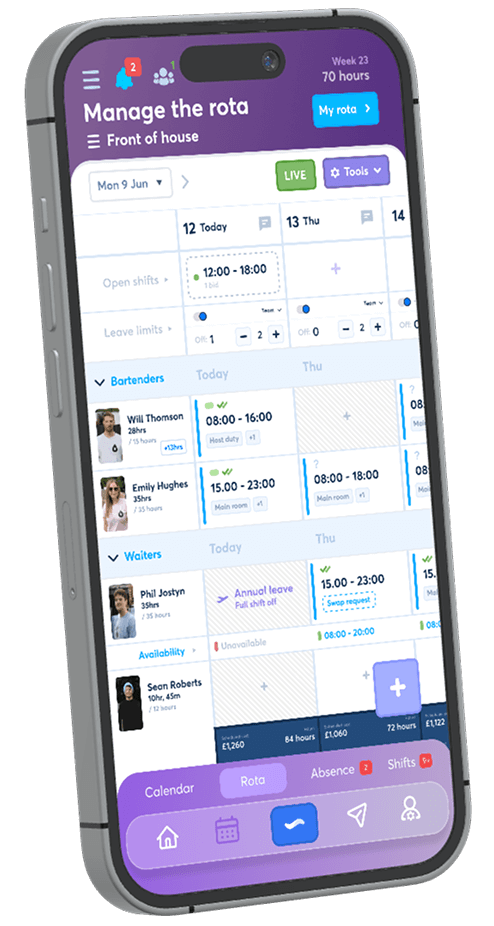
Choose employee and manager alerts, set a shift reminder and see how FlowRota keeps requests, changes and approvals moving. The trial is free for 30 days, no credit card is required, and continued access costs just £1 per user per month.
Start your free trial