Schedule ordinary work and overtime
Choose between Shift, Overtime - paid and Overtime - TOIL.

A FlowRota shift is more than a start and finish time. It connects the employee’s scheduled hours with their team, pay, duties, location, availability, attendance and TOIL.
Build ordinary shifts, paid overtime or overtime that earns time off in lieu—then publish, cost, swap, clock, duplicate and report on the same record.
FlowRota uses shifts as the central record of scheduled work. Managers can see who is working, where, for how long, what they should do and what the shift will cost—while employees receive the details they need in the same rota.
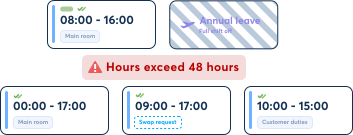
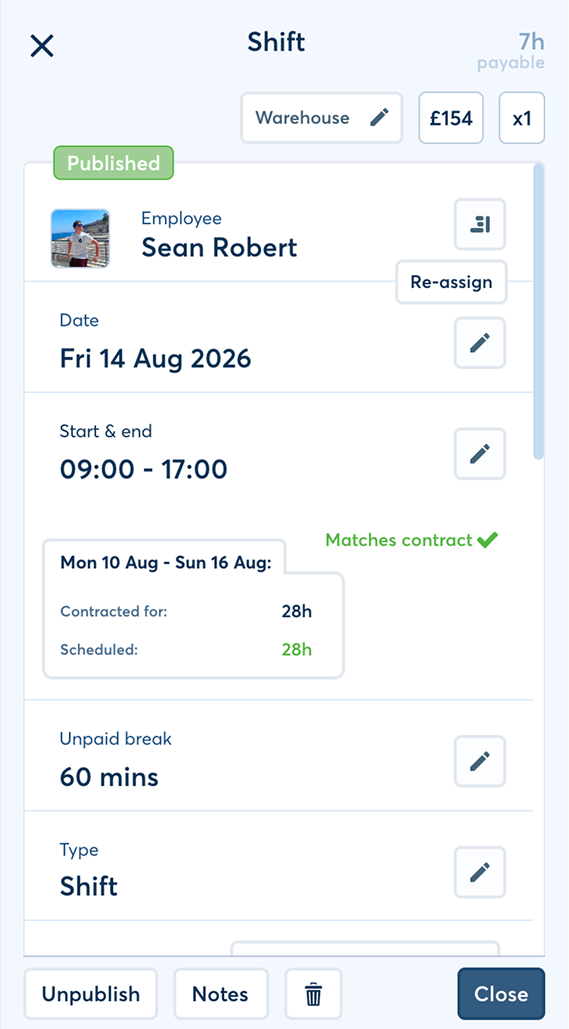
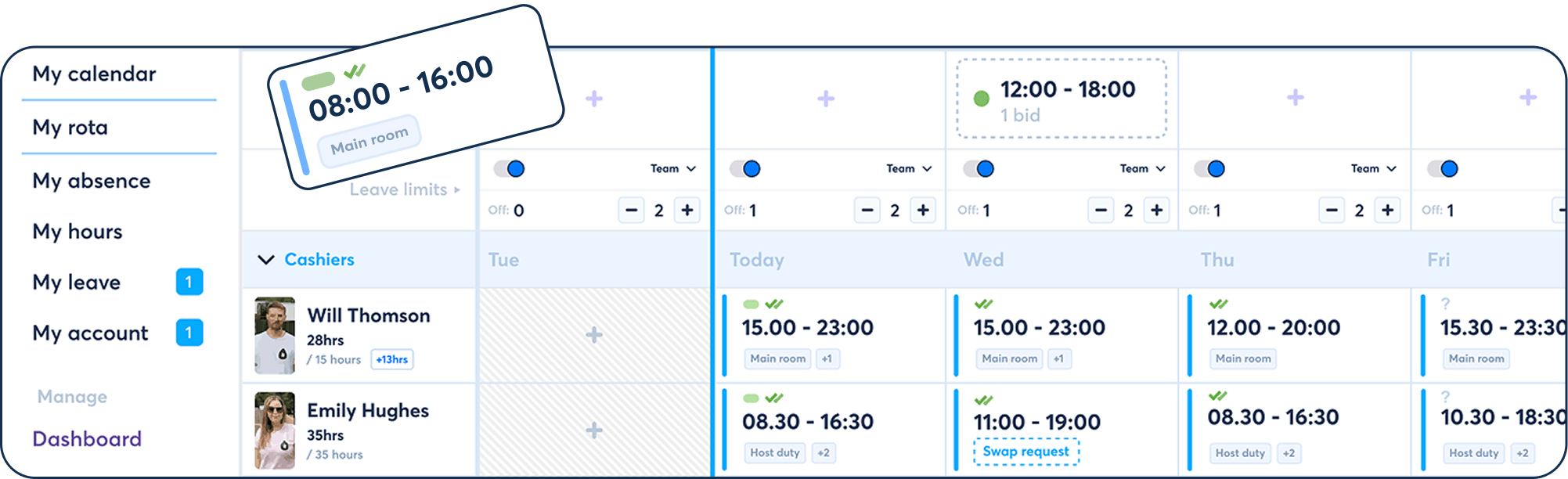
Managers can build a detailed rota without maintaining separate records for pay, duties, attendance and employee flexibility.
Choose between Shift, Overtime - paid and Overtime - TOIL.
Apply pay rates and show what an hourly-paid shift will cost and earn.
Use tags and notes to explain what the employee should do.
Connect absence, lateness, paid leave and clocked time to the scheduled shift.
Enable swaps, TOIL and open-shift claims without losing the rota record.
Drag, drop and duplicate shifts while tracking weekly contracted and scheduled hours.
Each type appears in the rota as scheduled work, but its pay or TOIL outcome is handled differently.
Use a standard shift for the employee’s ordinary scheduled hours.
The record can includeSchedule overtime that the employee will be paid for rather than receiving as banked time.
The record can includeRecord overtime that adds its duration to the employee’s TOIL balance instead of paying the overtime record itself.
The TOIL treatment means
 TOIL is time earned back, not pay on the overtime record.
The employee works the overtime, banks its duration and can use that
balance to reduce future scheduled work while remaining paid for the
TOIL-covered time.
TOIL is time earned back, not pay on the overtime record.
The employee works the overtime, banks its duration and can use that
balance to reduce future scheduled work while remaining paid for the
TOIL-covered time.
See the full paid overtime and TOIL workflow .
FlowRota can turn the scheduled duration and pay treatment into a visible shift cost before the rota is finalised.
Apply the rate that reflects how the scheduled work should be paid.
Examples
Where the employee is hourly paid, the shift shows how much it will cost the business and how much the employee will earn.
The calculation can reflect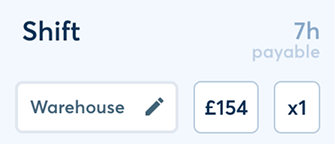
A manager can replace the employee’s usual hourly rate for one specific shift when the work needs different treatment.
Why it helps
Operational detail stays with the scheduled hours instead of being scattered across separate messages.
Assign the employee within a distinct team, select the work location and add duty tags that describe their responsibilities.
Duty tag examples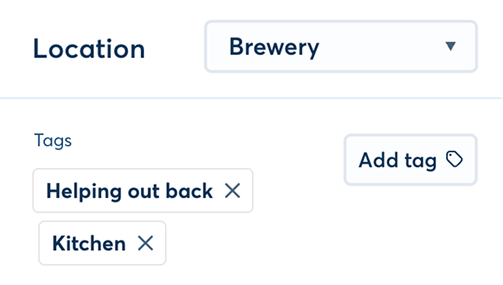
Benefit: Managers can later understand scheduled hours by team and location while employees see the duties expected on the day.
Both the manager and employee can add notes to the shift, keeping instructions and useful context beside the schedule.
Notes can support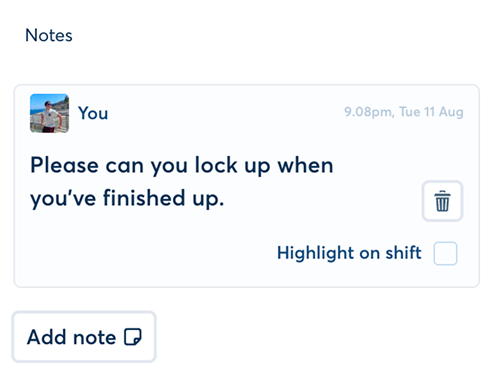
Benefit: Anyone reviewing the shift sees its instructions without hunting through another communication channel.
Location-based hours and spend can be reviewed through FlowRota reports .
FlowRota supports employee-led swaps and manager-created open shifts without losing the team and shift context.
Where the team permits swaps, employees can request to exchange shifts or take another employee’s same-team shift.
Approval can be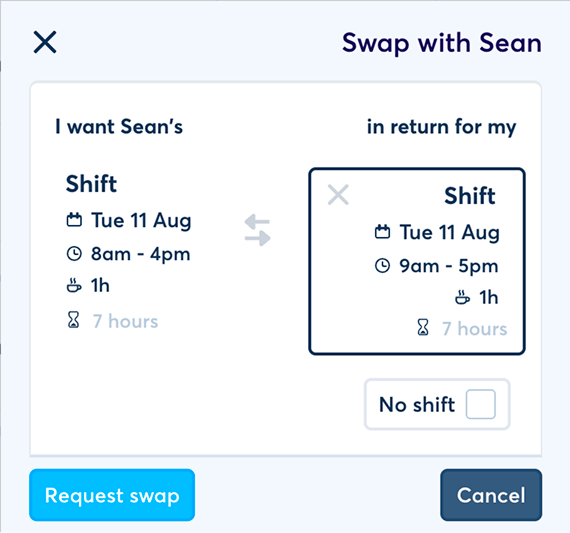
Explore the complete employee shift swap workflow .
A manager can remove the employee assignment and publish the shift as open for other staff in the team to claim or bid for.
The shift retains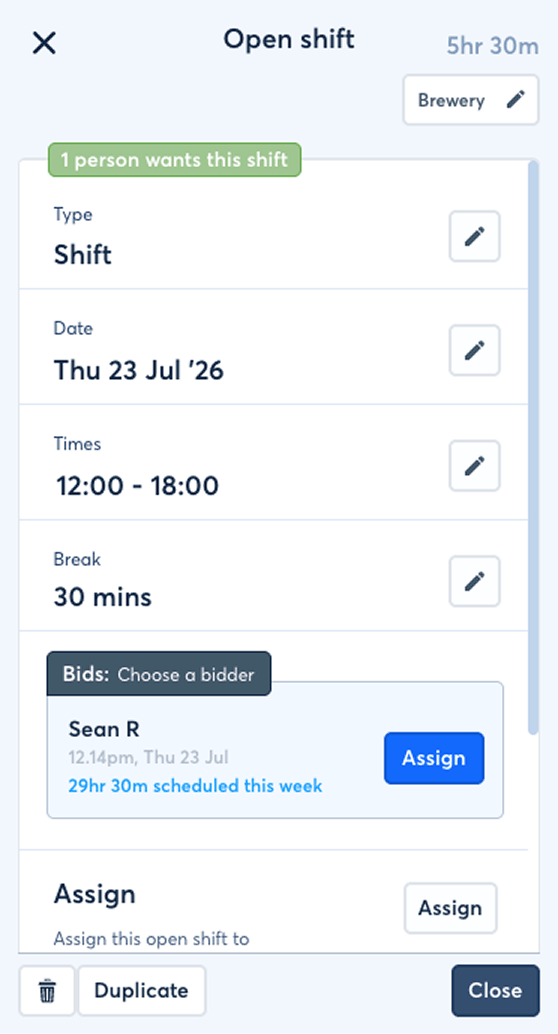
See how employees claim and bid for open shifts .
Absence, lateness and paid leave remain attached to the shift they affect, preserving both the planned schedule and the actual exception.
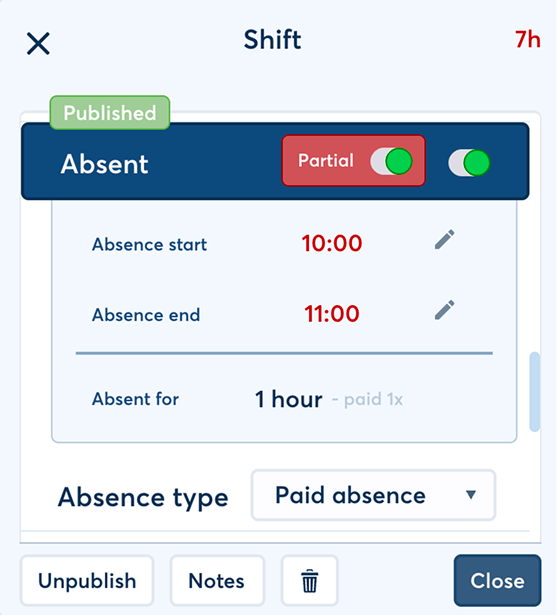
Mark the whole shift absent or record absence between specific times within it.
Shift absence can includeAbsence types make the record more useful for absence management and reporting .
Mark that the employee began late, record the duration and choose whether the missed time remains paid.
The record can show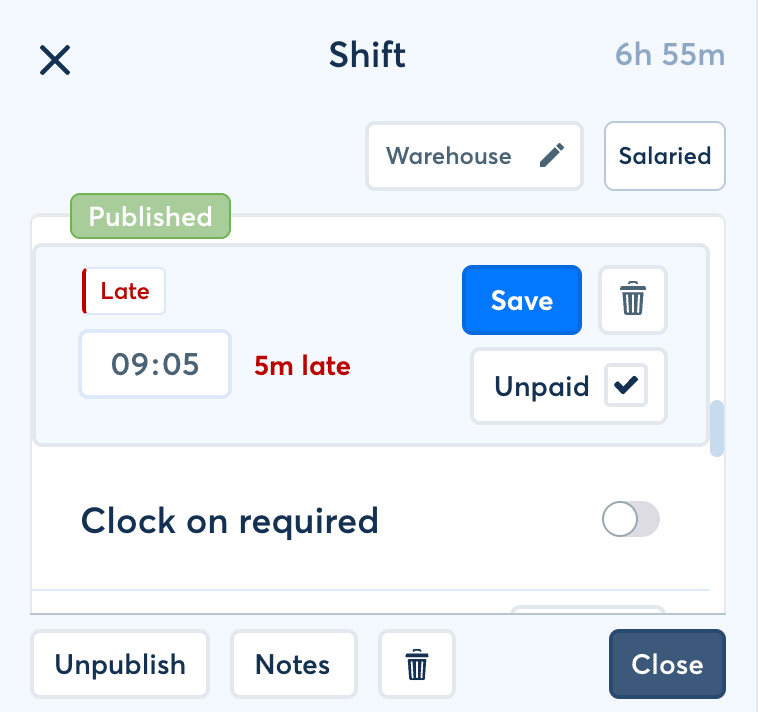
Add a defined amount of paid time away from the scheduled shift, such as 60 minutes of appointment leave.
Why it helps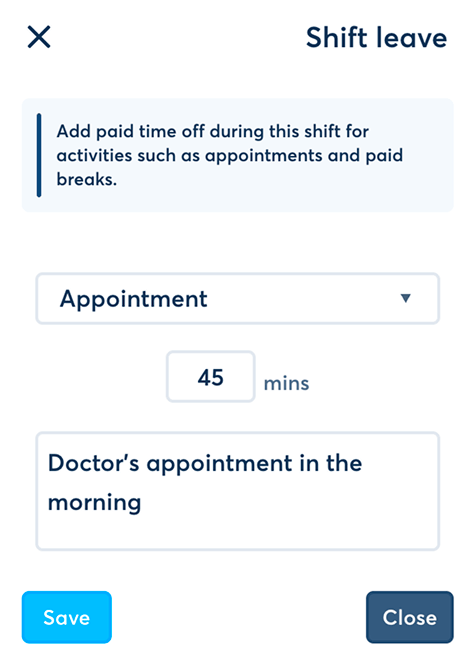
Employees can clock on to a shift, allowing managers to compare the planned duration with the time recorded in practice.
Managers can set the shift so only the employee’s clocked duration is payable. Where clocked time differs from the schedule, FlowRota can use TOIL to handle the difference instead of treating every minute as ordinary shift pay.
Clocking optionsExplore employee GPS clock-ins and connected clock-card records.
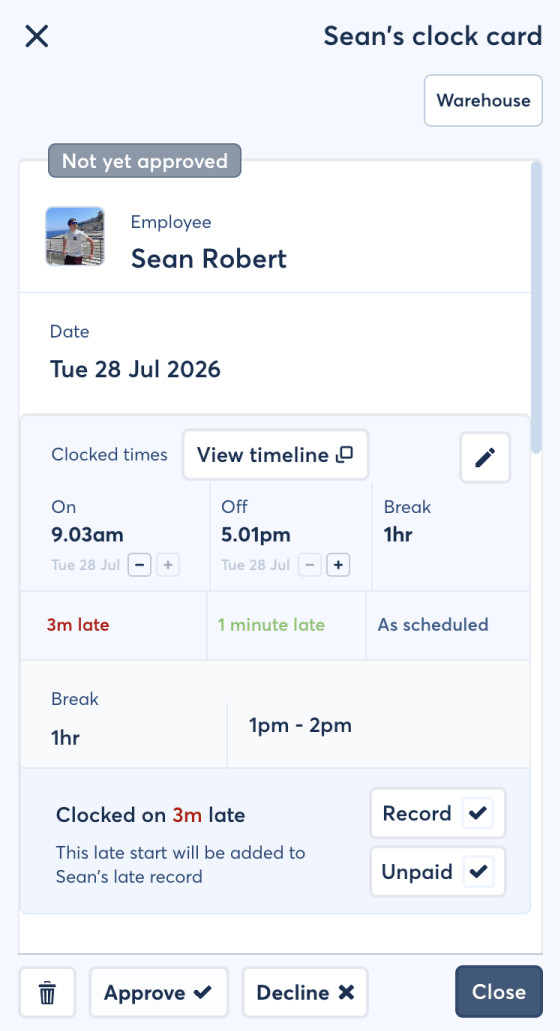
A paid late duration can use the employee’s existing TOIL balance, while time clocked beyond the schedule can be added to that balance instead of paid on the shift.
FlowRota gives managers scheduling context before a new shift becomes part of the published rota.
The rota shows how many hours the employee is contracted to work in the week and how many hours are currently scheduled.
Managers can see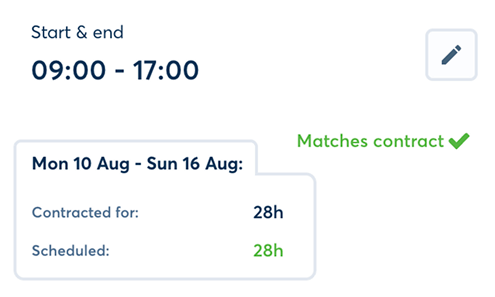
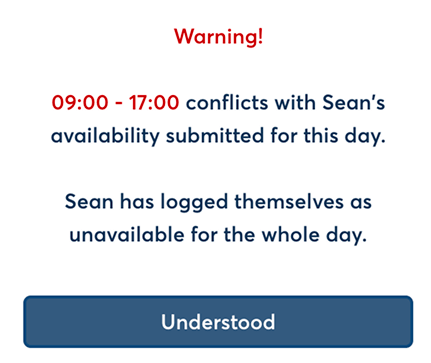
Managers can build the rota using availability supplied by the employee.
FlowRota canSee how to collect and use employee availability .
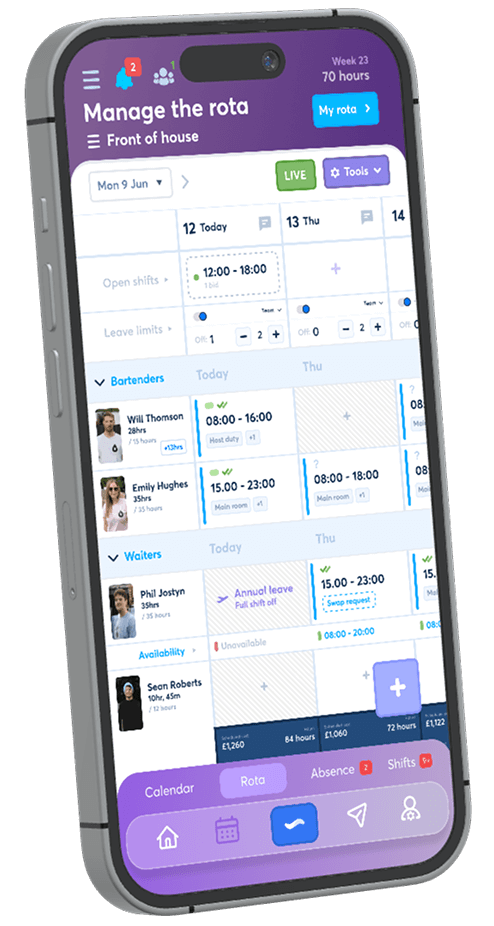
Move a shift around the staff rota or duplicate it when similar work needs scheduling again.
BenefitsUse real-time rota rules and warnings alongside the planning process.
If an employee is contracted to work on a day when the company is closed for a bank holiday, FlowRota can create a paid day off shift instead.
The paid day off still appears in the rota like a shift, preserving the employee’s scheduled record for the day. Its status makes clear that no work is expected while pay is retained as though it were a normal shift.
Features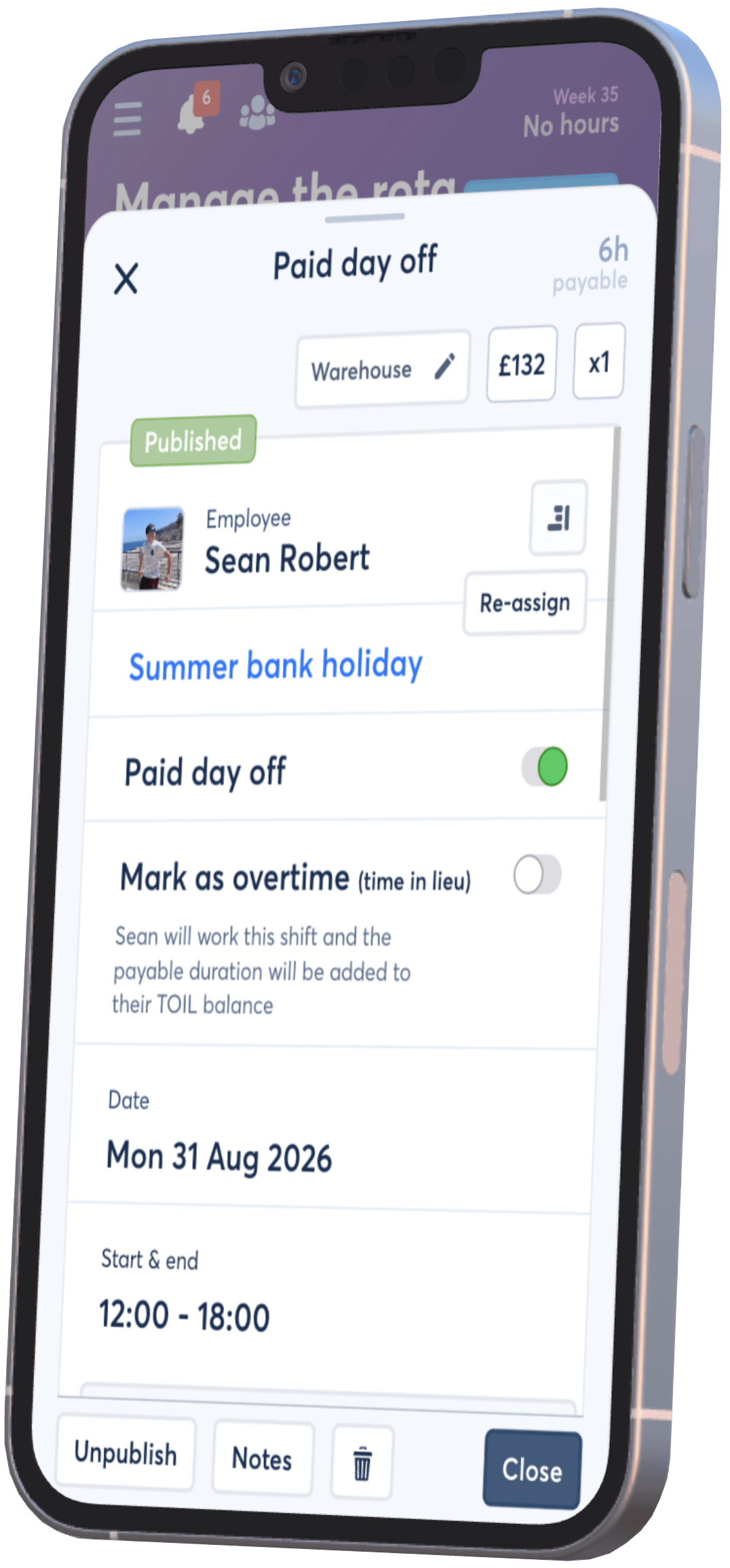
A complete shift record helps managers plan the work, employees understand it and the business explain what actually happened.
Plan around contracts and availability, calculate cost and share duties and instructions.
Let the employee clock on, follow notes and see the team and location where they are working.
Use swaps, open shifts, partial leave, absence and lateness without losing the original schedule.
Carry pay, TOIL, clocking, attendance and location information into reports.
These pages go deeper into employee flexibility, attendance and availability—the workflows that sit around the core shift record.
A shift is a record of the scheduled hours an employee is expected to work, with its team, times, pay and other operational details.
A shift can be set as Shift, Overtime - paid or Overtime - TOIL.
The overtime record itself is not paid. Its duration is added to the employee’s TOIL balance, which can later be used against scheduled shifts or overtime.
Yes. Available TOIL can be used to shorten a scheduled shift or overtime record while covering the shortened paid duration from the employee’s balance.
Yes. Shifts can use pay multipliers such as 0.5x or 2x. For hourly-paid employees, FlowRota can show the shift cost and employee earnings, and a manager can override the hourly rate for that shift.
Yes. Shifts can include duty tags, notes from managers or employees, and a work location within the team.
Yes. Employees can use the shift-swap workflow where enabled, and managers can unassign a shift and make it open for other team members to bid for or claim.
Yes. A shift can record full or partial absence with an absence type and pay treatment, and late starts can be paid or unpaid.
Yes. Managers can set the shift so only the clocked duration is payable. Late or excess clocked time can also interact with the employee’s TOIL balance.
Yes. Managers can add a defined amount of paid leave within a shift, and can create a paid day off shift when an employee is contracted to work on a closed bank holiday.
Yes. The rota shows contracted and currently scheduled hours for the week, and warns managers when a proposed shift conflicts with availability supplied by the employee.
Yes. Managers can drag and drop shifts around the staff rota and duplicate them to speed up rota creation.
FlowRota costs £1 per user per month after a 30-day free trial. No credit card is required to start the trial. Visit the pricing page for full details.
Schedule the hours, calculate the cost, add the details and keep attendance, clocking and employee flexibility connected. The trial is free for 30 days, no credit card is required, and continued access costs just £1 per user per month.
Start your free trial