Choose paid overtime or TOIL
Decide whether the overtime duration is paid or banked as time off in lieu.

Schedule overtime like any other shift, then choose whether the employee is paid or the shift duration is added to their TOIL balance.
Overtime can carry its own team, role, location, tags, notes and pay type. It stays visible on the rota, can be swapped with another employee and connects directly to the time staff have earned back.
FlowRota overtime shifts behave like normal shifts while adding one important choice: pay the employee for the overtime or bank the duration as time off in lieu. That keeps the work, its reward and the employee’s rota connected.
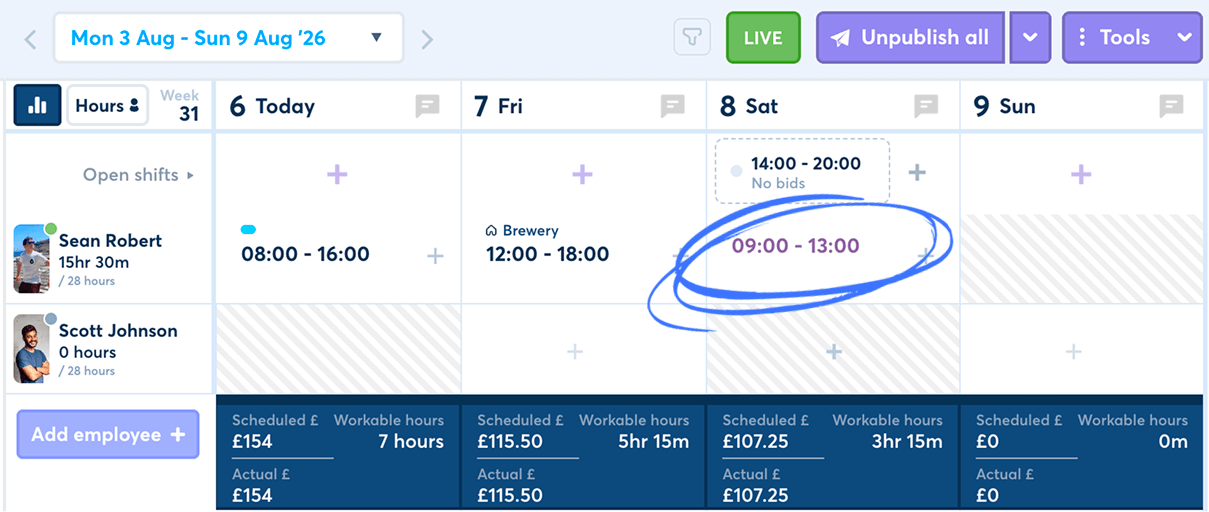
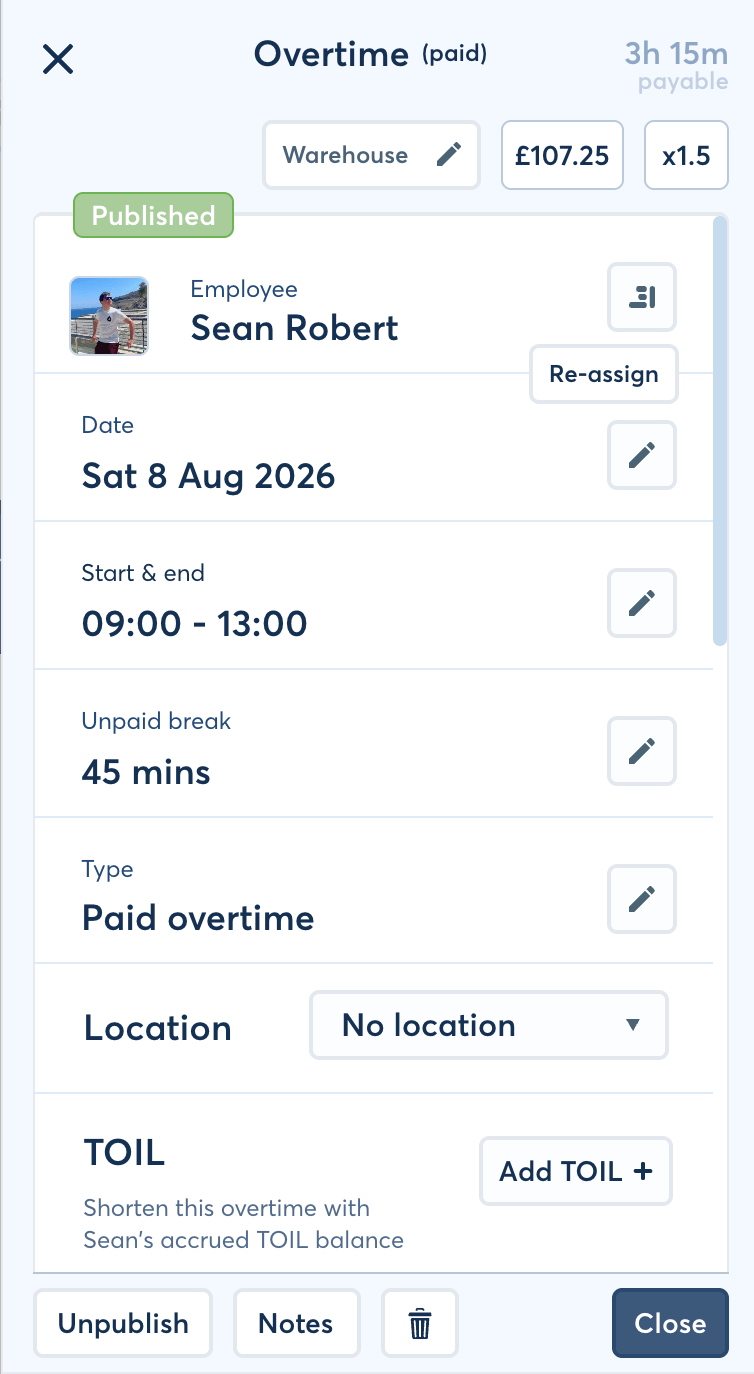
Managers can schedule the extra work properly while retaining a clear record of how the employee should be compensated.
Decide whether the overtime duration is paid or banked as time off in lieu.
Keep the employee’s accrued time visible instead of relying on a separate note or spreadsheet.
Add teams, roles, locations, tags, notes and the relevant pay type.
Show the extra work beside the employee’s other scheduled shifts.
Let overtime move through the same employee swap process as normal shifts.
Use TOIL against later shifts or convert the balance into annual leave allowance.
The choice belongs to the overtime record itself, so managers can see whether the employee will receive pay or time back.
Mark the overtime for payment and use the pay type that applies to the work.
The shift can retainBenefit: The overtime pay decision remains attached to the scheduled work that created it.
Add the overtime duration to the employee’s time off in lieu balance instead of paying it.
The balance can supportBenefit: Earned time stays measurable and available for the employee to use later.
| Overtime choice | What happens | Where it is recorded |
|---|---|---|
| Paid overtime | The overtime is marked for payment using the relevant pay type. | The overtime shift and its rota details. |
| TOIL | The overtime duration is added to the employee’s banked time instead of being paid. | The overtime shift and the employee’s TOIL balance. |
Overtime follows a familiar shift workflow, with the compensation choice added where the manager needs it.
Set its date, start and finish times, then assign the employee and relevant shift details.
Decide whether the overtime should be paid or added to the employee’s TOIL balance.
The overtime appears with the employee’s normal scheduled work and can be managed in the same place.
Keep the overtime linked to its chosen outcome, including the employee’s updated TOIL balance where applicable.
 The extra work and its reward stay together.
Managers do not need to rebuild the same overtime record elsewhere
simply to remember whether it is paid or banked.
The extra work and its reward stay together.
Managers do not need to rebuild the same overtime record elsewhere
simply to remember whether it is paid or banked.
A TOIL balance represents overtime the employee has worked but chosen to receive back as time rather than pay.
When an overtime shift is set to TOIL, its duration is added to the employee’s balance.
This creates a record of
Employees can request to shorten a later shift or take time away from it using their available balance.
The request can show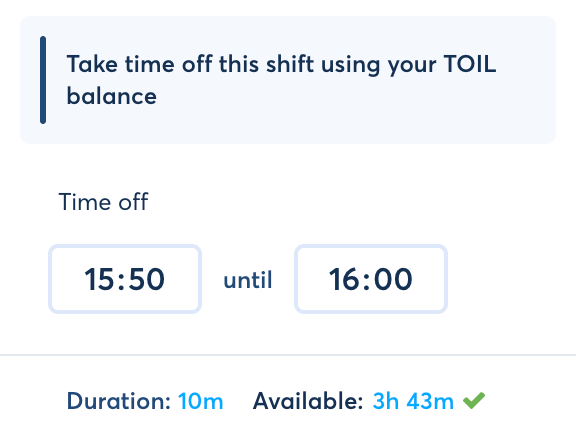
See the employee-facing process on the leave and TOIL requests page .
Managers can move an employee’s banked TOIL into their annual leave allowance when that is the more useful way to provide the time back.
Why it helps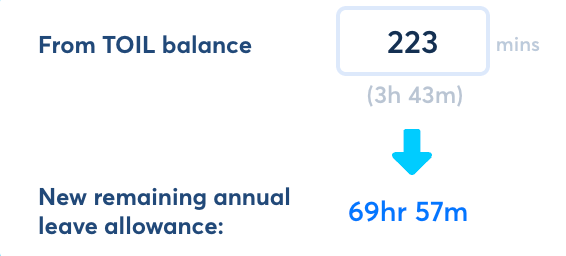
Explore wider leave allowance management in FlowRota.
The manager can follow the route from overtime worked, to time banked, to the later shift or leave allowance where that time is used.
Need the practical manager steps? See the FlowRota TOIL manager guide .
Overtime is still scheduled work. FlowRota lets managers add the context needed by the employee, the team and anyone reviewing the rota later.
Place the overtime within the part of the business where the work will actually happen.
Assign the overtime to
Add labels and free-text context when the overtime needs more explanation than its times alone provide.
Useful for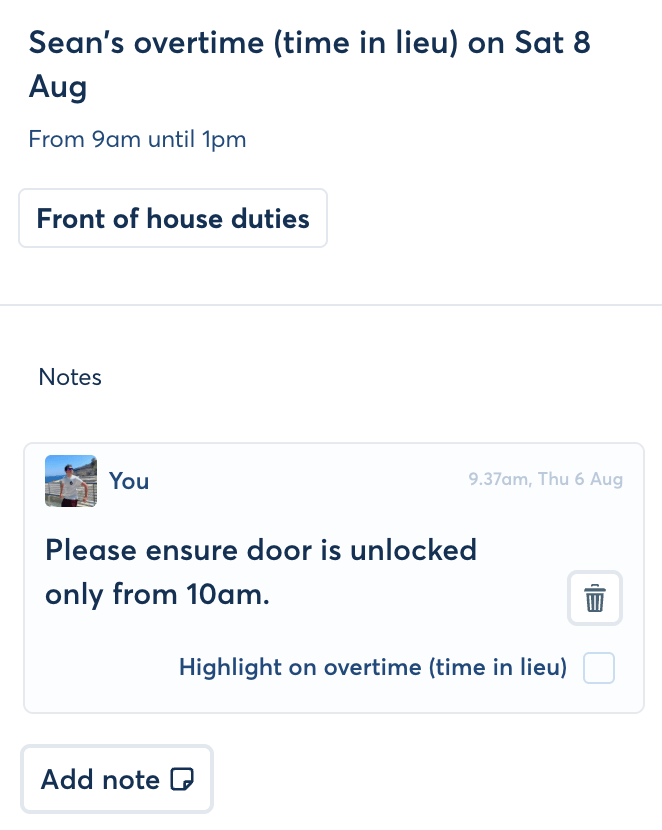
When the overtime is paid, select the pay type that applies to the scheduled work.
Why it helps
An overtime shift appears on the rota alongside the employee’s other work rather than living in a separate overtime list.
Managers can see the overtime when reviewing the week, while employees can treat it as part of their published schedule. If circumstances change, the shift can be swapped with another member of staff.
FeaturesUse employee and manager notifications to keep people updated when rota activity needs their attention.
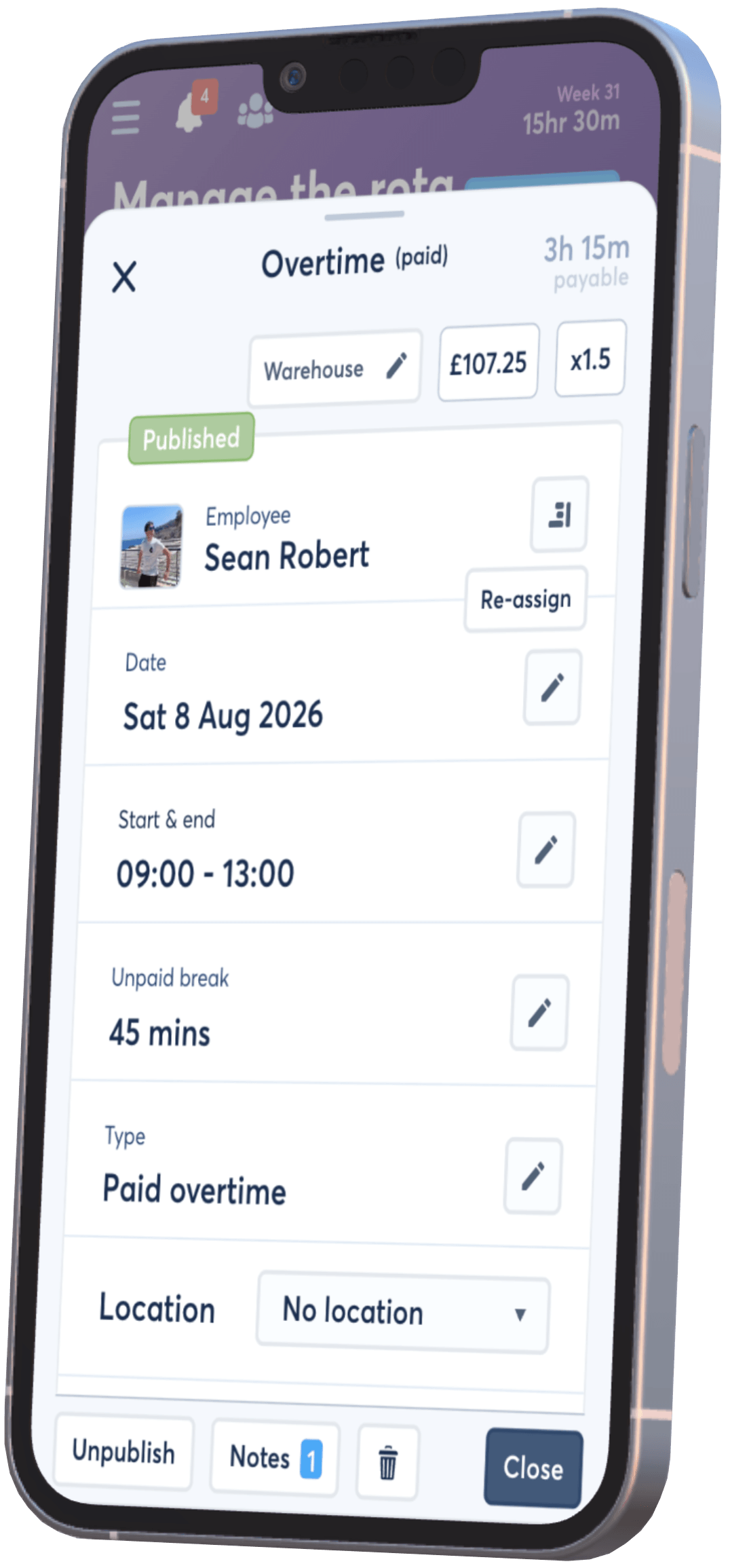
A clear overtime record answers three practical questions: what extra work was scheduled, who worked it and whether they receive money or time back.
Record whether each overtime shift is paid or contributes to the employee’s TOIL balance.
Keep banked time in FlowRota instead of maintaining a separate manager spreadsheet.
Let earned TOIL shorten another shift or become annual leave allowance.
Include overtime in the same operational schedule as the rest of the employee’s work.
These FlowRota pages explain what happens after TOIL is earned and provide useful context for managing additional working hours.
An overtime shift works like a normal scheduled shift, but its duration can be paid to the employee or added to their TOIL balance.
Yes. Each overtime shift can be set to pay the employee or bank its duration as time off in lieu.
The TOIL balance records overtime duration that has been banked as time off instead of being paid.
Employees can request to use their TOIL balance to shorten or take time away from another scheduled shift.
Yes. Managers can convert an employee’s TOIL balance into annual leave allowance when needed.
Yes. A paid overtime shift can use the appropriate pay type configured for the work.
Yes. Overtime can be organised with teams, roles and locations in the same way as other scheduled work.
Yes. Tags and notes can add useful context to an overtime shift.
Yes. Overtime appears on the rota like other shifts and can be included in the employee shift-swap process.
FlowRota costs £1 per user per month after a 30-day free trial. No credit card is required to start the trial. Visit the pricing page for full details.
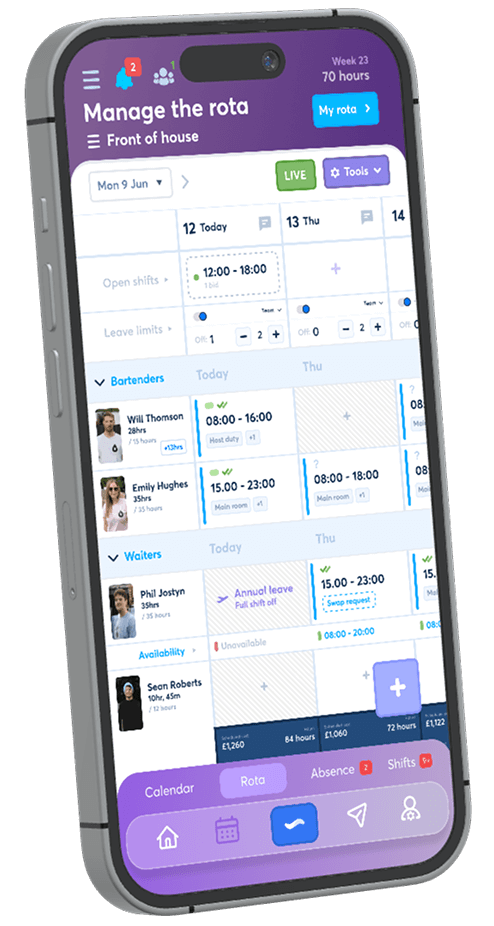
Schedule the extra work, choose paid overtime or TOIL and keep the result connected to the employee’s rota. The trial is free for 30 days, no credit card is required, and continued access costs just £1 per user per month.
Start your free trial