Request a block of annual leave
Choose the first and last day of the period instead of sending a separate message to a manager.

FlowRota gives employees two clear ways to ask for time away from work: choose a block of annual leave, or use an available TOIL balance to request a shorter scheduled shift.
Before submitting annual leave, employees can review the days and allowance involved, see any team limit and add a note. TOIL requests connect directly to time accrued from eligible overtime.
Annual leave requests use the employee’s holiday allowance and cover a block of dates. TOIL requests use time built up from overtime configured to accrue as time off instead of pay, and apply that balance to shortening an existing shift.
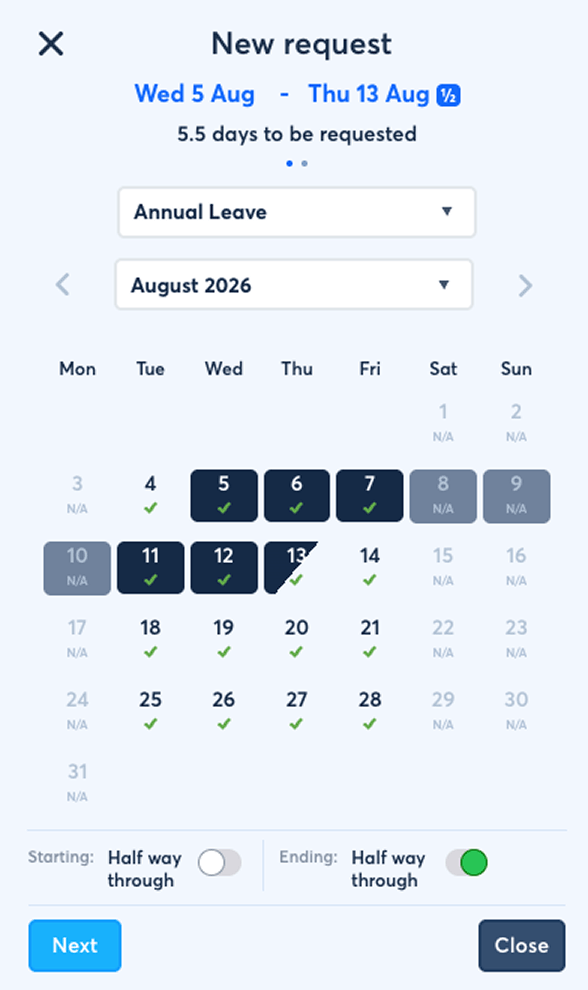

The employee sees the information behind the request before it is sent, while the final approval decision stays with a manager.
Choose the first and last day of the period instead of sending a separate message to a manager.
Check how many leave days the request contains and how much allowance it will use before submitting.
See any team leave limit and a warning when the dates may be less likely to receive approval.
Keep useful context attached to the leave request for the manager who reviews it.
Ask to shorten a scheduled shift using time available in the employee’s TOIL balance.
Managers can move value between an employee’s annual leave and TOIL balances when required.
The request starts with dates, but it also explains the effect those dates have on the employee’s allowance and the team’s leave limit.
Employees can check the selected block, the number of leave days and the allowance it consumes. If a team limit applies, FlowRota can warn that the request may be less likely to be approved. The warning helps set expectations but does not make the decision.
Shown to the employee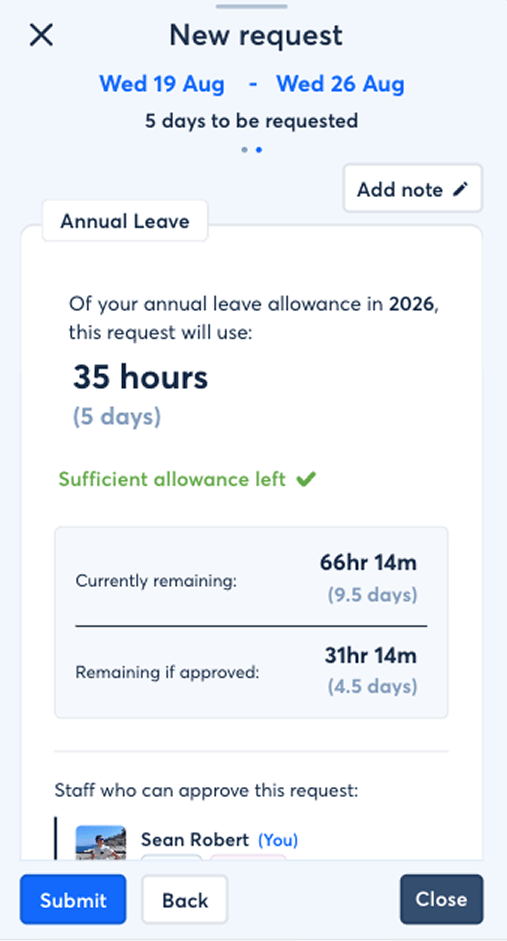
Each step stays inside FlowRota, from selecting the dates through to the manager’s recorded decision.
Select the first and last day of the annual leave block.
Review what the request will use and whether a team limit may make approval less likely.
Include any context the manager should see with the request.
Send the request to a manager, who can approve or decline it.
 Self-service does not mean automatic approval.
Employees prepare and submit the request; the manager keeps the
final decision.
Self-service does not mean automatic approval.
Employees prepare and submit the request; the manager keeps the
final decision.
The employee does not need to calculate the request elsewhere or explain it in a second conversation.
Turn the selected date range into a clear number of leave days and show the allowance that will be used.
Employee checks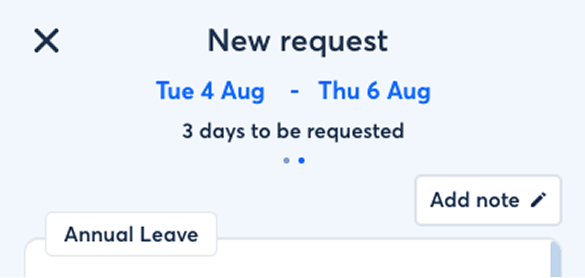
When a limit is set for the team, show it during the request and warn the employee if the chosen dates may exceed it.
What the warning means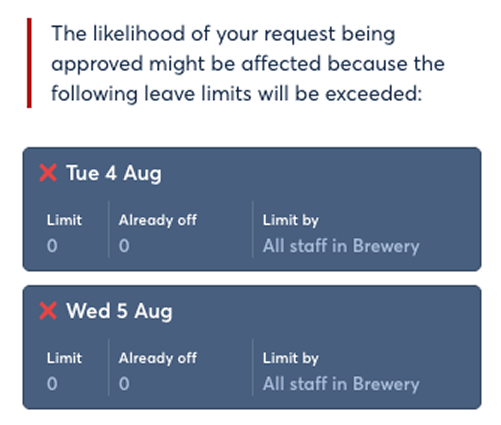
Add optional context without moving the discussion into a group chat or a separate email thread.
Useful for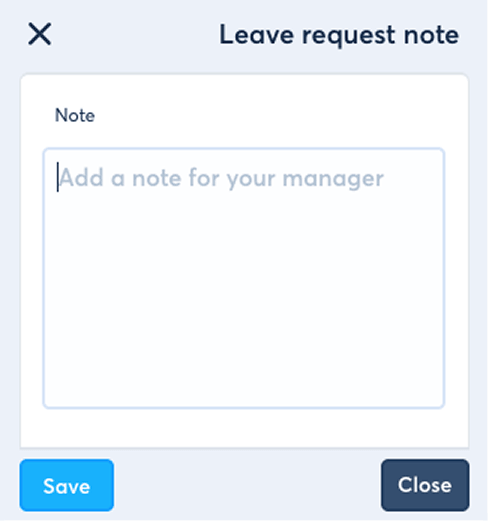
A TOIL request is tied to work already on the rota. Instead of asking for a block of full leave days, the employee requests to reduce the length of a particular shift using their available TOIL balance.
The employee selects a scheduled shift, chooses how much of it they want to take as TOIL and submits the change for a manager’s decision. This keeps the request connected to both the shift and the available balance.
TOIL request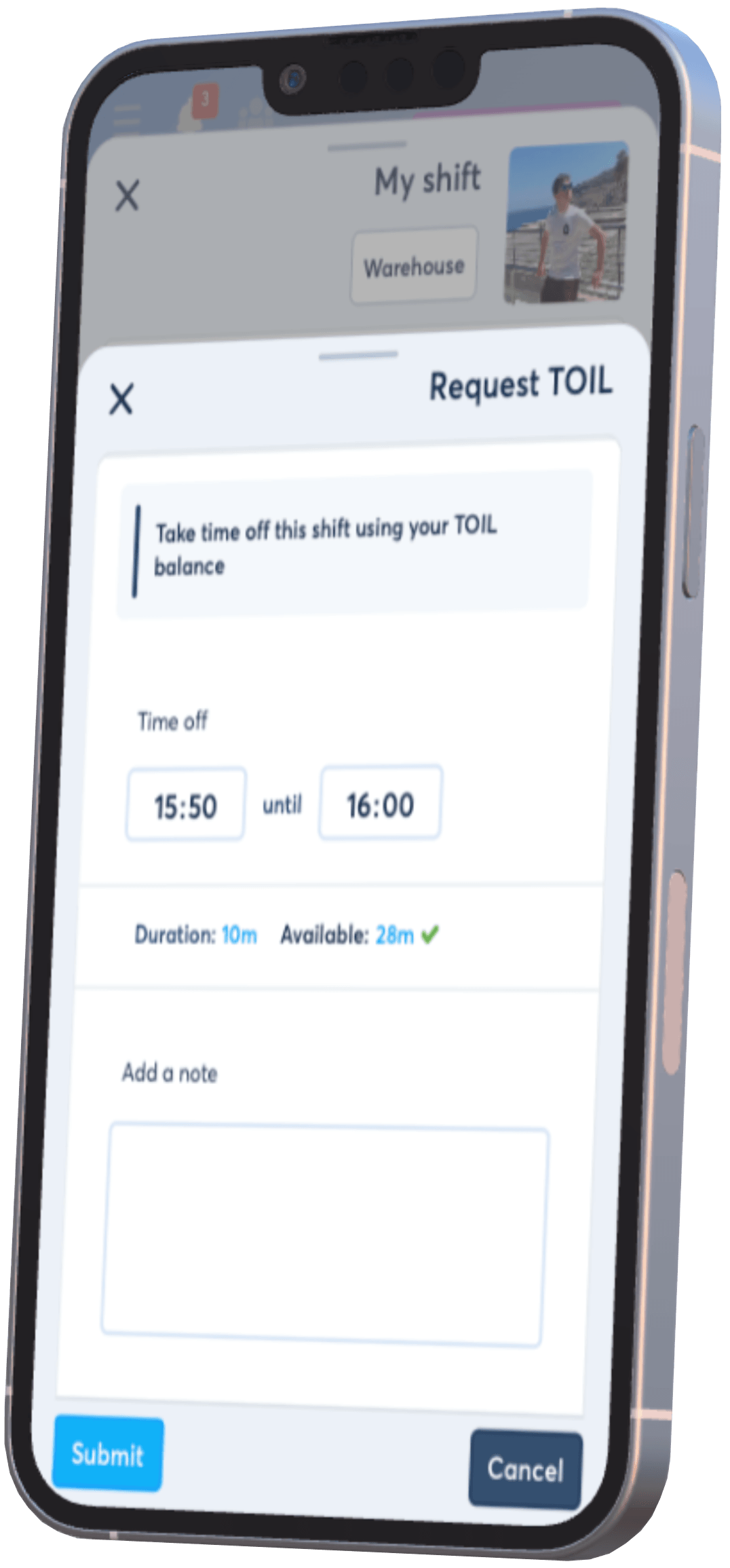
TOIL begins with overtime. When that overtime is configured to accrue time off instead of being paid, the value is added to the employee’s TOIL balance for later use.
FlowRota records overtime generated through the employee’s work.
Eligible overtime is configured to become time off instead of being paid to the employee.
The accrued time becomes available in the employee’s TOIL balance.
Available TOIL can then be applied to a scheduled shift through a request.
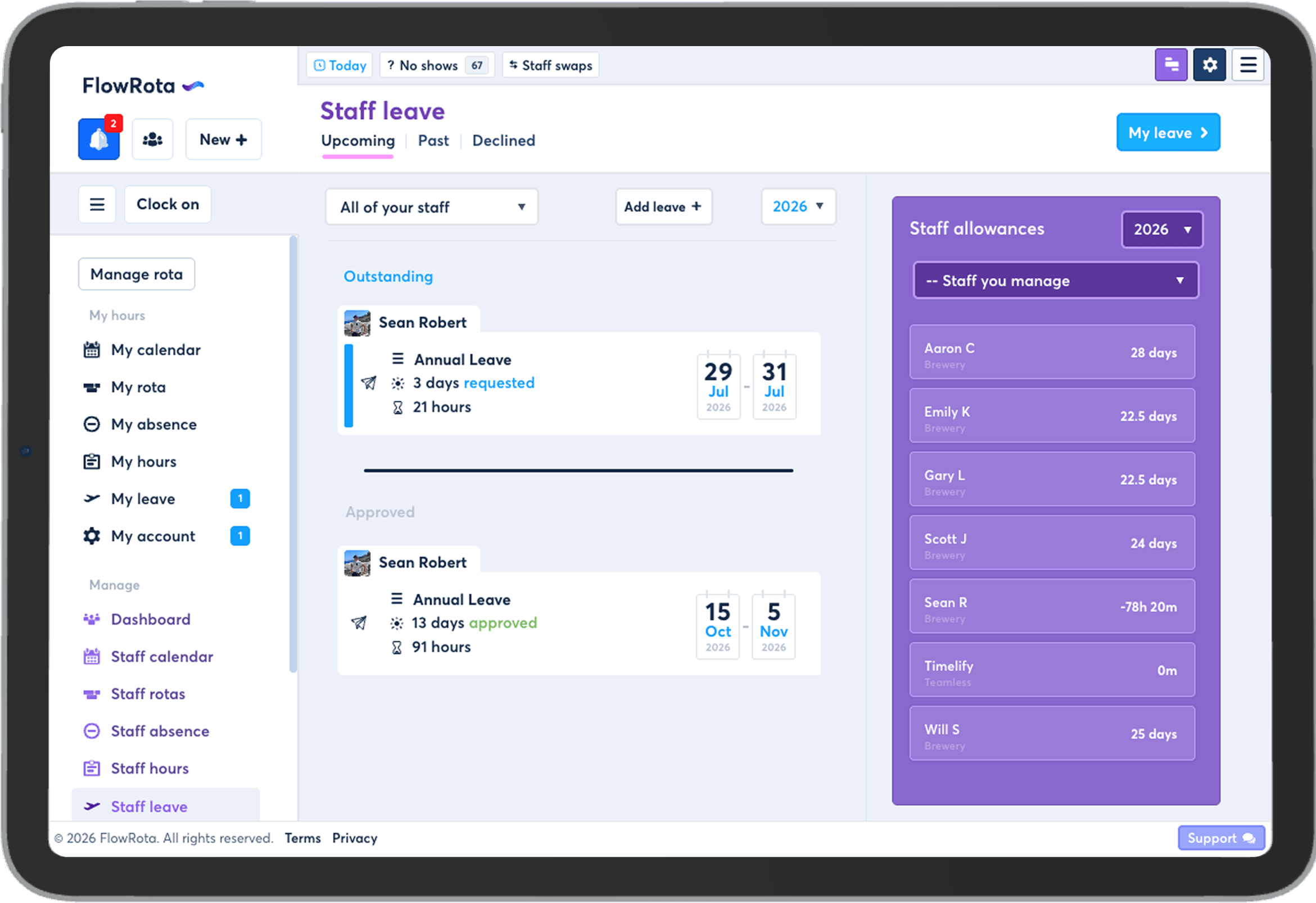
Although this page is centred on employee requests, the two balances are not locked away from each other. A manager can convert an employee’s TOIL balance into annual leave, or convert annual leave into TOIL.
| Conversion | What changes | Who performs it? |
|---|---|---|
| TOIL to annual leave | Value moves from the employee’s TOIL balance into annual leave. | A manager |
| Annual leave to TOIL | Value moves from annual leave into the employee’s TOIL balance. | A manager |
Employees request annual leave or TOIL, but they do not convert the balances themselves. This keeps the adjustment separate from the employee self-service request flow.
Both are requests for time away from scheduled work, but they start from different balances and apply to the rota differently.
| Request type | What the employee selects | Balance used | Requested outcome |
|---|---|---|---|
| Annual leave | A block of dates | Annual leave allowance | Time away across the selected leave period |
| TOIL | An existing scheduled shift | TOIL accrued from eligible overtime | A shorter version of that shift |
A structured request lets employees understand the balance, the request and the likely constraints before asking for time away.
Show dates, days and allowance use before the employee submits.
Team-limit warnings help explain why some dates may be harder to approve.
Turn overtime configured as TOIL into time that can shorten a later scheduled shift.
Keep annual leave and TOIL requests inside FlowRota for the manager to review.
Employees can also receive request decisions through FlowRota’s configurable email notifications .
These related pages explain what happens after submission and how leave fits into the wider rota.
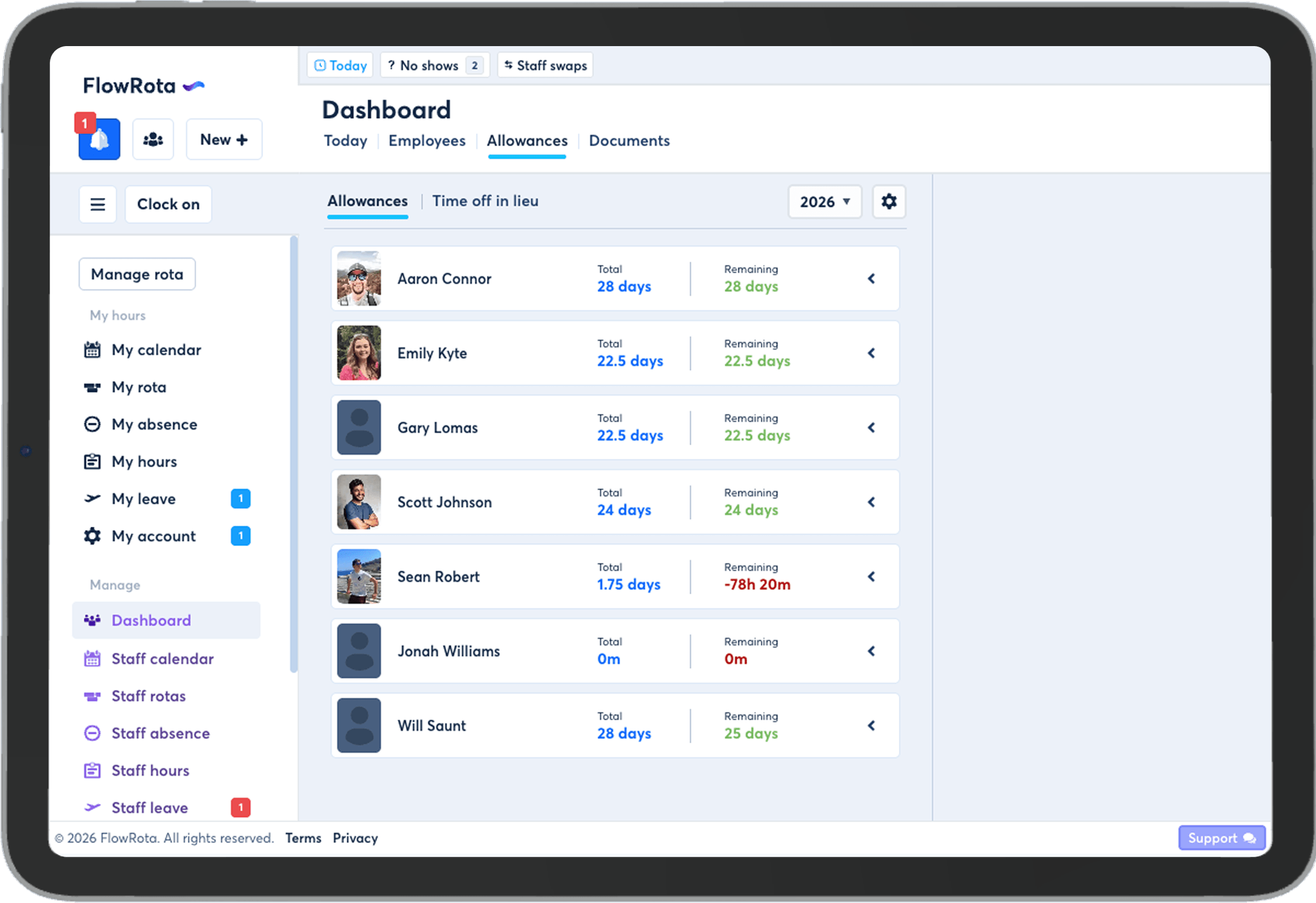
Employees can request a block of annual leave or ask to use time off in lieu to shorten one of their scheduled shifts.
The request can show the selected dates, number of leave days, allowance use, any team leave limit, a warning when approval may be less likely, and a space for a note.
Yes. If the team has a leave limit, FlowRota can show it during the request and warn when the selected dates mean the request may be less likely to receive approval.
Yes. An employee can add a note before submitting the request so its context stays attached for the manager to review.
TOIL means time off in lieu. In FlowRota, overtime can be configured to add time to an employee’s TOIL balance instead of being paid.
The employee chooses a scheduled shift and requests to use some of their available TOIL balance to shorten that shift. The request is then sent for a manager decision.
It comes from overtime that has been configured to accrue as TOIL instead of being paid to the employee.
Employees do not perform the conversion themselves. A manager can convert an employee’s TOIL balance into annual leave or convert annual leave into TOIL.
No. The employee submits the request for a manager to approve or decline.
FlowRota costs £1 per user per month after a 30-day free trial. No credit card is required to start the trial. Visit the pricing page for full details.
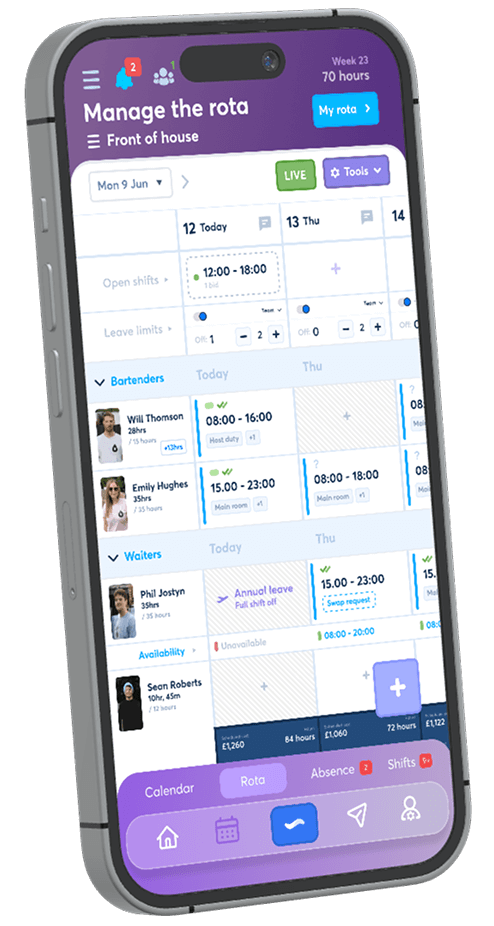
Create an annual leave request, check its allowance and team limit, then try using TOIL to shorten a scheduled shift. The trial is free for 30 days, no credit card is required, and continued access costs just £1 per user per month.
Start your free trial