Offer work to the team
Publish an unassigned shift without contacting employees one at a time.

Publish unassigned shifts for your team to claim, then let FlowRota assign the shift automatically or ask a manager to choose between the employees who have bid.
Staff can review available work and volunteer for the shifts that suit them. Managers keep a clear view of claims, notes, availability and scheduling warnings before the rota is finalised.
Instead of messaging employees individually, make the unassigned work visible as an open shift. Team members can claim or bid for it, while managers decide whether assignment should happen automatically or after reviewing the claimants.
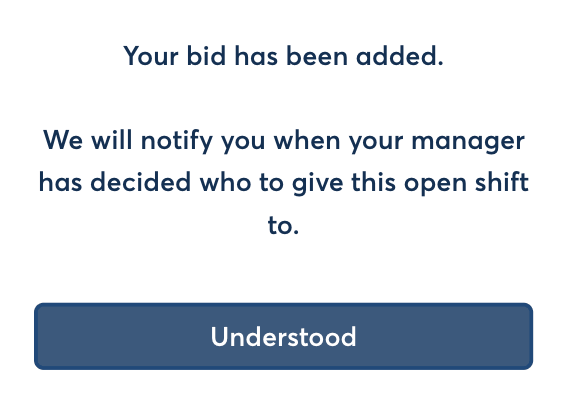
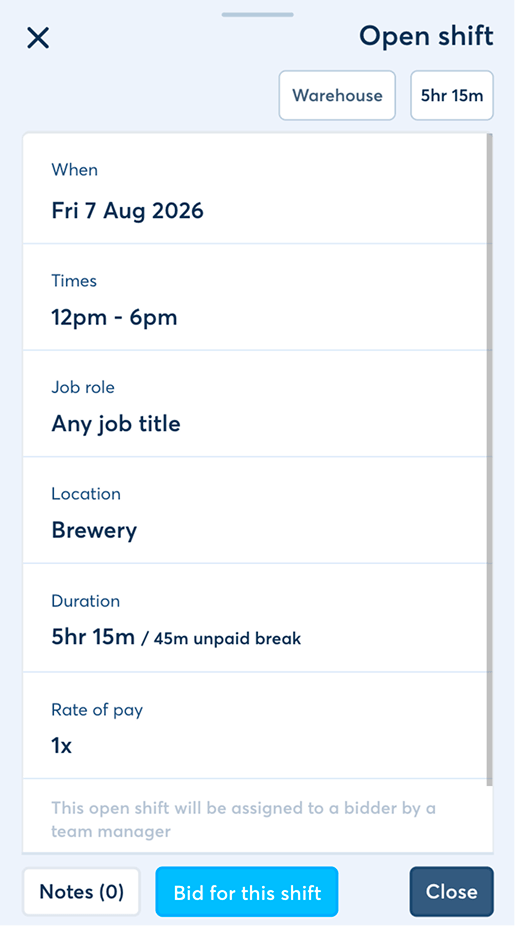
Open shifts put the opportunity in front of the team while preserving the manager controls needed to build a dependable rota.
Publish an unassigned shift without contacting employees one at a time.
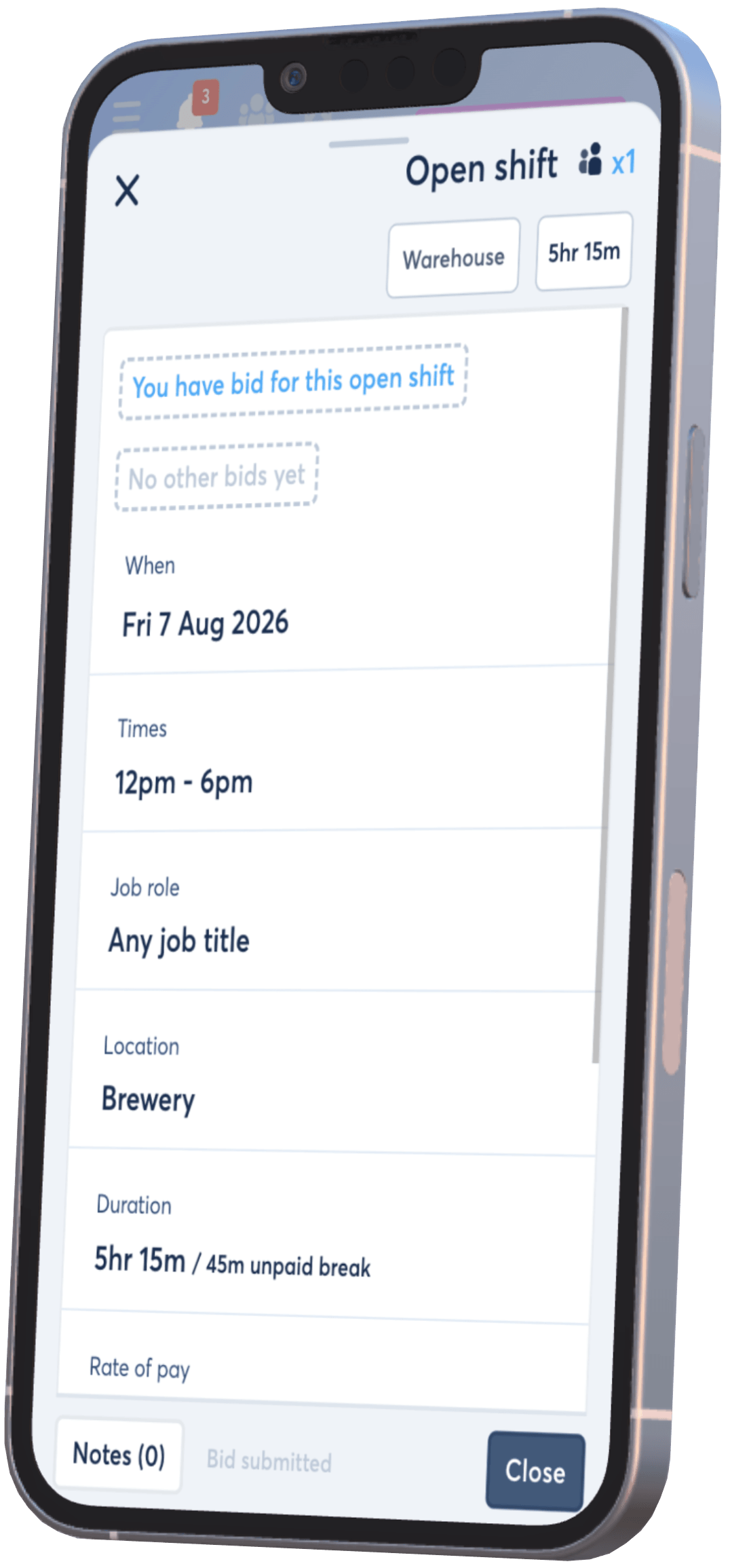
Staff can review the shift and submit a claim when they want the available work.
Use automatic assignment or let a manager select between the employees who bid.
Add context to the open-shift workflow so it is available during review.
Check availability and rota warnings before confirming the cover.
Tell employees whether their open shift claim was successful or unsuccessful.
Open shifts sit within the same staff rota used to plan the rest of the team, so managers can offer available hours without creating a separate cover process.
Create the shift with its usual date, times, team and role details, then publish it as open. Employees can see what is being offered before deciding whether to claim it.
Features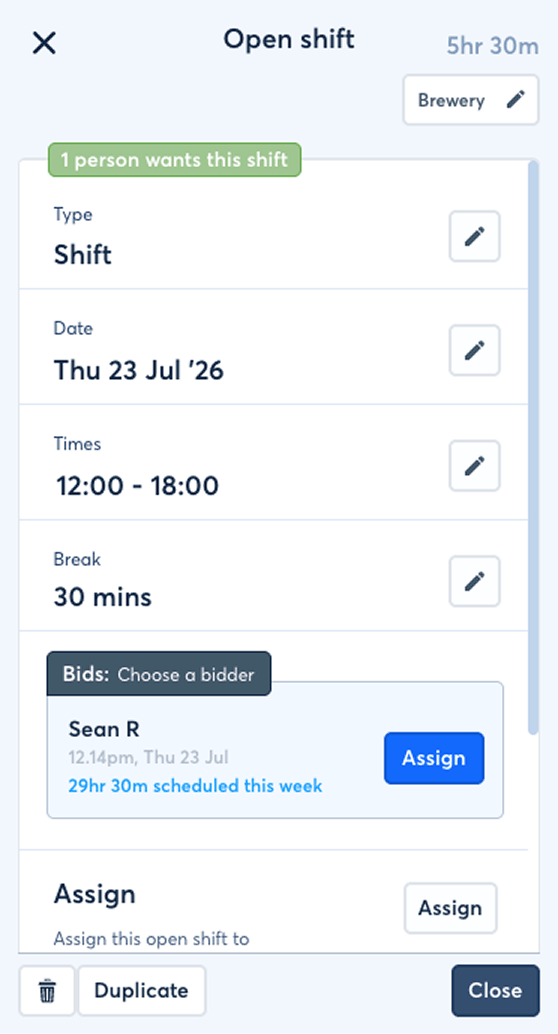
The process keeps the available work, employee interest and final assignment connected from start to finish.
A manager creates the unassigned work and makes it available to the relevant team.
Team members check the shift details and submit a claim or bid if they want to work it.
The shift can be assigned automatically or held for a manager to compare the claimants.
The selected employee receives the shift and claimants can be notified whether their bid succeeded.
 One cover workflow inside the rota.
Managers can move from an uncovered shift to an assigned employee
without rebuilding the work elsewhere.
One cover workflow inside the rota.
Managers can move from an uncovered shift to an assigned employee
without rebuilding the work elsewhere.
Staff can decide whether the work suits them before they volunteer, reducing the back-and-forth that often follows a vague cover message.
The open shift keeps its date, start and finish times, team and other scheduling context visible.
Employees can check
The employee can register their interest in the shift without treating the bid itself as a guaranteed assignment.
The claim can include
Once the shift is filled, the employee can be told whether their open shift claim was successful or unsuccessful.
Why it helps
Different rota gaps need different levels of oversight. FlowRota supports automatic assignment as well as manager selection between the employees who have claimed.
Use automatic assignment when the gap does not require a separate manager selection stage.
Useful whenCollect employee bids, then let a manager review the claimants and choose who should cover the shift.
Useful when| Assignment method | What happens | Best suited to |
|---|---|---|
| Automatic assignment | The claim workflow fills the open shift without a separate manager choice between bidders. | Simple gaps where faster assignment is preferred. |
| Manager pick | Claims remain available for a manager to review before selecting the employee. | Shifts where suitability, fairness or wider rota context needs consideration. |
A volunteer still needs to fit the schedule. Connected FlowRota features help managers understand the employee’s availability and existing work before settling the final assignment.
Use submitted availability as useful context when considering who should cover the open shift.
See how employee availability works →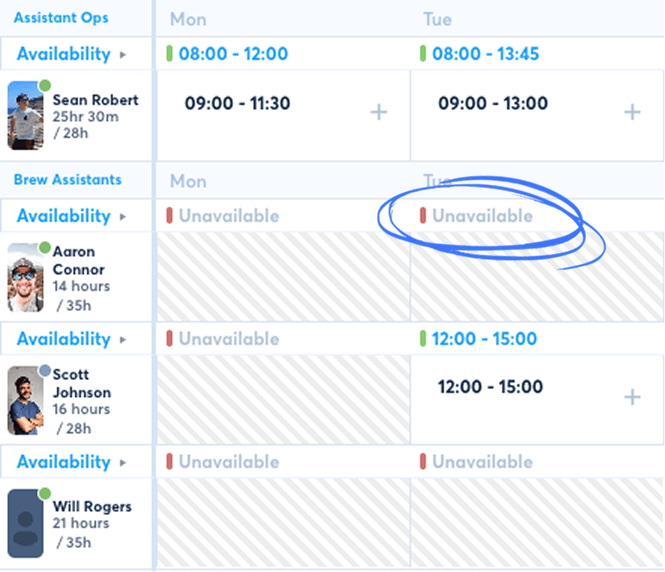
Review warnings if assigning the employee would overlap another shift or create a difficult scheduling pattern.
Explore shift clash checks →
Consider the role, team, existing rota and any note before confirming which claimant should receive the work.
Explore the live staff rota →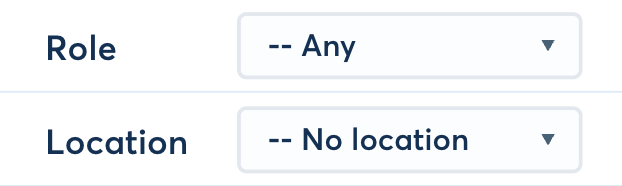
When manager selection is enabled, an employee bid stays subject to review. This lets managers compare requests without promising the same shift to more than one person.
Open shift notifications reduce the need to chase for status and help each person understand what happens next.
Managers can receive an alert when an employee bids for an open shift. Employees can then receive a successful or unsuccessful outcome after the shift is assigned.
Notification momentsConfigure your wider employee and manager notifications around the events that matter to your team.
Open shifts replace scattered cover conversations with a process that starts from the rota and ends with a named employee on the shift.
Offer the work once instead of repeating the same message across calls and chats.
Let team members volunteer for extra work that fits their own availability.
Use automatic assignment for straightforward gaps or manager pick when comparison matters.
Move from an unassigned shift to confirmed cover in the same scheduling system.
These FlowRota feature pages and practical guides provide useful context for deciding who can cover and avoiding rushed rota changes.
An open shift is an unassigned piece of work that a manager publishes for employees in the relevant team to claim.
The employee opens the available shift, reviews its details and submits a claim or bid. They can also add a note for the manager where relevant.
Yes. A manager can use automatic assignment so the shift is filled through the claim workflow without a separate manager selection.
Yes. In manager-pick mode, employees submit bids and the manager manually chooses the claimant who should receive the shift.
Yes. Notes can stay attached to the open shift claim so the manager can review the employee’s context with the bid.
Yes. Managers can receive notifications when an employee bids for an open shift in a team they manage.
Yes. Employees can receive an update telling them whether their open shift claim was successful or unsuccessful.
Yes. Employee availability can be reviewed alongside scheduling information so managers have more context when deciding who should cover the open shift.
FlowRota’s scheduling warnings can alert managers to potential clashes or difficult shift patterns so the final assignment can be reviewed.
FlowRota costs £1 per user per month after a 30-day free trial. No credit card is required to start the trial. Visit the pricing page for full details.
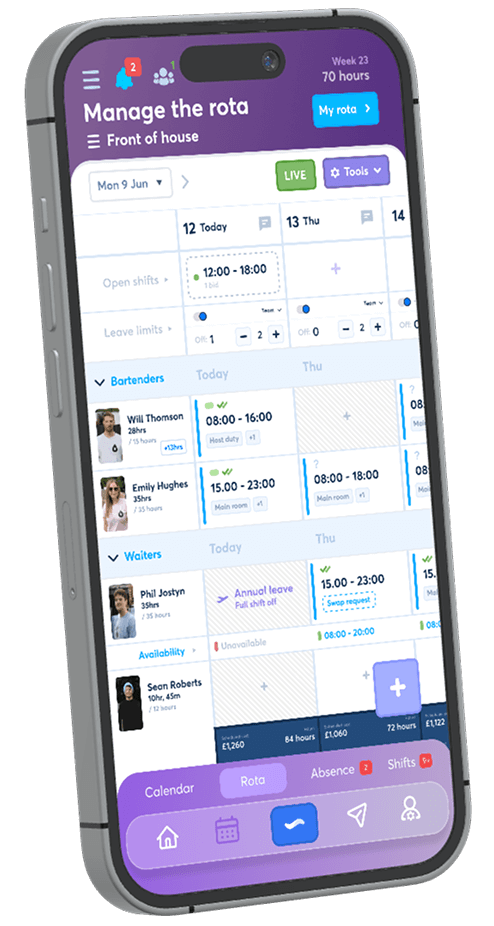
Publish an available shift, collect employee claims and choose the assignment method that suits your team. The trial is free for 30 days, no credit card is required, and continued access costs just £1 per user per month.
Start your free trial