Employee scheduling software that keeps every shift clear.
Build work schedules around employee availability, publish updates quickly and give your team one reliable place to check when they are working.

30 day free trial. No card required.
 £1/user/month
Availability-led planning
Web, iOS and Android
£1/user/month
Availability-led planning
Web, iOS and Android
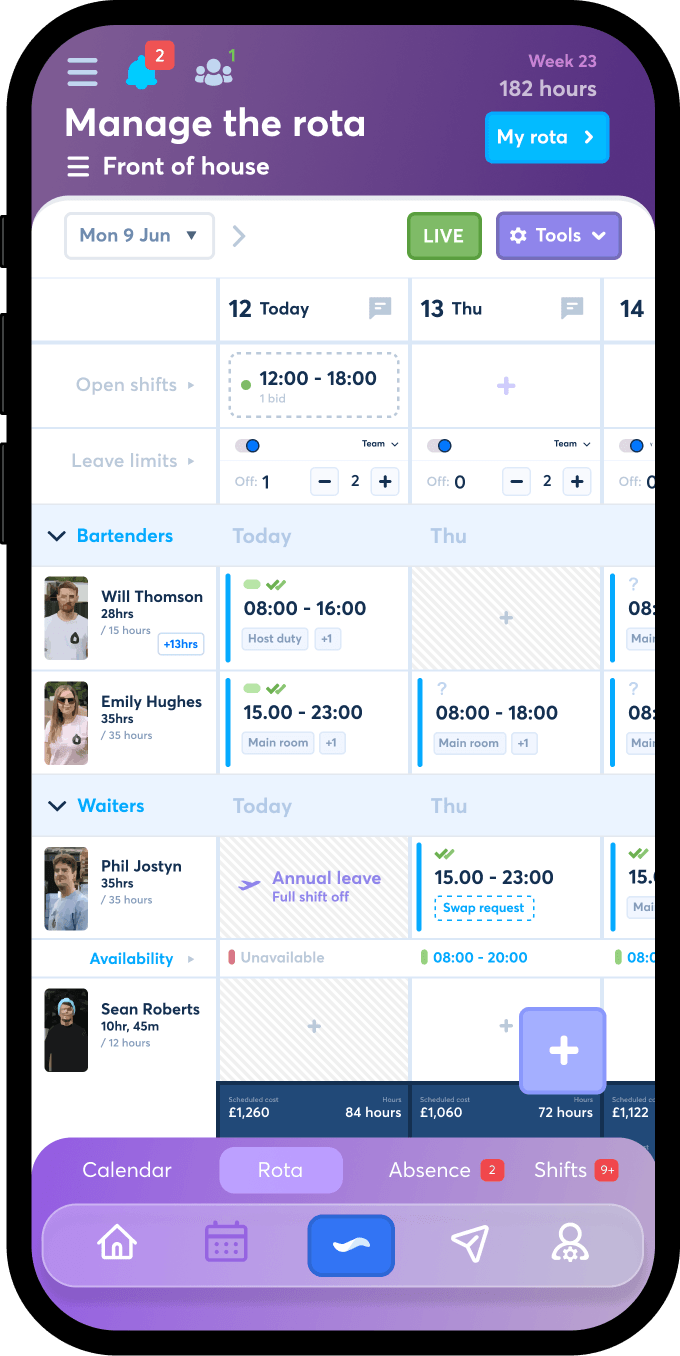

What is employee scheduling software?
Employee scheduling software is a shared system for deciding who works each shift, publishing the finished schedule and keeping employees informed when plans change. It replaces the mix of spreadsheets, printed timetables, screenshots and private messages that often grows around a busy hourly team.
The best scheduling tools do more than arrange names against times. They help managers use employee availability before assigning work, show where cover is missing and give every employee access to the same current schedule. FlowRota is built around those practical scheduling jobs, without the complexity of a large workforce platform.
Create work schedules
Add shifts, roles, breaks, teams and locations in a clear weekly view, then adjust the plan as demand changes.
Use employee availability
Check when employees can work before assigning shifts, helping reduce avoidable clashes and repeated availability messages.
Publish one current version
Give employees mobile access to published shifts so the team is not relying on an old screenshot or yesterday’s message.
Plan with better information
Schedule around availability before conflicts reach the team.
Employee availability is often collected in fragments. One person messages a manager, another writes it on paper and someone else mentions it during a shift. By the time the next work schedule is created, the manager is expected to remember every restriction and preference.
FlowRota keeps availability close to the scheduling process. A manager can review who is available while assigning shifts, rather than discovering a conflict after the schedule has been shared. This is particularly useful for part-time employees, students, parents and teams whose working patterns vary from week to week.
Availability does not make every scheduling decision for you. It gives you clearer information so you can make those decisions faster, see where flexibility is limited and contact the right people when extra cover is needed.
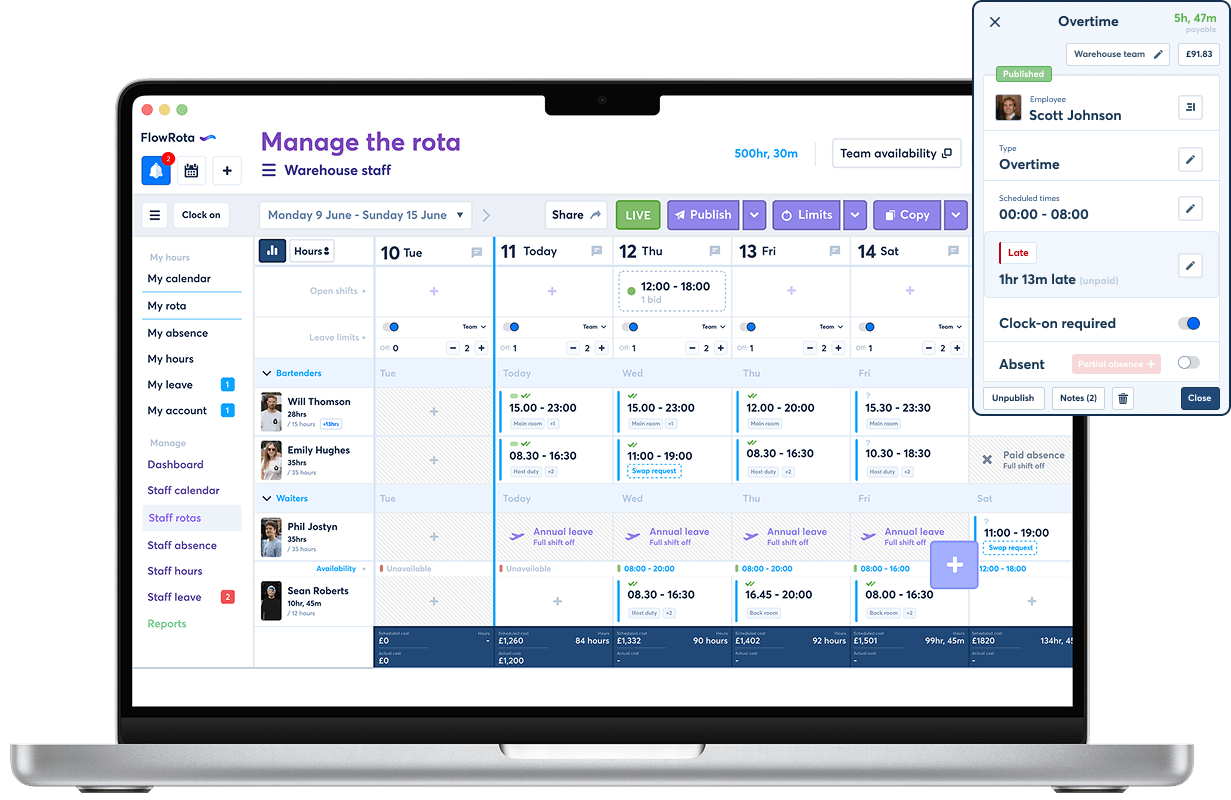
Build the weekly schedule with shifts, availability and leave all in one place.
Made for teams whose schedules change.
FlowRota suits small and growing organisations where employees work shifts rather than identical fixed hours. It gives managers enough control to organise the week while making the schedule easier for employees to access and understand.
Hourly and part-time teams
Plan different hours each week and keep employees informed even when working patterns are not fixed.
Flexible employees
Use availability, open shifts and swaps to organise a workforce that can cover different days and times.
Busy customer-facing teams
Schedule the right cover for peaks, quieter periods, opening duties and closing duties without rebuilding the whole week.
Multiple teams or locations
Keep separate schedules organised while managers retain a clearer view of responsibilities across the business.
Teams without desk access
Employees can check shifts on mobile instead of needing access to an office computer, noticeboard or shared spreadsheet.
Owner-managed businesses
Get a proper employee scheduling system without paying for an enterprise platform full of tools your team will not use.
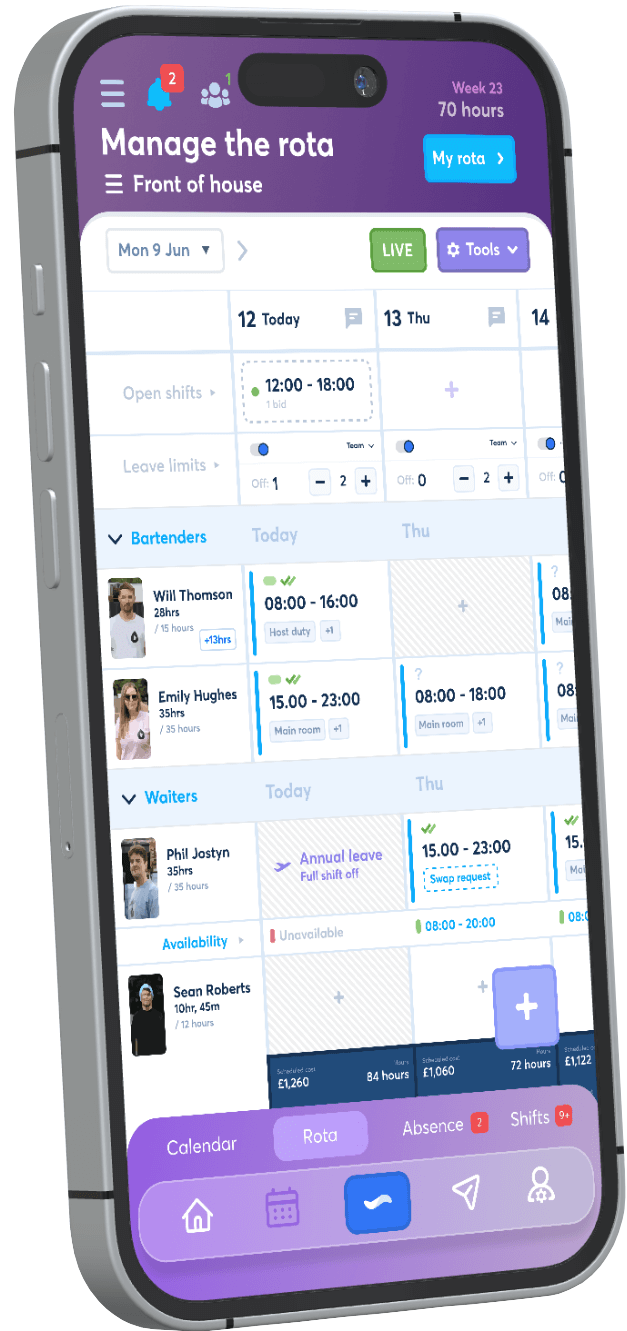
Give employees one live place to check their shifts.
Publishing a schedule is only useful when employees can find the latest version. FlowRota gives each employee access to their shifts from mobile, helping reduce missed updates and repeated questions to managers.
Replace schedule screenshots that become outdated.
Make shift times and changes easier to check away from work.
Keep work schedules, requests and notifications connected.
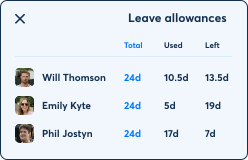
Calculate leave allowances
- Zero-hours staff
- Unlimited custom leave types
- Track Time off in lieu (TOIL)
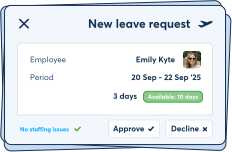
Manage leave requests
- Approve & decline
- Never go understaffed
- Flexible leave limits
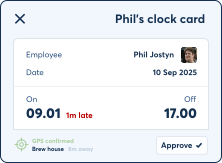
Track hours and attendance
- Clock-in with GPS
- Track lateness
- Monitor absence
Employee scheduling features that solve weekly problems.
Scheduling software should make it easier to create the plan and keep it accurate after publication. FlowRota connects the schedule with the availability, changes and communication that surround it.
Availability visibility
Review employee availability while scheduling so you can spot restrictions before assigning work.
Fast shift creation
Create shifts with start times, end times, breaks and roles, then reuse patterns instead of rebuilding every detail each week.
Published employee schedules
Keep draft planning separate from the schedule employees can see, then publish when the week is ready.
Open shifts and swaps
Offer unfilled work and manage swap requests without losing track of which employee is responsible for the final shift.
Schedule notifications
Use app and email notifications to keep employees aware of important actions, updates and requests.
Leave-aware scheduling
See approved time off when planning shifts so employees are not accidentally scheduled while away.
Clear for managers and employees
A scheduling system people can actually use.
Managers need enough detail to organise cover, hours, roles and changes. Employees usually need something simpler: a clear answer to when they are working, where they are working and whether anything has changed.
FlowRota supports both views of the same schedule. Managers get the planning tools needed to build and maintain shifts, while employees can focus on their own published work. That reduces the need to expose every planning detail just to give staff access to the information they need.
Because the schedule is connected to leave, availability, swaps and notifications, managers spend less time reconciling separate systems. Employees get a more dependable schedule without being asked to search through several channels.
What changes when scheduling is kept in one place?
The biggest improvement is not a prettier timetable. It is the removal of small communication gaps that repeatedly cost managers time and leave employees unsure about the plan.
Fewer missed shifts
Employees have a consistent place to check their current schedule rather than depending on a message they may have missed.
Less schedule admin
Managers can reduce repeated questions, manual reminders and the work involved in redistributing updated schedules.
Earlier conflict detection
Availability and leave information help expose scheduling clashes before the final plan reaches employees.
Faster cover decisions
Open shifts and clearer employee information make it easier to identify where cover is needed and who may be able to help.
More consistent communication
Shift information stays attached to the scheduling system instead of being split between sheets, chats and individual messages.
Clearer working-hour records
Scheduled shifts can connect with clocking, overtime and reports when you are ready to manage more than the published schedule.
Employee scheduling software compared with manual scheduling
A spreadsheet can hold a list of shifts, but the wider scheduling process often spills into messages, calendars and memory. A dedicated system keeps the plan and the surrounding actions closer together.
| Scheduling task | Spreadsheets and group chats | FlowRota |
|---|---|---|
| Checking availability | Availability may be collected through messages, notes or a separate file, leaving the manager to combine it manually. | Employee availability can be reviewed as part of the scheduling process before shifts are assigned. |
| Publishing the schedule | A screenshot, PDF or spreadsheet link is sent out and can remain in circulation after the plan changes. | Employees access the current published schedule from their own account on web or mobile. |
| Changing a shift | The manager edits the sheet, contacts the affected people and hopes everyone is now using the newest version. | Changes, open shifts and swaps remain connected to the live scheduling workflow. |
| Managing time off | Leave may sit in a calendar, email thread or second spreadsheet that must be checked separately. | Leave information is available alongside scheduling, helping managers avoid assigning employees who are away. |
| Giving staff access | Employees may need to search old messages or ask a manager to resend the schedule. | Employees can view their own shifts directly and sync schedules with supported personal calendars. |
How to start scheduling employees with FlowRota
You can begin with a straightforward weekly schedule and add more workflows later. The first goal is simply to give managers and employees one dependable scheduling process.
Add employees
Create employee records, group people into teams and assign the managers responsible for scheduling them.
Set up availability
Record working patterns and availability so managers have useful information before placing employees into shifts.
Create the schedule
Add shifts, roles, breaks and locations, then check coverage and employee hours in the weekly view.
Publish to employees
Release the finished schedule when it is ready so employees can see their current shifts from mobile or web.
Manage changes
Handle open shifts, swaps, leave and amendments while keeping the live schedule accurate.
Add tracking when needed
Introduce clock cards, overtime, reports and payroll preparation tools as your scheduling process develops.
Choosing scheduling software
Look beyond the schedule builder
Most products can place an employee into a shift. The more useful questions are what happens before and after that moment. Can you see availability before scheduling? Can employees access the latest published version? Can you deal with time off, open shifts and changes without creating a second process in group chat? The right tool should reduce the admin around the schedule, not merely recreate a spreadsheet on a different screen.
Introducing it to employees
Make the schedule the first habit
Start by asking employees to use FlowRota as the place they check their shifts. Keep the first rollout focused: build the schedule, publish it and make sure everyone can access it. Once that habit is established, introduce availability updates, leave requests, swaps, clocking and calendar sync in stages. A simple rollout is more likely to become part of the team’s routine.
Employee scheduling software for £1 per user.
FlowRota is priced for small teams that need a dependable work schedule without an enterprise software bill. Start free, create a real schedule and invite employees when you are ready. No card is required to begin.
Employee scheduling software FAQs
Practical answers for small businesses comparing employee scheduling tools.
What is employee scheduling software?
It is software used to create work schedules, assign employees to shifts, review availability, publish schedules and manage changes from one shared system.
Can employees view schedules on their phones?
Yes. FlowRota gives employees mobile access to their published shifts, helping them check times and updates without asking for a new screenshot.
Can I schedule around employee availability?
Yes. Availability can be used while planning shifts so managers can identify conflicts before the schedule is published.
Does FlowRota work for part-time employees?
Yes. It is well suited to part-time, hourly and flexible employees whose working days or shift times may change from week to week.
Can employees swap shifts?
FlowRota includes shift swap and open-shift workflows so changes can be requested and managed without losing control of the final schedule.
Can managers see leave while scheduling?
Yes. Leave requests and approved time off can be managed alongside the schedule, making it easier to plan cover around absences.
Does it replace a spreadsheet schedule?
Yes. You can build and publish the live employee schedule in FlowRota, while also connecting it to availability, changes, notifications, leave and hours tracking.
Can employees sync shifts to a calendar?
FlowRota supports calendar feeds that allow employees to keep work shifts visible alongside their personal plans in compatible calendar apps.
How much does FlowRota cost?
FlowRota starts from £1 per user per month. You can begin with a free trial and no payment card is required to start.
Build a work schedule your employees can rely on.
Plan shifts around real availability, publish the schedule to mobile and keep changes connected to one shared system. Try FlowRota with your team before paying.
Start scheduling employees