Exchange two shifts
Let colleagues in the same team offer one scheduled shift for another.

Employees can exchange shifts with a colleague in the same team or request to take someone else’s shift without offering one back.
Managers choose whether swaps are allowed in each team and whether requests proceed automatically or need approval. Employees retain control over individual shifts and whether they receive swap requests at all.
FlowRota keeps the proposed change connected to the actual shifts and team involved. Employees can request an exchange or volunteer to take a colleague’s shift, while team settings determine whether the request is possible and how it is approved.
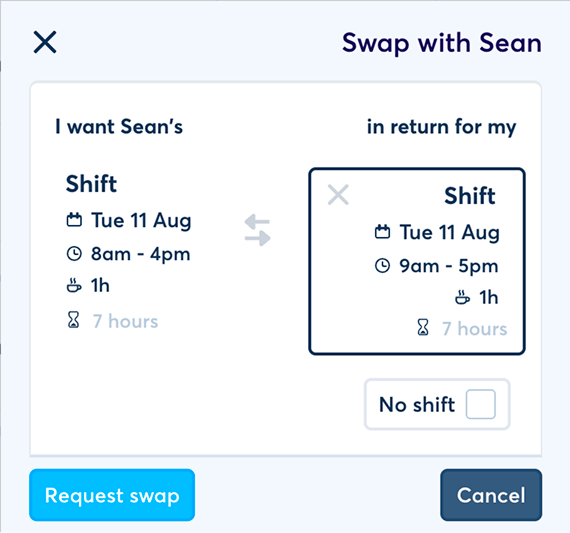
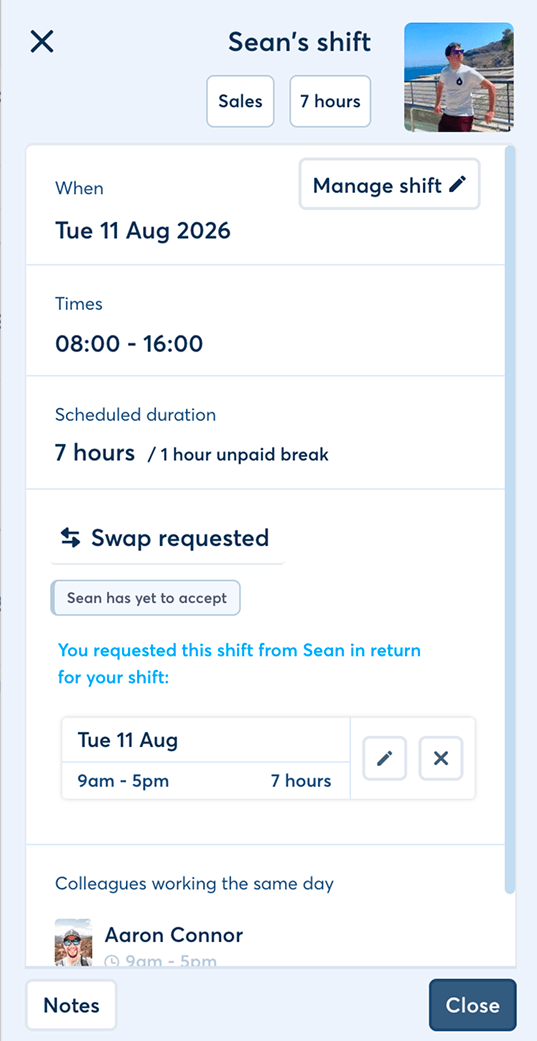
Shift swaps help employees solve availability problems themselves without turning the published rota into an uncontrolled free-for-all.
Let colleagues in the same team offer one scheduled shift for another.
Allow an employee to request a colleague’s shift as a one-way change.
Managers can enable the feature only where it suits the way a team operates.
Employees can decide whether a particular scheduled shift is open to swap requests.
Staff can stop other users requesting swaps with them across all their teams and shifts.
Let swaps proceed automatically or hold them for manager approval.
Employees do not always need a direct exchange. FlowRota supports both a two-way swap and a request to take another employee’s shift.
An employee offers one of their own shifts and requests a colleague’s shift in the same team in return.
The request connectsBenefit: Both employees can change when they work without leaving either shift uncovered.
An employee requests to take a colleague’s shift but does not include one of their own shifts in return.
The request connectsBenefit: Support one-way cover when an employee wants extra work or a colleague needs to give up a shift.
| Request type | What the requester offers | Proposed result |
|---|---|---|
| Two-way exchange | One of their own same-team shifts. | The employees exchange the two scheduled shifts. |
| One-way request | No shift in return. | The requester takes the colleague’s selected shift. |
The request moves through the controls chosen by the team, the employees and the shifts involved.
The manager enables shift swaps for the team and chooses its approval mode.
The employee keeps that scheduled shift open to requests and allows colleagues to request swaps with them.
They request an exchange or ask to take the same-team shift without offering one back.
The request proceeds automatically or waits for the manager to approve it.
 Flexibility follows the rules chosen for the team.
Employees can propose the change without bypassing team, shift or
approval settings.
Flexibility follows the rules chosen for the team.
Employees can propose the change without bypassing team, shift or
approval settings.
FlowRota limits the swap workflow to shifts belonging to the same team, preserving the rota context around the work.
The same-team requirement keeps the request connected to the part of the business where the shift was scheduled. It avoids treating any employee elsewhere in the organisation as an interchangeable replacement.
Features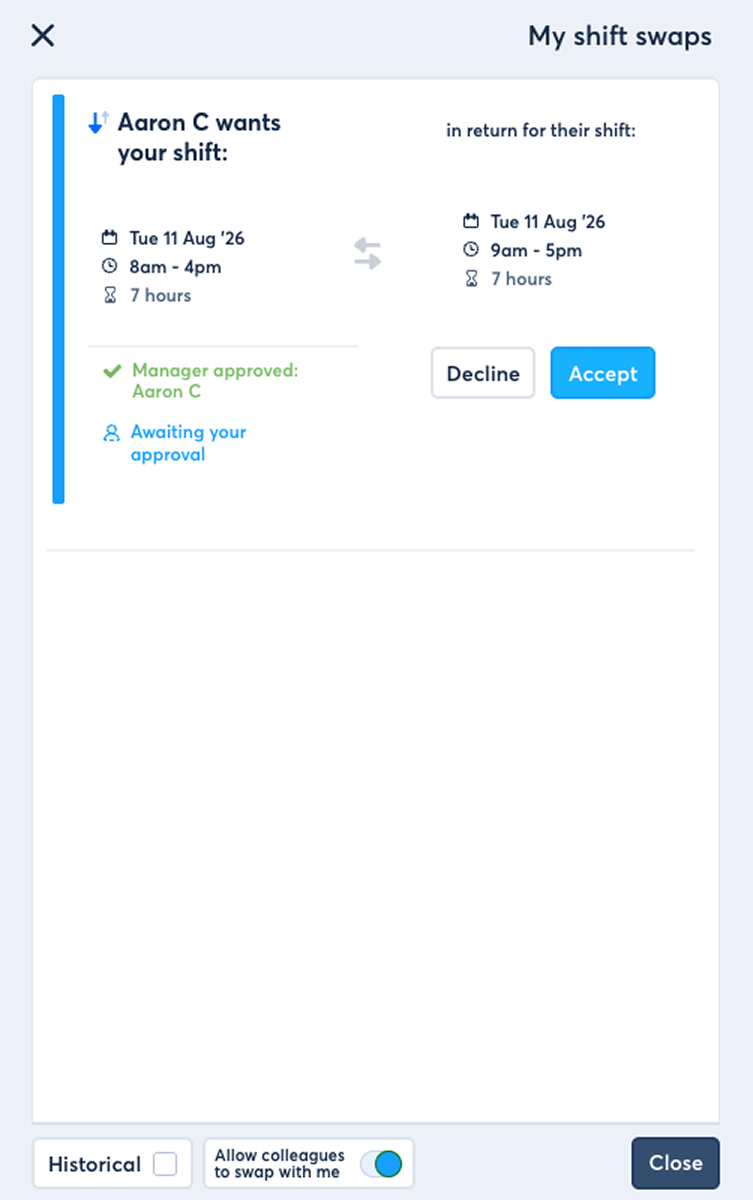
A team may allow shift swaps without every employee or every shift needing to participate.
Employees can enable or disable whether an individual shift is available for swap requests.
Useful whenAn employee can stop other users requesting shift swaps with them across every team and shift where they are scheduled.
The preference coversThe global preference sets whether the employee receives requests at all. When enabled, individual shift settings decide which scheduled work is open to swapping.
Why it helpsManagers can use shift swaps where they help and turn them off where the team needs a more controlled cover process.
Employees in the team can use the shift swap workflow when the relevant employee and shift settings also permit it.
Manager choicesEmployees cannot initiate the shift swap workflow for that team, regardless of their personal or per-shift preference.
Useful whenWhen swaps are enabled, the team can use the approval route that best matches its staffing needs.
Allow shift swap requests to proceed automatically without a separate manager decision.
Useful forHold the requested swap for a manager to review before it proceeds.
Useful for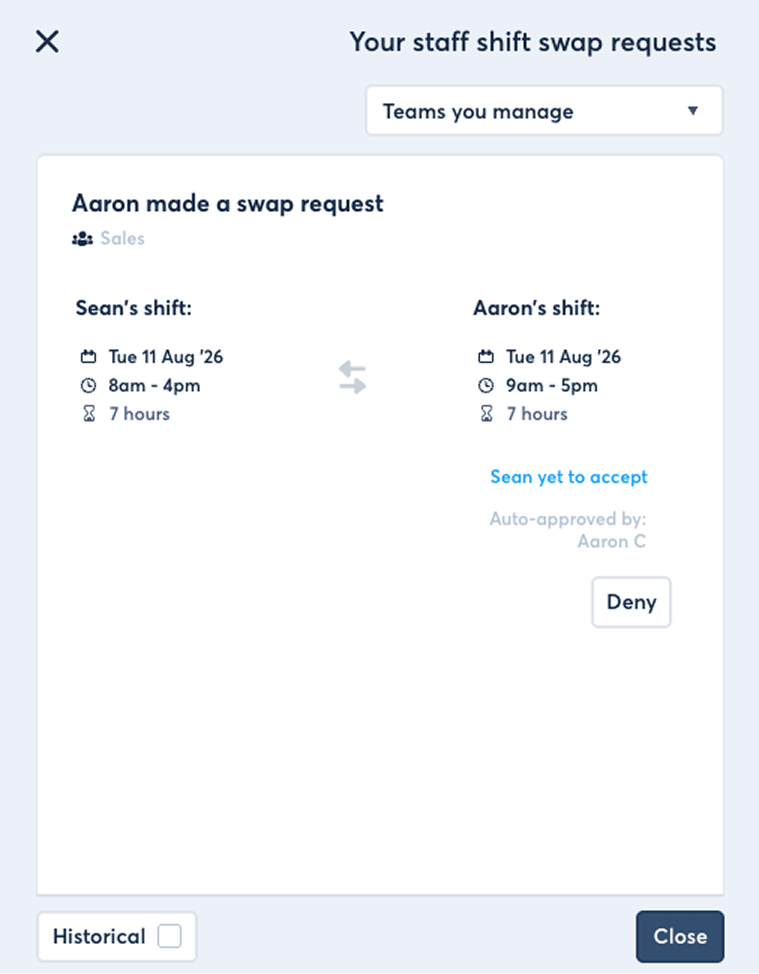
One team can use automatic approval while another requires a manager decision, allowing the swap process to reflect how each area operates.
Use FlowRota notifications to keep employees and managers updated around shift swap activity.
A structured shift swap keeps the proposed change connected to the team, employees and scheduled work instead of relying on an informal agreement outside the rota.
Give staff a practical way to solve a shift they can no longer work.
Let employees propose cover before asking a manager to rearrange the team.
Apply team, employee and shift settings before a request can proceed.
Keep the requested change in FlowRota so the schedule reflects who is expected to work.
Swaps are one route to filling or changing scheduled work. These pages cover notifications, open shifts and checks around the final rota.
A shift swap lets an employee request to exchange a scheduled shift with another employee in the same team.
No. An employee can request to take a colleague’s shift without offering one of their own shifts in return.
Shift swap requests are made between shifts in the same team.
Yes. Employees can enable or disable whether each of their scheduled shifts is available for swap requests.
Yes. An employee can disable other users from requesting shift swaps with them across all shifts and teams where they are scheduled.
Yes. Managers can enable or disable shift swaps separately for each team.
Yes. Where swaps are enabled for a team, the manager can allow shift swap requests to proceed automatically.
Yes. Managers can require approval before a requested swap proceeds.
A swap depends on the team’s swap setting, the shifts being available to swap and the employees allowing swap requests.
FlowRota costs £1 per user per month after a 30-day free trial. No credit card is required to start the trial. Visit the pricing page for full details.
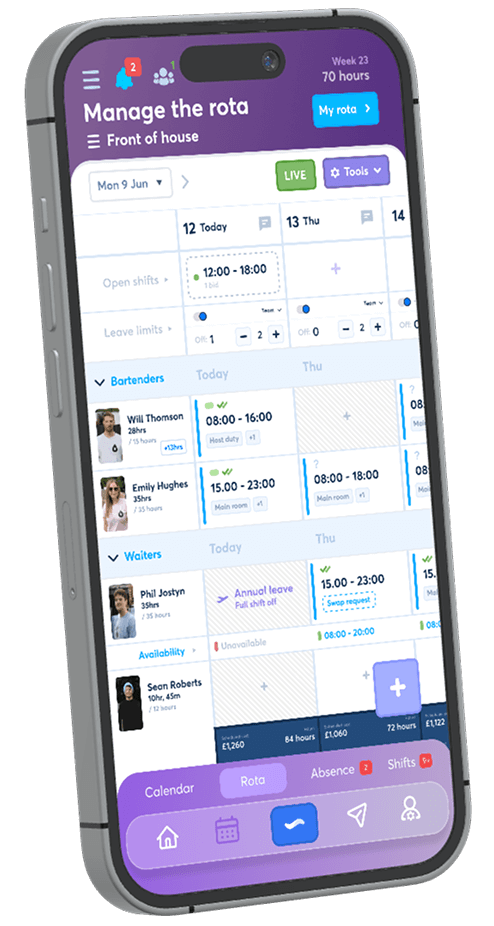
Enable swaps by team, choose the approval route and let employees control which requests they receive. The trial is free for 30 days, no credit card is required, and continued access costs just £1 per user per month.
Start your free trial