Fewer open clock cards
Close sessions that are still active at the configured cut-off instead of finding them running the next morning.

Automatically clock active users off when their scheduled shift is due to end, or let a manager choose the automatic clock-off time.
FlowRota uses the rota and clocking record together, so a forgotten clock-out does not have to become an open session running through the night. Managers keep control of the rule and can review or correct the resulting clock card when the employee’s actual finish time was different.
One missed tap can leave an employee looking clocked in for hours after work has finished. With automatic clock-off enabled, FlowRota closes an active session at the scheduled shift end. Managers can also set a different automatic time when the rota finish is not the right cut-off for that situation.
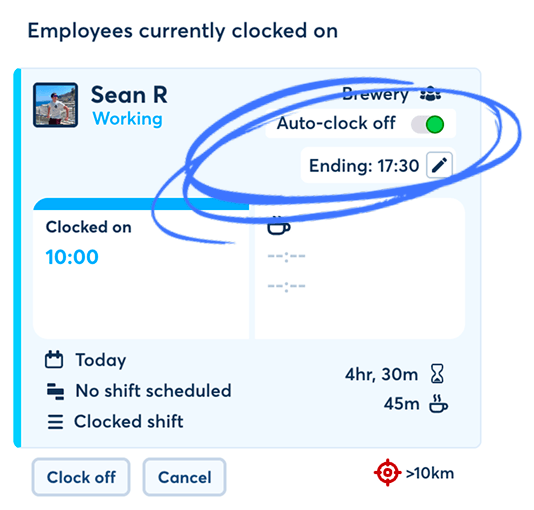
Automatic clock-off gives managers a dependable backstop when an employee forgets to finish their session. It reduces avoidable clean-up without removing the review needed for accurate worked-time records.
Close sessions that are still active at the configured cut-off instead of finding them running the next morning.
Use the end time already held on the staff rota as the automatic finish for an active clocking session.
Let a manager choose a specific automatic clock-off time when the scheduled finish should not be used.
Start the review with completed clock cards rather than open-ended records that must first be reconstructed.
Apply one consistent safeguard across eligible shifts instead of fixing the same forgotten-clock-out problem by hand.
Managers can review and correct an automatically closed card when an employee genuinely worked past the cut-off.
When this setting is enabled, FlowRota checks the employee’s active clocking session against the rota. If the session is still open when the scheduled finish arrives, the employee is clocked off automatically.
The scheduled end time already tells FlowRota when the shift is expected to finish. Automatic clock-off can use that time to close an eligible session that an employee has forgotten to end, keeping the rota and worked-time record connected.
Features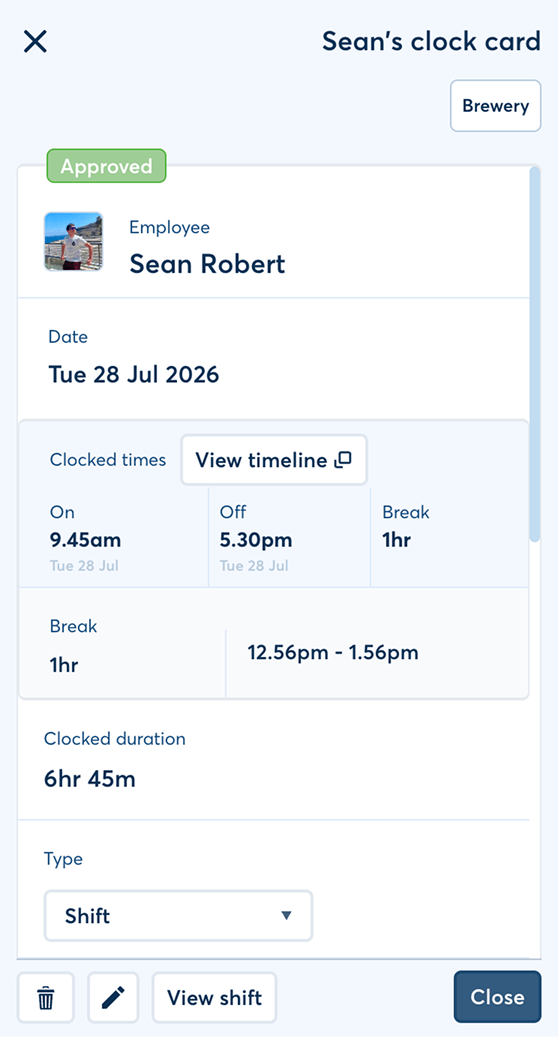
Set the rule once, let FlowRota handle the expected cut-off and keep managers in control of exceptions.
Add the employee’s start and finish times to the staff rota so FlowRota knows when the shift is due to end.
The employee starts a session using FlowRota’s mobile clock-in or a shared workplace terminal.
If that session is still active at the scheduled finish or the manager-set automatic time, FlowRota clocks the user off.
The manager checks that the automatic finish reflects what happened and corrects the record if the employee actually worked longer or finished earlier.
 The employee can still clock off normally.
Automatic clock-off is only the backstop for a session that remains
active at the configured time.
The employee can still clock off normally.
Automatic clock-off is only the backstop for a session that remains
active at the configured time.
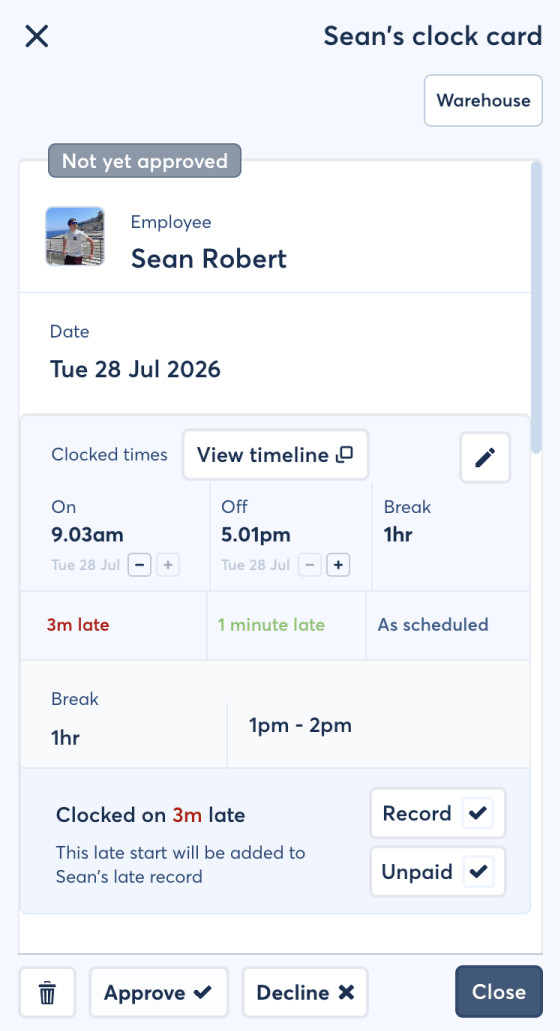
Automatic clock-off solves the open-session problem; manager review deals with the exceptions. FlowRota keeps the completed clock card available so managers can check the finish, correct genuine extra time and approve the record before it moves on.
Managers can see when the employee clocked in and when the session was closed, then compare the completed record with the scheduled shift.
FeaturesBenefit: Give managers one record to review instead of piecing together times from paper, messages and separate systems.
A scheduled or manually selected cut-off cannot know whether work actually continued. If the employee finished at a different time, the manager can make an authorised correction.
FeaturesBenefit: Keep the automation useful without treating its cut-off as infallible evidence of when work ended.
Once checked, completed clock cards can feed the timesheet workflow alongside other approved hours and adjustments, helping payroll preparation begin with cleaner information.
FeaturesBenefit: Spend less time reconstructing hours at the end of the pay period and more time checking genuine exceptions.
Different shifts need different levels of control. Use the planned finish when the rota is the best source, or let a manager select the automatic time when a different limit is more appropriate.
FlowRota uses the finish already assigned to the employee on the rota. If the employee remains clocked in at that point, the active session is closed automatically.
Best whenPublished shift times reliably represent the team’s expected finish and managers want the rota to drive the rule.
A manager can set the automatic clock-off time manually. This provides a deliberate cut-off when the scheduled shift end should not control the active session.
Best whenThe business needs a specific operational cut-off or wants a manager to choose the time for a particular situation.
Employees can still end their own session before the automatic time. The configured rule only needs to act when a clocking session is still active at the cut-off.
Best whenThe employee remembers to clock off as usual—the automation stays in the background as protection for the occasions they do not.
One feature, two automatic cut-offs.
Let the scheduled shift end drive the rule or have a manager set the
time manually; either way, the completed clock card remains
reviewable.
Employees can start and normally finish their session through FlowRota’s mobile clocking or a shared workplace clock-in terminal . The automatic cut-off acts on the connected active clock card, so the safeguard can sit behind either employee experience.
Employees use their compatible phone to clock on and off. If a session is still active at the configured cut-off, automatic clock-off can complete the record.
Useful forStaff clock in and out from one workplace device while each employee’s session remains separate and can be closed by the same automatic rule if forgotten.
Useful forA workplace device can provide one visible clocking point for the team. If somebody leaves without clocking off, the scheduled or manager-set cut-off can close their active session while keeping the individual record available for review.
Benefits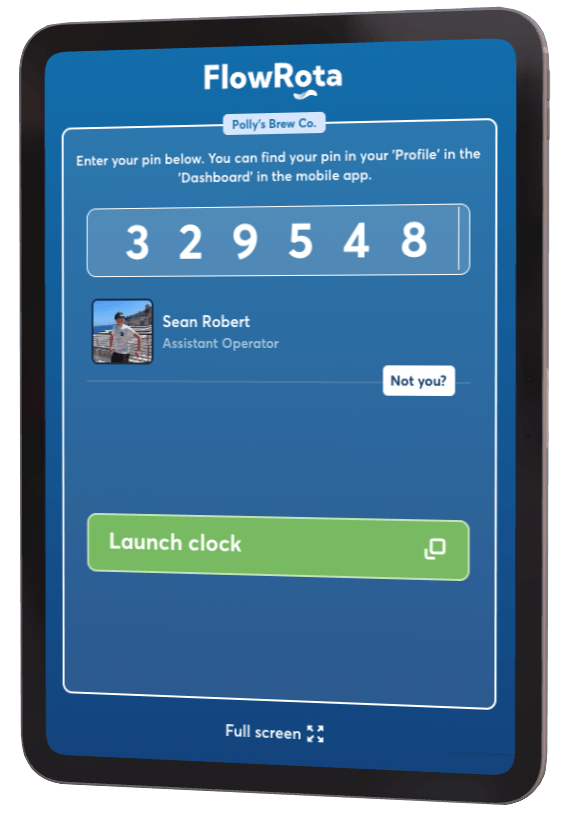
Automatic clock-off prevents a forgotten action from creating an obviously unreliable duration. It does not replace the manager’s responsibility to check what was actually worked.
If an employee genuinely works beyond the scheduled end or the manager-set time, the automatically closed card should be corrected to the approved actual finish. The review step keeps the convenience of automation without turning an expected time into a claim about what definitely happened.
Need help resolving a card that does not match a shift? See FlowRota’s guide to unlinked clock cards or read how shift cost and duration are calculated .
The right route depends on whether the rota, a manager or the employee should decide the finish.
| Method | How it works | Practical advantage |
|---|---|---|
| Scheduled shift-end clock-off | FlowRota closes an active session when the employee’s scheduled shift is due to end. | Uses the rota automatically and prevents a forgotten clock-out becoming an open-ended record. |
| Manager-set automatic clock-off | A manager selects the automatic cut-off time instead of using the scheduled finish. | Provides control where the required limit differs from the rota. |
| Employee clock-off | The employee ends their own active session before an automatic cut-off is needed. | Records the employee’s action at the point they finish, with automation remaining available as the backstop. |
The feature is most valuable wherever employees are moving quickly at the end of a shift and a forgotten clock-out can create unnecessary administration the next day.
Close forgotten sessions when bar, kitchen, event and venue staff finish around the same time and attention is on the customer.
Give branch managers cleaner clock cards after store-close shifts, while retaining a review route for genuine extra work.
Apply a consistent cut-off process across branches while each site continues to work from its own published shifts.
Protect short-lived and fast-changing operations from open sessions when temporary staff forget the final clock-off action.
A cut-off is more useful when the schedule, clocking method and manager review all live in one workflow. Explore the connected features and practical guidance most relevant to reliable working-time records.
Automatic clock-off software closes an employee’s active clocking session at a defined time when they have not clocked off themselves. In FlowRota, that time can follow the scheduled shift end or be set manually by a manager.
When the setting is enabled, FlowRota can automatically clock an active user off when their scheduled shift is due to end. The scheduled finish time therefore provides the cut-off for that clocking session.
Yes. A manager can set the automatic clock-off time manually when the required cut-off should be different from the scheduled shift end.
The employee’s own clock-off completes the session. Automatic clock-off is there to close a session that is still active when the configured cut-off time is reached.
A manager should review and correct the clock card so it reflects the employee’s actual approved finish time. Automatic clock-off is a safeguard against forgotten clock-outs, not proof that work stopped at the cut-off.
Yes. Managers can review the resulting clock card and make an authorised correction when the recorded finish time does not reflect what happened.
Automatic clock-off supports FlowRota’s connected clock-card workflow whether employees start their session through mobile clocking or a shared workplace terminal.
Yes. The completed clock card provides worked-time information for manager review before approved hours are used for timesheets or payroll preparation.
FlowRota costs £1 per user per month after a 30-day free trial. No credit card is required to start the trial. Visit the pricing page for full details.
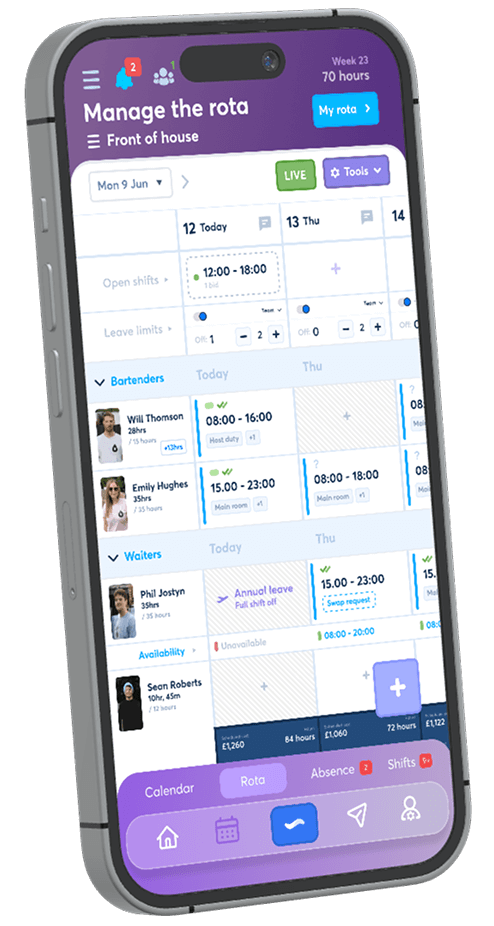
Create a rota, enable automatic clock-off and test both the scheduled shift-end rule and a manager-set cut-off during a real working week. The trial is free for 30 days, no credit card is required, and continued access costs just £1 per user per month.
Start your free trial