Start with scheduled shifts
Employees do not need to reconstruct the rota from an empty form.

FlowRota timesheets begin with the employee’s scheduled shifts and let them amend the hours to show what they actually worked before submitting the week for approval.
Managers can review every difference, decide whether excess or shortfall time affects TOIL, and approve agreed off-rota work that was never scheduled in advance.
The published rota provides the starting record. Employees check each scheduled shift, enter their actual working times and add any agreed work completed outside the rota. Their manager then reviews the complete team week before applying it.
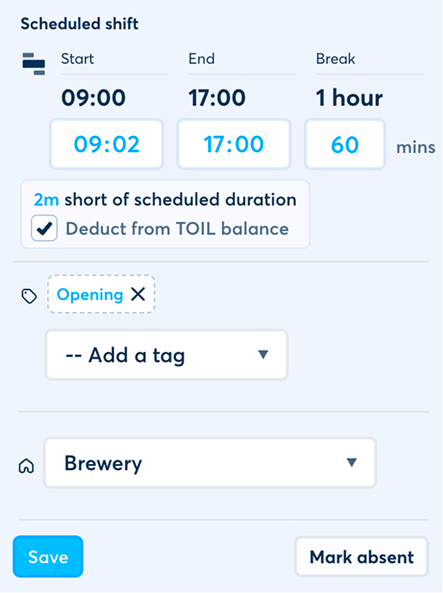
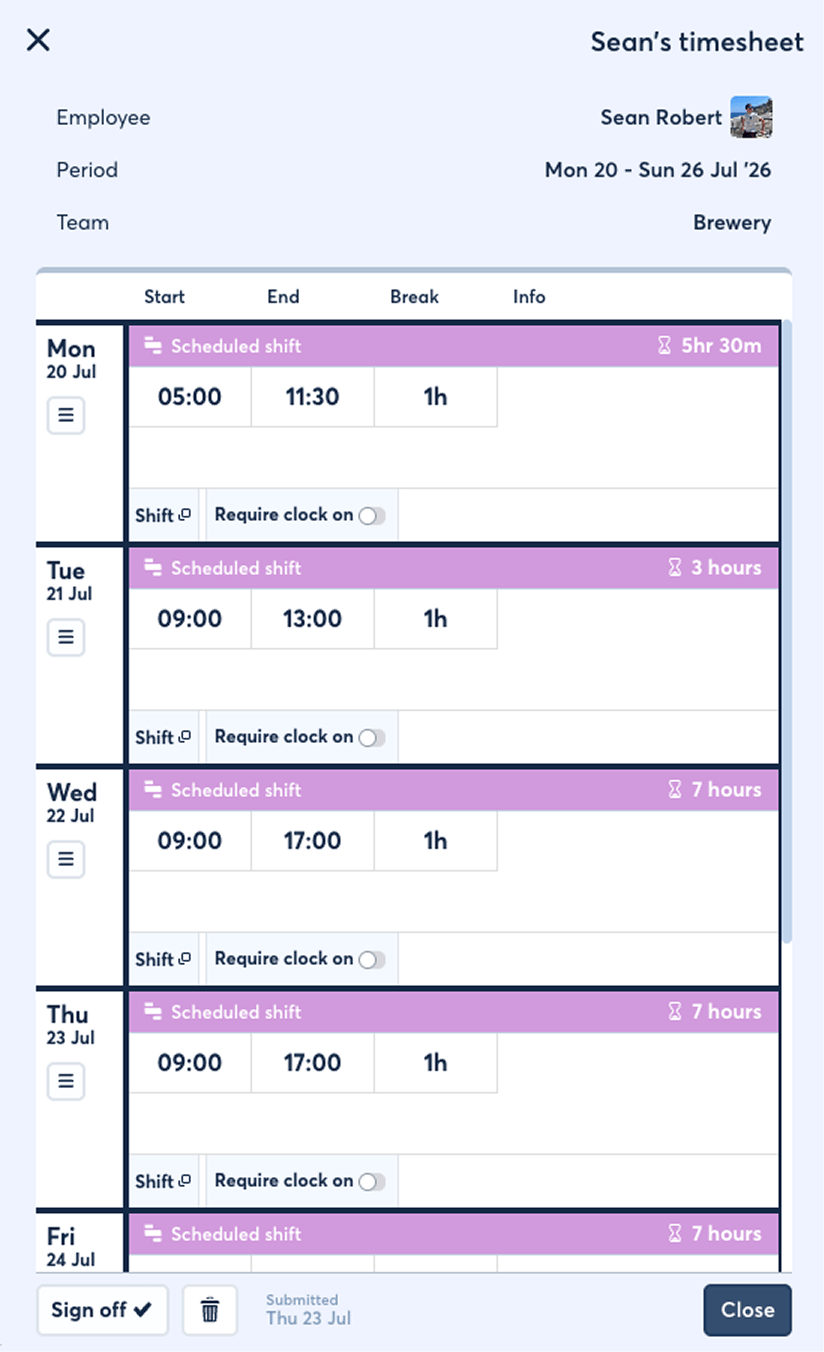
FlowRota keeps scheduled work, actual time, leave, TOIL preferences and extra off-rota hours visible in one weekly team record.
Employees do not need to reconstruct the rota from an empty form.
Amend the times when the hours worked differed from the schedule.
Show leave that falls within the relevant timesheet week.
Let employees state how they would prefer a difference to be handled.
Add agreed out-of-hours work that was completed off the rota.
Managers review, decide the final treatment and approve the week.
Both features can describe worked time, but they collect it in different ways and should not be treated as the same record.
| Record | Timesheet | Clock card |
|---|---|---|
| Starting point | The employee’s scheduled shifts for the team week | A live employee clock-on action |
| How time is recorded | The employee enters or amends the actual hours worked | Clock-on, break and clock-off events are recorded as they happen |
| Period | A weekly submission commencing Monday | An individual active working session and its timeline |
| Team structure | A separate timesheet for each team | The record connects to the relevant clocked shift |
| Manager action | Approve actual hours, TOIL treatment and added work | Review, approve, decline or correct the clock card |
 A timesheet is a submitted reconciliation, not a time clock.
For live clocking, explore the
shared FlowRota Terminal
or
personal-device GPS clock-ins
.
A timesheet is a submitted reconciliation, not a time clock.
For live clocking, explore the
shared FlowRota Terminal
or
personal-device GPS clock-ins
.
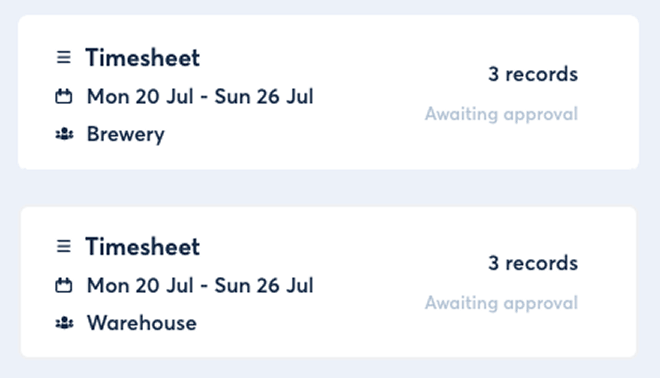
Timesheets are organised by both week and team, preserving the operational context behind every shift and approval.
Each timesheet covers one complete week beginning on a Monday.
The weekly view brings together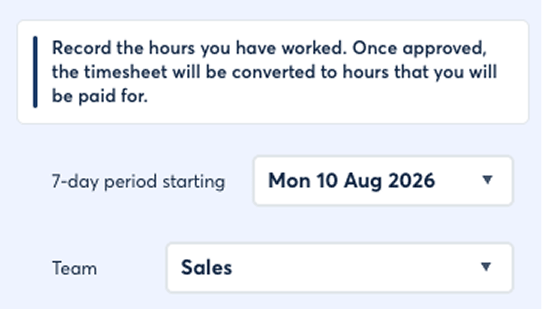
The employee submits a distinct timesheet for each team in which they worked during the week.
This means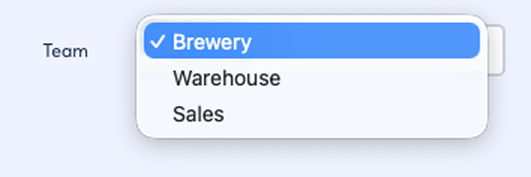
An employee who worked in two teams can have two timesheets for the same week—one for each team.
Why it mattersSee how employees can belong to primary and secondary teams .
Employees start with the shifts already on the rota and only need to amend the time when reality differed from the schedule.
If the shift was worked exactly as scheduled, the existing record provides the expected hours. If the employee started later, finished earlier or worked beyond the scheduled time, they can amend the actual hours in the timesheet.
The manager can compare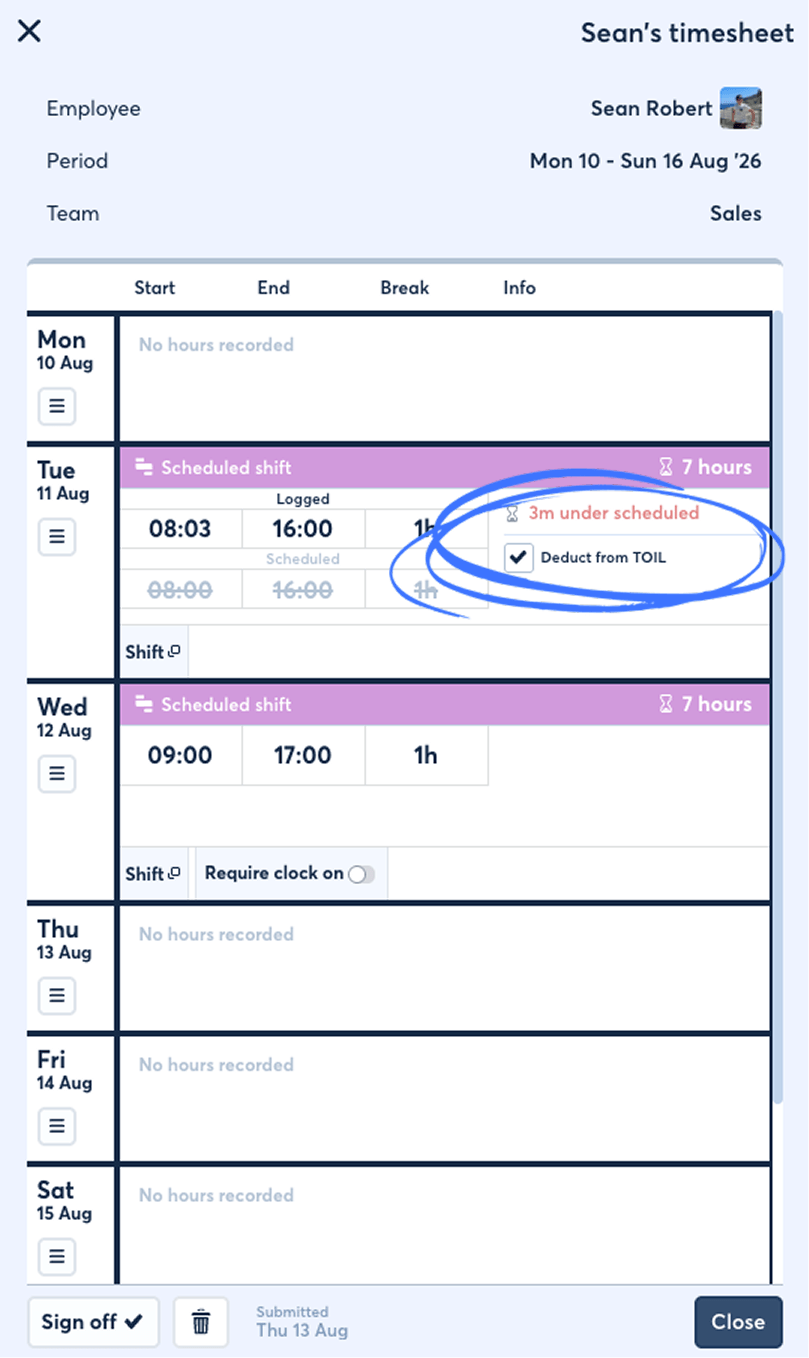
The timesheet also illustrates leave that falls within the relevant week, helping the submitted record explain why scheduled work and ordinary hours may differ.
Explore employee leave and manager approvals .
Teams, times, pay treatment and other scheduling detail stay on the underlying shift while the timesheet records the employee’s actual working hours.
Learn what can be stored on FlowRota shift records .
The employee can request a preferred treatment, but the manager makes the final decision while approving the timesheet.
| Scheduled duration | Actual duration | Difference | Available TOIL treatment |
|---|---|---|---|
| 7 hours | 6 hours 45 minutes | 15-minute shortfall | The manager can deduct 15 minutes from the employee’s TOIL balance |
| 7 hours | 7 hours 30 minutes | 30 minutes excess | The manager can add 30 minutes to the employee’s TOIL balance |
| 7 hours | 7 hours | No difference | No excess or shortfall requires TOIL treatment |
The employee can indicate how they would prefer the difference between scheduled and actual duration to be handled.
The request can coverImportant: submitting a preference does not apply it automatically.
The manager reviews the requested treatment and decides whether it should be applied.
The manager canFinal authority: the manager’s approval decision determines the treatment used.
When approved, the selected excess or shortfall duration is added to or deducted from the employee’s TOIL balance.
This keeps connectedSee how banked time works with overtime and TOIL .
Not every working period begins with a scheduled shift. Employees can add hours completed outside the published rota to the appropriate team timesheet.
An employee can add a shift they actually worked even when no scheduled shift existed. This is useful for agreed out-of-hours overtime or another exceptional working period that was authorised but not added to the rota beforehand.
The employee can submit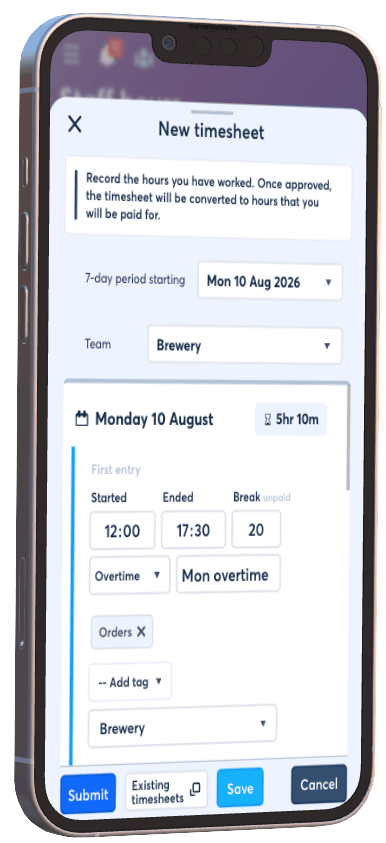
The timesheet entry is a request for approval. Newly added off-rota hours do not become a payable shift until the manager approves the timesheet.
Approval turns the submitted weekly record into the final shift changes and new payable work accepted by the manager.
Scheduled shifts and leave are shown for the relevant Monday-to- Sunday period and team.
The employee amends worked times, states a TOIL preference and adds any agreed unscheduled work.
The manager compares scheduled and actual duration, reviews leave and checks newly added hours.
The employee’s preference is considered, but the manager decides whether excess or shortfall time changes the balance.
Existing scheduled shifts are updated and new payable shifts are created for approved hours that had no shift.
When the employee amended the actual hours against a scheduled shift, approval updates that shift with the manager-approved outcome.
The result preservesWhen the manager approves work that had no scheduled shift, FlowRota creates a new payable shift for those logged hours.
The result provides
Approval changes the underlying records.
The result can then feed
hours, pay, overtime and TOIL reports
.
Timesheets give employees a structured way to explain what changed while keeping managers in control of what is finally applied.
Employees confirm actual hours against scheduled shifts instead of recreating their working week from memory.
Give each team manager the weekly work they are responsible for reviewing.
Compare scheduled and actual duration before approving TOIL additions or deductions.
Turn approved, unscheduled hours into proper payable shift records.
Timesheets connect scheduled work with actual hours, manager approvals, TOIL balances, leave and reporting.
A FlowRota timesheet is a weekly, team-specific record that starts with the employee’s scheduled shifts and lets them confirm or amend the hours they actually worked.
No. Timesheets do not track live clock-card events. They compare actual hours entered by the employee with the shifts that were scheduled.
Each timesheet covers a week commencing Monday.
Yes. Timesheets are created by team as well as week, so an employee working in two teams can have two timesheets for the same week.
Yes. Employees can enter the actual hours worked against each scheduled shift before submitting the timesheet.
Yes. Leave within the relevant period is shown alongside the week’s shift information.
Yes. When actual worked duration is shorter than scheduled duration, the manager can deduct the difference from the employee’s available TOIL balance.
Yes. When the employee worked longer than scheduled, the manager can add the excess duration to the employee’s TOIL balance instead.
The employee can request their preferred treatment, but the manager makes the final decision during approval.
Yes. Employees can add shifts they worked without a scheduled shift, such as agreed out-of-hours overtime completed off the rota.
The relevant scheduled shifts are updated to reflect the manager-approved actual hours.
FlowRota creates new payable shifts for the newly added hours that had no scheduled shift in place.
A timesheet is an employee-submitted weekly comparison of scheduled and actual hours. A clock card records clock-on, break and clock-off events as they happen.
An authorised manager reviews and approves the timesheet for the relevant team.
FlowRota costs £1 per user per month after a 30-day free trial. No credit card is required to start the trial. Visit the pricing page for full details.
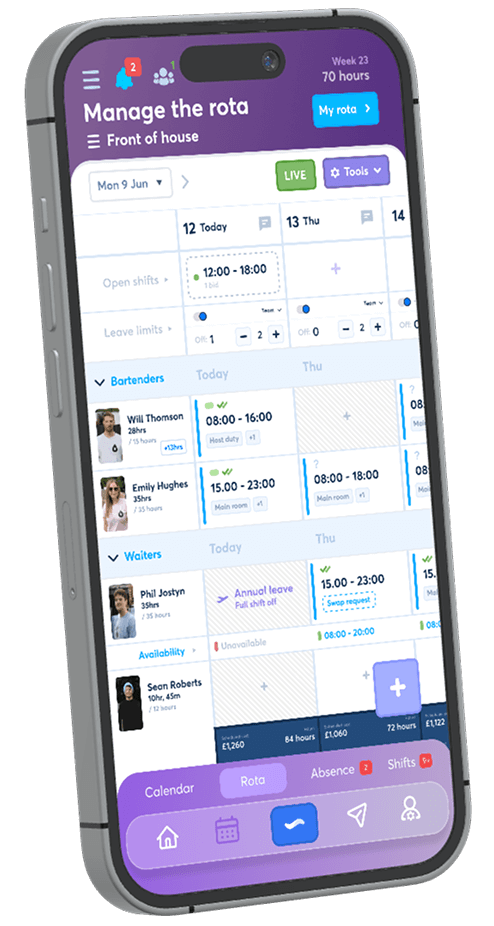
Let employees confirm what they worked, request TOIL treatment and add agreed off-rota hours while managers retain the final approval. The trial is free for 30 days, no credit card is required, and continued access costs £1 per user per month.
Start your free trial