Save complete rota weeks
Keep a successful team pattern ready for future scheduling.

Save a rota week inside each team, give it a useful name and description, and bring the pattern back when similar staffing is needed again.
Preview exactly who would work each shift, retain open shifts for uncovered work, or use job-title-based rota shells when the roles are known but the employees will be chosen later.
Repeated working patterns should not require repeated data entry. FlowRota lets managers save complete rota weeks for each team, recognise them through clear names and descriptions, and review the pattern before putting it back into use.
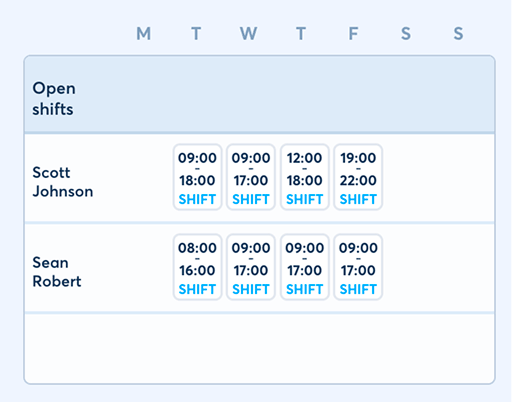
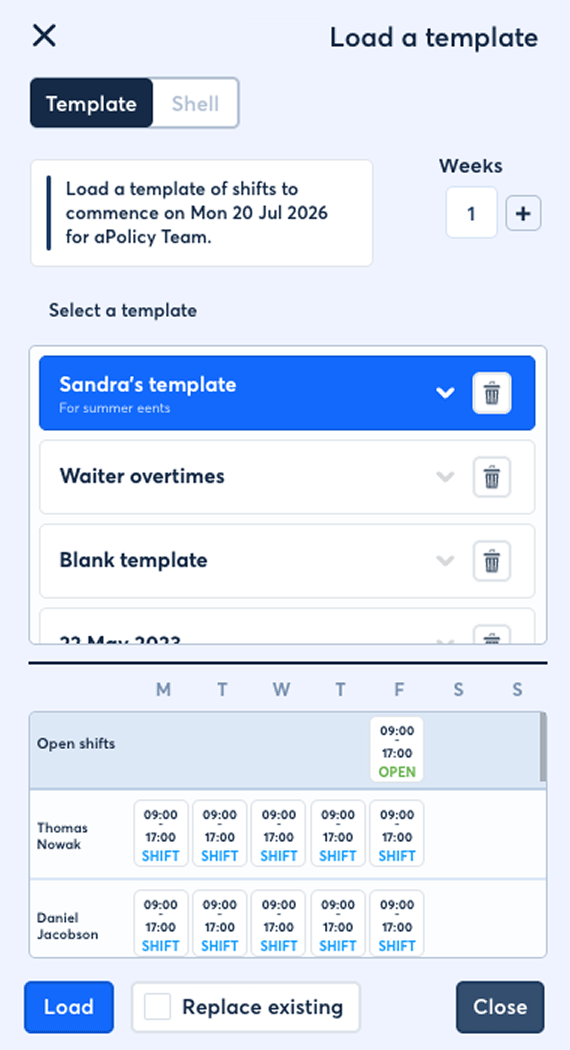
Templates and shells give managers two useful starting points: reuse a known employee rota or plan the roles and shift times before assigning people.
Keep a successful team pattern ready for future scheduling.
Make each saved week easy for managers to recognise and reuse.
Add a description that gives the pattern useful context.
See who would be scheduled and what they would work each day.
Save uncovered work as part of the repeatable rota pattern.
Use shells when the roles are known before the employees are.
A rota template preserves a week that managers may need again. It provides a practical starting point for repeated staffing patterns without forcing the next rota to be rebuilt shift by shift.
Templates belong to individual teams and represent a complete rota week. When similar work returns, the manager can reuse the saved pattern instead of reconstructing every assignment from an empty rota.
A rota template can preserveReused template shifts remain part of the wider drag-and-drop staff scheduling workflow .
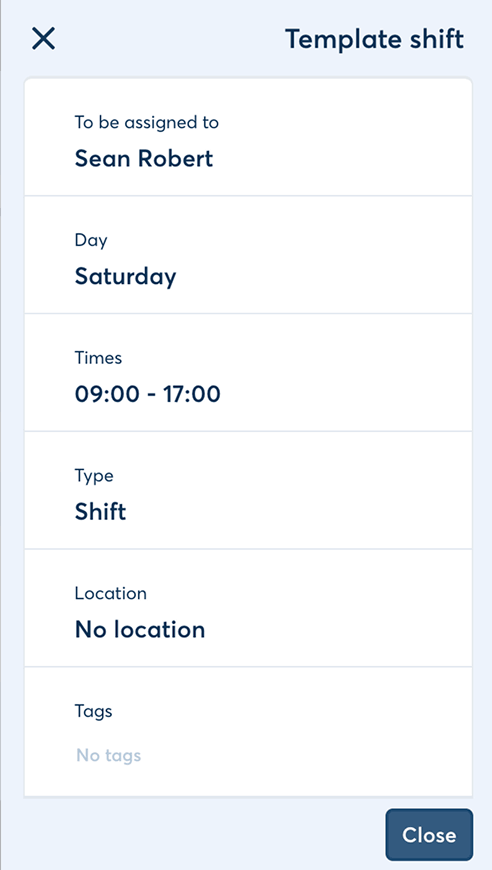
A template should be easy to choose even when several rota patterns have been saved for the same team.
Give the saved rota a clear name that distinguishes it from other patterns in the team.
A useful name might identifyBenefit: Managers can recognise the right template without opening each saved week first.
Add a description explaining what the rota pattern represents or when it should be considered.
The description can explainBenefit: The template stays understandable even when it is reused by somebody who did not build the original week.
FlowRota’s template preview clearly lays out the saved week so the manager can understand its staffing pattern at a glance.
The preview presents the rota template as a week rather than a vague template title. Managers can see the employees included, the days on which they would be scheduled and the shifts held within the saved pattern.
The preview makes visible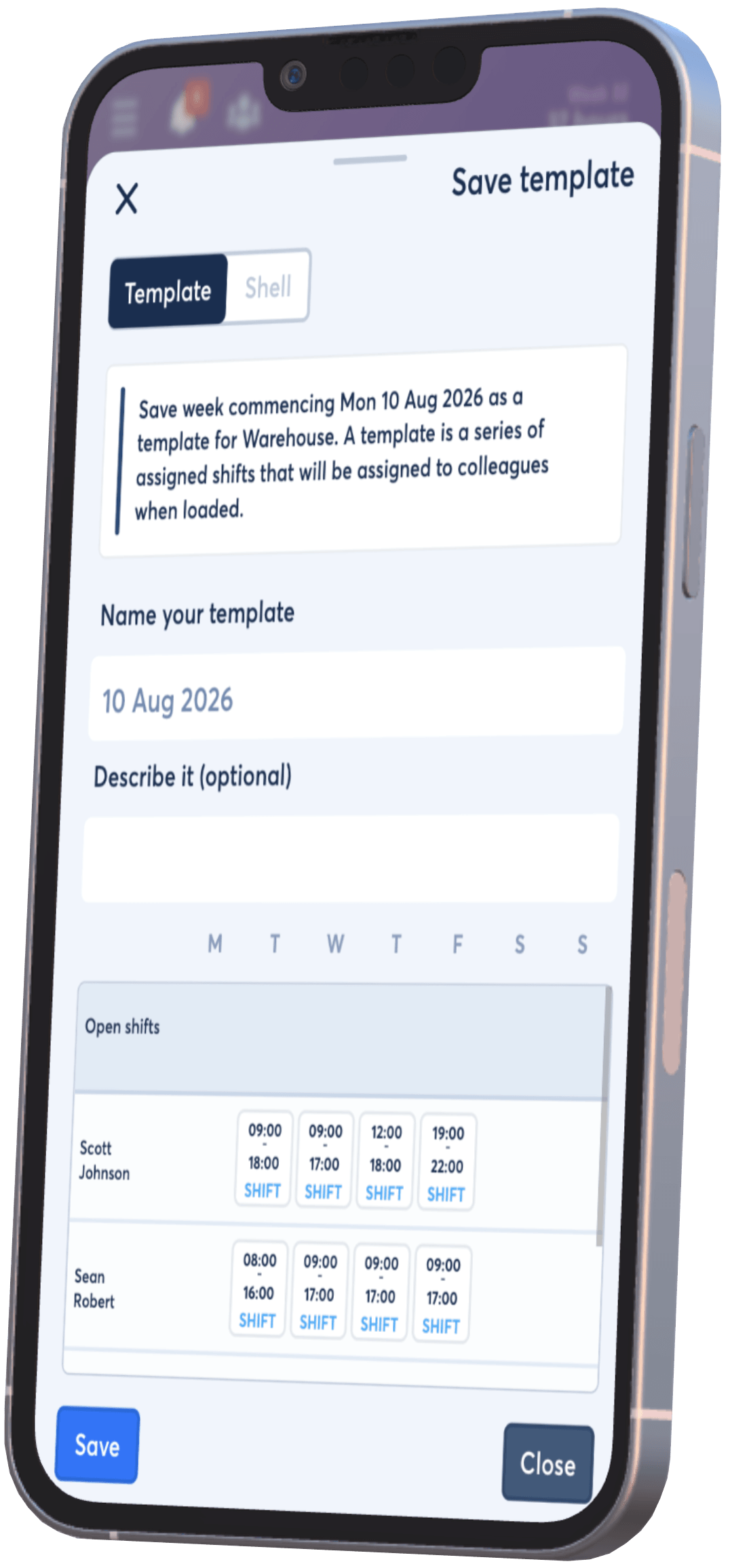
A repeatable rota pattern can include work that is not yet assigned to a named employee.
Keep assigned shifts for employees whose recurring place in the rota is already established.
This suitsOpen shifts can remain within the saved template, so the recurring need for cover is not lost simply because no employee is assigned yet.
Once the rota is being usedExplore how staff claim and bid for open shifts .
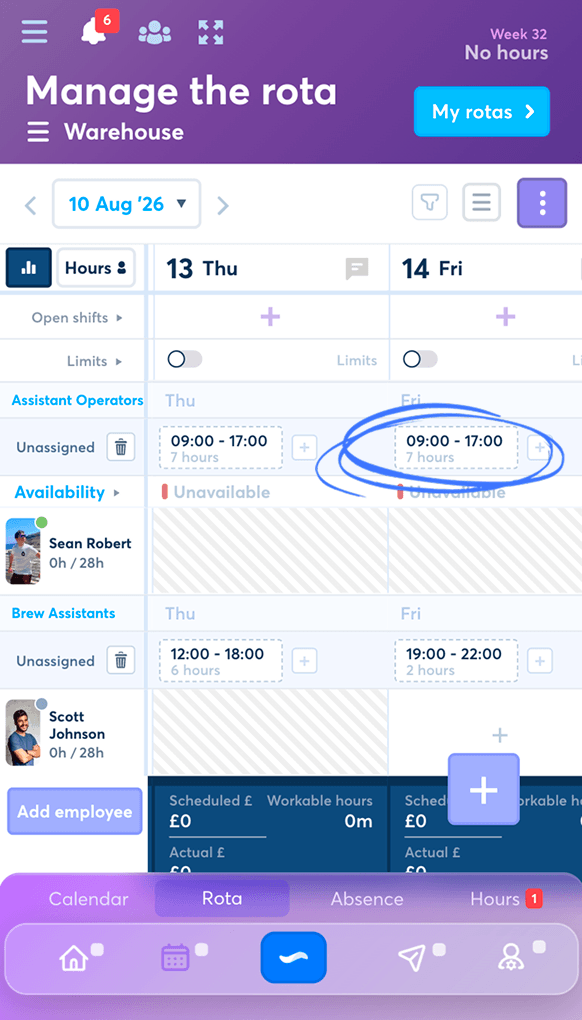
Rota shells resemble templates, but their shifts are placeholders assigned to job titles rather than individual employees.
A shell lets the manager establish which work the team needs on each day without prematurely choosing the people who will do it. When the manager is ready, those placeholders can be assigned to employees with the relevant job titles.
A rota shell establishesOnce assigned, each placeholder becomes part of the team’s detailed employee shift records .
Templates and shells both save time, but they answer different scheduling questions.
| Planning question | Rota template | Rota shell |
|---|---|---|
| What is saved? | A reusable rota week for a team | A week of shift placeholders |
| How is work represented? | Shifts assigned to employees, plus any open shifts | Shifts assigned to required job titles |
| Are individual employees already chosen? | Yes, for assigned shifts in the saved pattern | No, employees are assigned later |
| Best used when | A familiar employee rota is likely to be repeated | The required roles are known before employee availability or assignment is finalised |
| Main benefit | Reuse a successful working week quickly | Plan staffing demand before choosing names |
 Template means “reuse this week”; shell means “fill these roles.”
Both reduce blank-page scheduling, but only the template begins with
named employee assignments.
Template means “reuse this week”; shell means “fill these roles.”
Both reduce blank-page scheduling, but only the template begins with
named employee assignments.
Templates and shells speed up the starting point. FlowRota’s connected features help managers finish the week around current employees and current conditions.
Reuse a named rota template when the employee pattern is familiar, or begin with a shell when only the required job titles are known.
Use the template preview or shell layout to understand the shifts, days, employees, open work and required roles.
Assign appropriate employees to shell placeholders and decide how open shifts should be filled within the team.
Review availability, clash checks and configured working-rule warnings as the proposed pattern becomes the actual schedule.
Publish the finished shifts and let employees know when their rota week is ready.
A saved pattern is a starting point, not a substitute for reviewing the current week. Use employee availability , clash checks and rota rules and warnings before publishing.
Good reuse removes routine entry while leaving managers able to see, check and adapt the schedule they are about to publish.
Bring back a known rota pattern or a planned set of job-title requirements.
Preview the people, days and shifts instead of choosing from template names alone.
Keep open shifts visible as a deliberate part of the reusable staffing pattern.
Review current availability and warnings before the saved pattern becomes the live rota.
Templates and shells provide the starting structure; these connected features help managers assign, check, fill and communicate the week.
A rota template is a saved rota week that a manager can reuse for the same team instead of rebuilding its shifts from scratch.
Yes. Managers save and reuse rota-week templates within each team.
Yes. Each template can have a name and description so managers can identify the pattern and when it should be used.
Yes. The template preview clearly shows the saved rota week, including who would be scheduled and what they would work on each day.
Yes. Open shifts can be stored within a rota template alongside shifts already assigned to employees.
Templates save managers from recreating a familiar rota week shift by shift while keeping the full pattern visible before it is reused.
A rota shell is a set of shift placeholders assigned to job titles rather than named employees.
A template reuses a rota week with employee assignments, while a shell plans the required shifts by job title so suitable employees can be assigned later.
Employees are assigned later, after the shell has established which job titles and shift times the team needs.
Yes. Managers can first map the required job-title coverage and then choose employees with those job titles when they are ready to complete the rota.
Managers use rota templates and shells when building rotas for the teams they manage.
FlowRota costs £1 per user per month after a 30-day free trial. No credit card is required to start the trial. Visit the pricing page for full details.
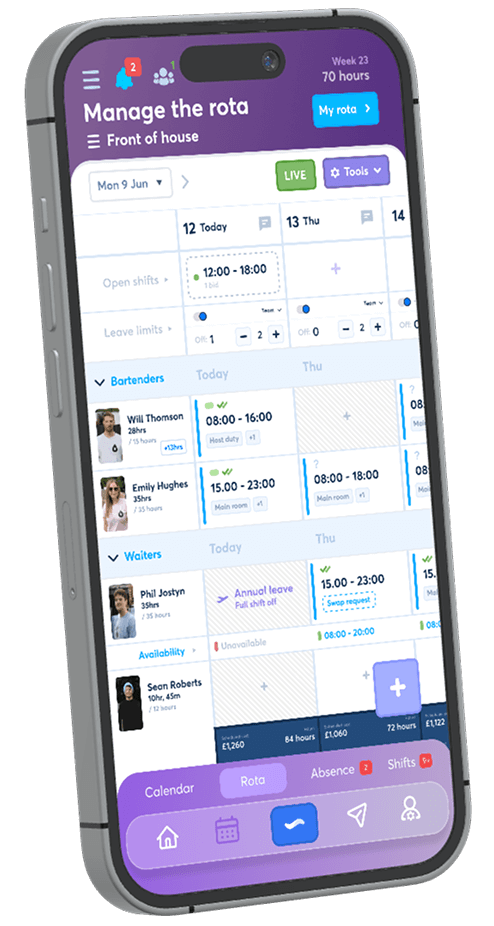
Save the weeks that work, preview every recurring assignment and plan future cover by job title. The trial is free for 30 days, no credit card is required, and continued access costs £1 per user per month.
Start your free trial