Pay only for active users
Each active employee costs £1 per month; archived users cost nothing.

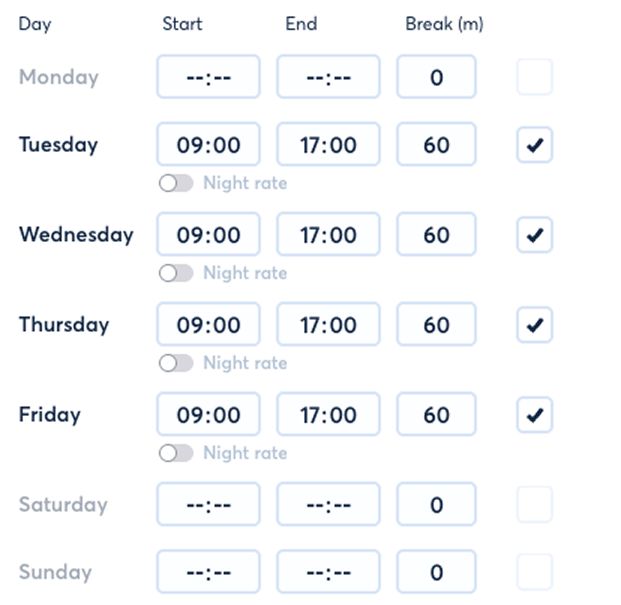
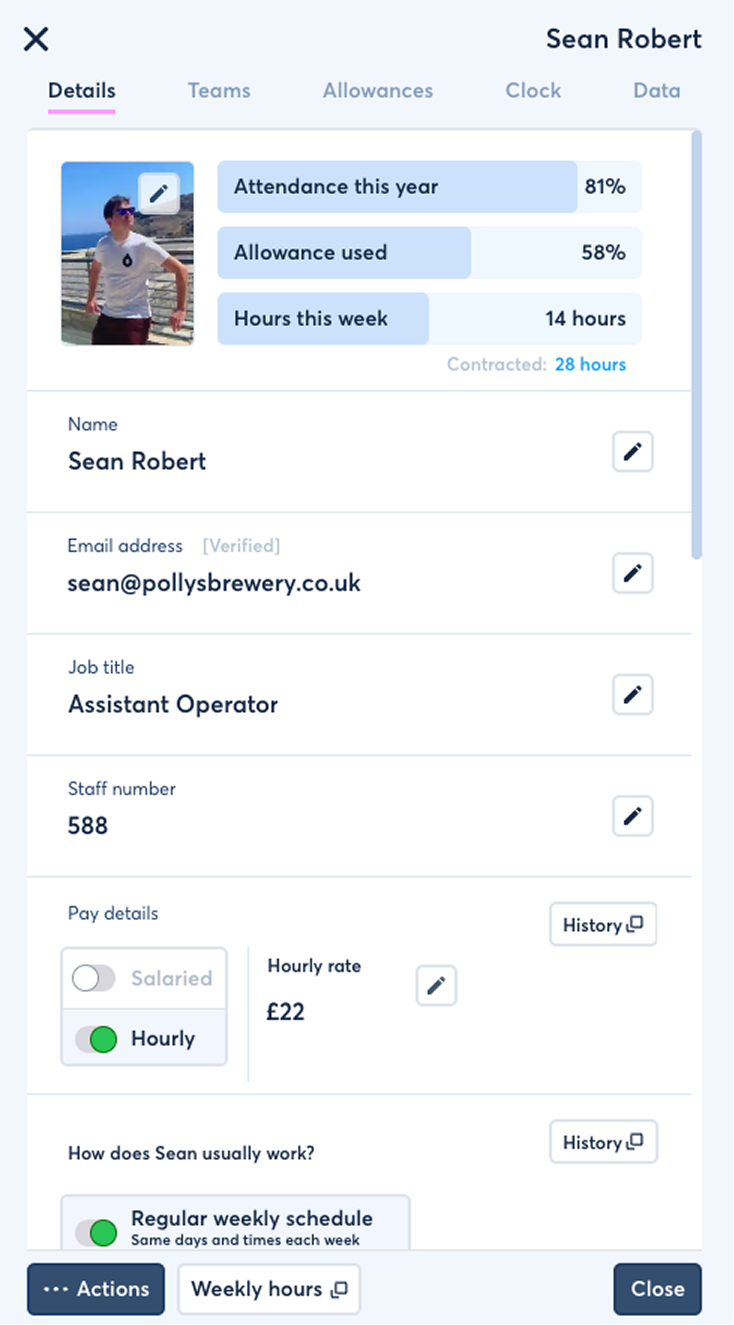
Keep each employee’s job, working pattern, contracted hours, leave, pay, teams and clocking settings connected to the same profile used throughout FlowRota.
Employees can upload documents to their own profile, while managers can review those files, share documents with whole teams and control whether individual files are visible to staff.
FlowRota uses the employee profile throughout rota planning, leave, pay, clocking and reporting. Managers maintain the details once, while documents stored against users and teams remain available to the people permitted to view them.
Add the details FlowRota needs, stop paying when somebody is archived, and keep workforce documents connected to the relevant person or team.
Each active employee costs £1 per month; archived users cost nothing.
Change a user’s status whenever people leave or return.
Store the work, leave, pay, team and clocking details behind the rota.
Employees can add their own documents for managers to review.
Give every employee in a team access to useful shared documents.
Show or hide each team or user file from staff as required.
Active users cost £1 per month. Archiving removes the user from chargeable access, while reinstatement makes the profile active again.
FlowRota charges a fixed £1 per active user each month after the 30-day free trial.
The pricing stays clearArchive a user when they should no longer remain active in FlowRota. Archived users are not included in the monthly charge.
Archiving helps whenIf a user is archived partway through the billing month, the chargeable amount for that user is calculated on a pro-rata basis.
This means
 Active users cost £1 per month; archived users cost £0.
If archiving happens midway through the billing month, the
chargeable amount is pro-rated.
Active users cost £1 per month; archived users cost £0.
If archiving happens midway through the billing month, the
chargeable amount is pro-rated.
The user profile gives FlowRota the information needed to schedule, cost, track and report on the employee’s work.
Set how the employee fits into the organisation and the ordinary pattern their working week follows.
Profile settings includeSee how these details support staff scheduling .
Set the allowances and working information used when the employee requests or receives time away.
The profile can holdExplore leave allowances and manager approvals .
Connect the employee to the teams where they work and choose the pay and clocking settings that apply.
Managers can configureLearn how teams and permissions control scheduling and manager responsibilities.
| Profile area | Example information | Connected workflow |
|---|---|---|
| Employment | Job title, working pattern and contracted hours | Scheduling and shift planning |
| Leave | Annual and custom leave allowances | Requests, approval and allowance tracking |
| Pay | Salaried status or hourly rate | Shift costing, pay and reports |
| Teams | Primary and secondary team membership | Rotas, managers and approval boundaries |
| Clocking and history | Clock-on settings and historical hours | Attendance and connected calculations |
Employees can upload documents directly to their user profile, keeping useful evidence connected to the person it belongs to.
Users can upload their own documents of any file type. Their managers can then see the files stored against that employee, making the profile useful for proof of work and other workforce records.
User document storage includes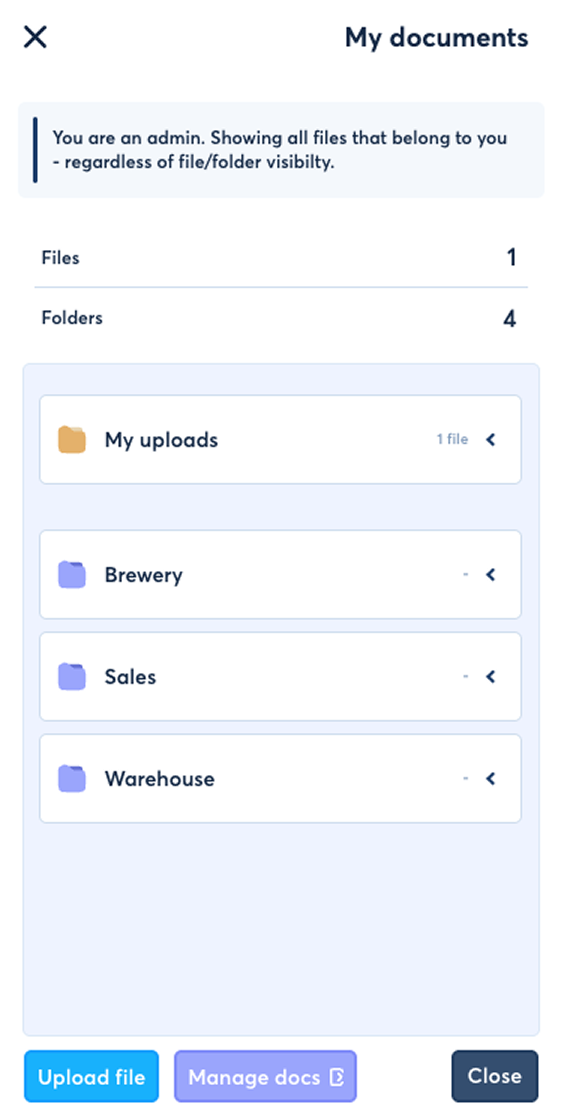
Managers can upload a file once to a team rather than distributing a separate copy to every employee who belongs to it.
Managers can upload documents to teams they manage. When a file is visible to staff, every employee who belongs to that team can view it from FlowRota.
Team document storage includes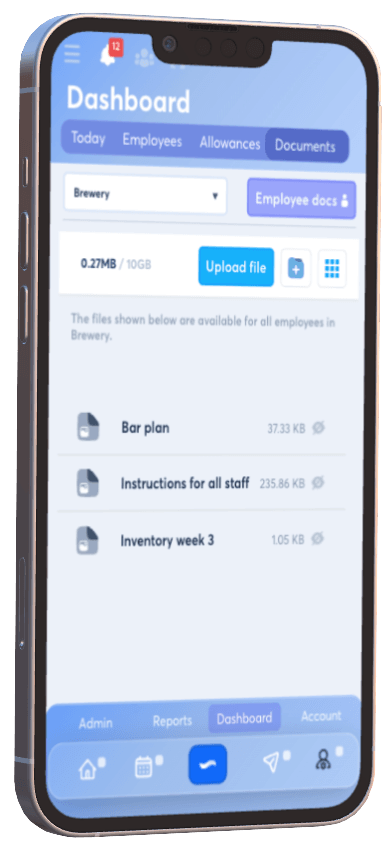
Uploading a document and making it visible are separate decisions. Managers can control employee access file by file.
For every file stored against a team, the manager can choose whether it is shown to or hidden from staff.
When shownFiles stored against an individual user have the same manager visibility control, allowing each file to be shown to or hidden from that employee.
This gives managersBenefit: document access can match the purpose of each individual file.
User and team document areas have separate 5GB total allowances, while every individual upload is limited to 50MB.
| Document area | Total storage | Maximum file size | File types | Staff access |
|---|---|---|---|---|
| Individual user | Up to 5GB per user | 50MB per file | Any file type | The manager controls whether each user file is shown or hidden |
| Team | Up to 5GB per team | 50MB per file | Any file type | Visible files can be viewed by every employee in the team |
The 5GB allowance applies separately to each user and each team. The 50MB limit applies to every individual uploaded file.
FlowRota gives each employee a detailed working profile while allowing the business to archive inactive users and share documents at the right organisational level.
Archive inactive users without charge and reinstate them when needed.
Store the role, hours, leave, pay, teams and clocking information used across FlowRota.
Let users upload documents that their managers can review against the relevant profile.
Store files against one employee or make them available to a whole team.
User settings determine how employees are scheduled, paid, assigned to teams and represented in leave, attendance and reporting workflows.
Each active user costs £1 per month after the 30-day free trial.
No. Archived users are not charged for.
The chargeable amount for that user is pro-rated for the billing month.
Yes. Users can be archived and reinstated at any time.
Profiles can include job title, working pattern, leave allowances, contracted hours, salaried or hourly pay details, teams, clock-on settings and historical hours data.
Yes. FlowRota supports primary and secondary team membership.
Yes. Each employee can upload files to their own FlowRota profile.
FlowRota accepts documents of any file type, subject to the individual file-size and total storage limits.
Each user receives up to 5GB of document storage.
Each uploaded file can be up to 50MB.
The employee’s managers can see files uploaded to that user’s profile.
Yes. Managers can upload files to teams they manage for the employees in those teams.
Each team receives up to 5GB of document storage, with a maximum file size of 50MB.
Team documents can be made visible to every employee in the team, and managers can hide individual files from staff when required.
Yes. Managers can control whether individual files stored against a user are shown to or hidden from that employee.
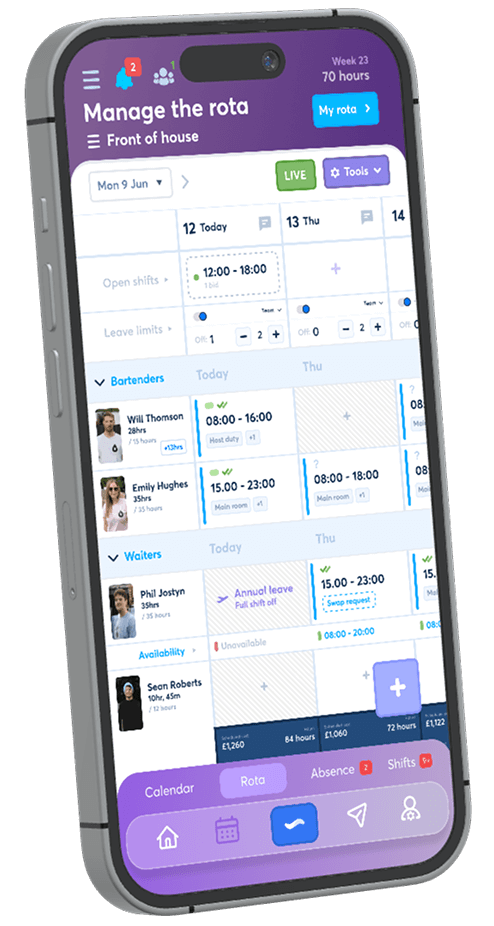
Configure the details behind the rota, store user and team documents, and archive inactive employees without an ongoing charge. The trial is free for 30 days, no credit card is required, and each active user costs £1 per month.
Start your free trial