Hospitality
Keep a clearer attendance record across kitchens, bars, restaurants, taprooms and venues where start and finish times matter.
FlowRota - GPS Time Clock & Attendance
See when staff actually start and finish work, where they clocked in, and how those hours compare with the rota — without adding another disconnected attendance system.
30 days free
£1 per user each month thereafter
No payment card required
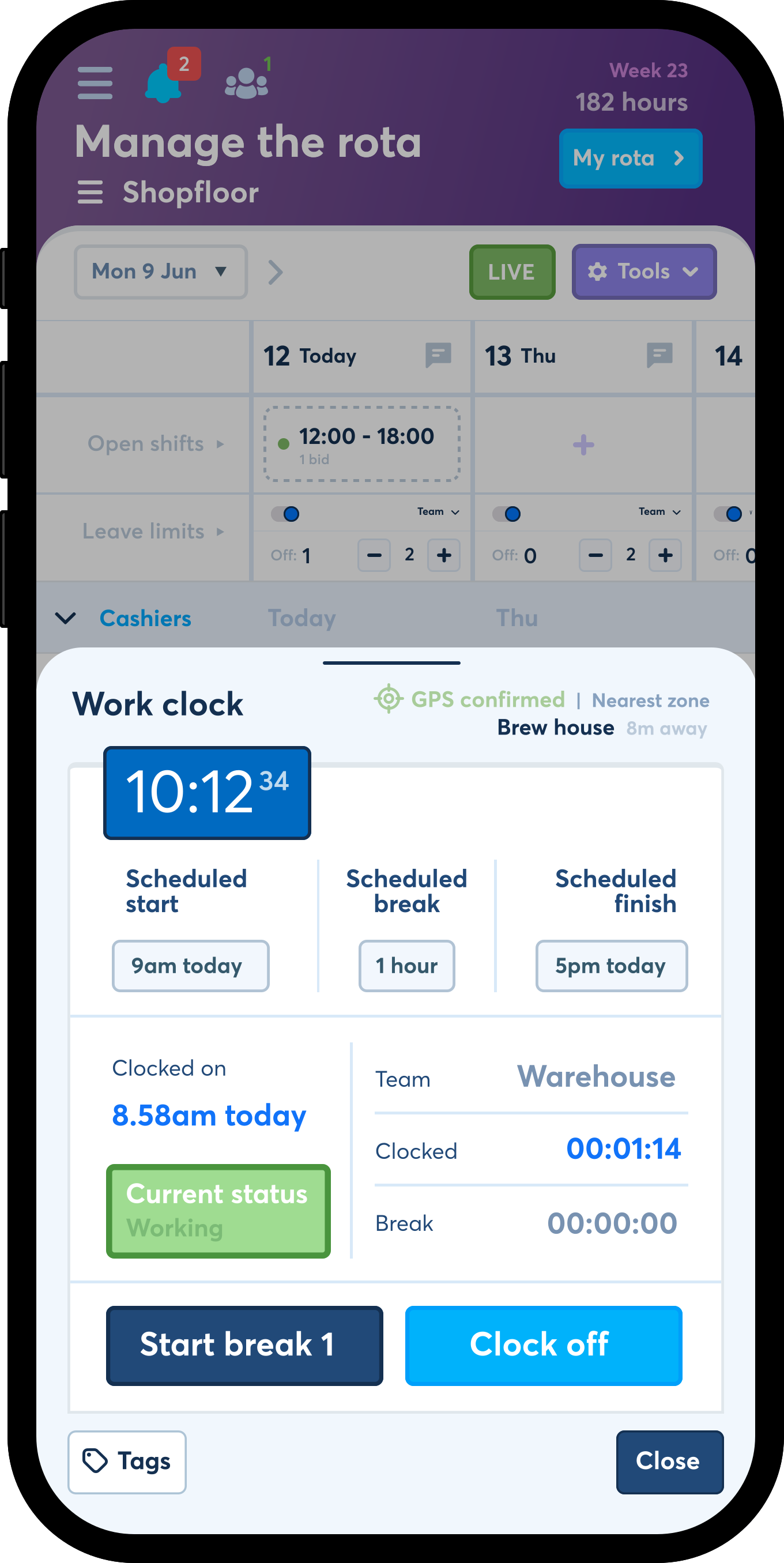
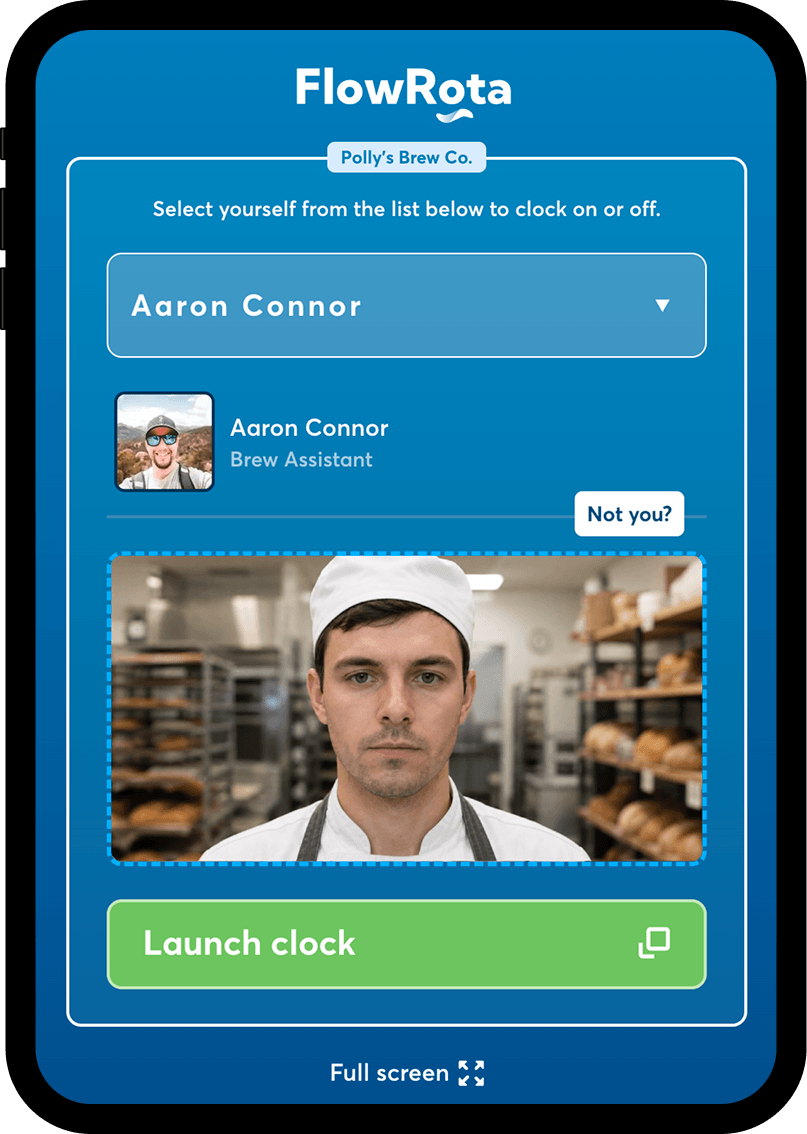
Set up a shared tablet or device at the workplace so employees can clock in and out from one fixed location, without needing to use their own phone.


Available on the web, iPhone and Android.
GPS clock-in
record a location with the clocking action
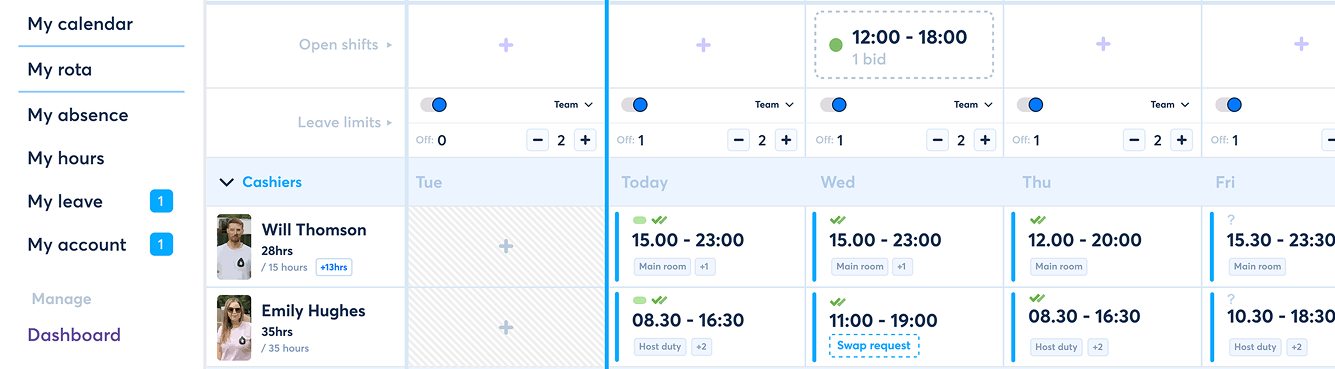
Scheduled vs worked
compare the rota with the hours actually recorded
£1 per user
each month, with every FlowRota feature included
 Compare scheduled shift times with clocked start and finish
times
Spot late starts, early finishes and forgotten clock-ins
Review breaks, overtime and additional worked time
Compare scheduled shift times with clocked start and finish
times
Spot late starts, early finishes and forgotten clock-ins
Review breaks, overtime and additional worked time

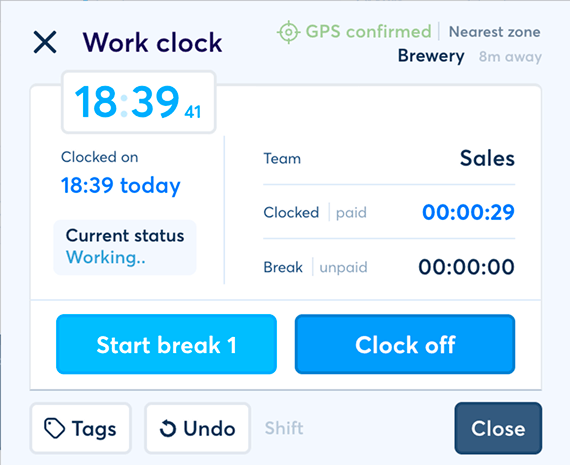
Clock in and out from a mobile device
Record GPS location with the clocking action
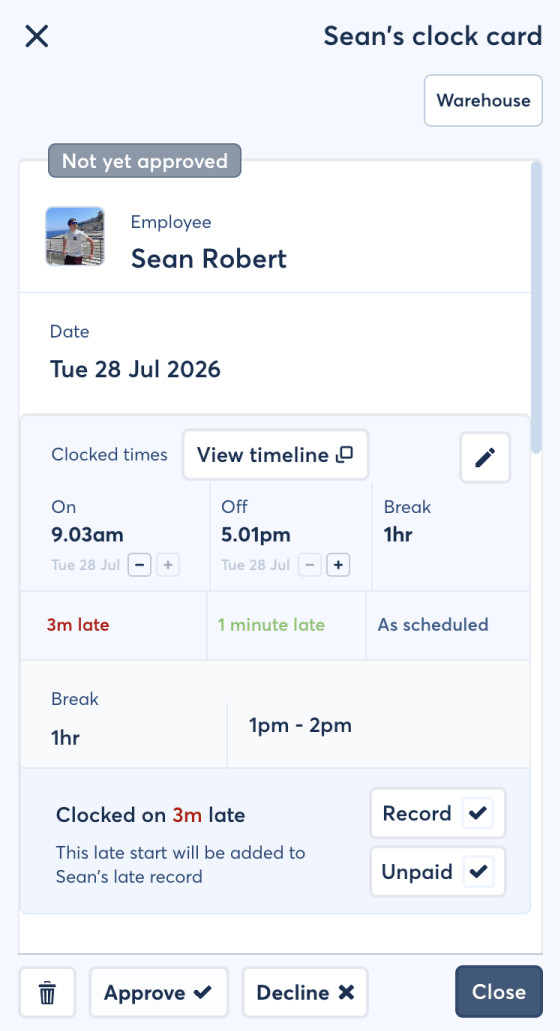
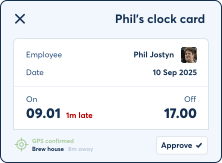
Keep each clock card linked to the employee and their shift
Give managers a clearer record when attendance needs checking
FlowRota records location with the clock-in or clock-off action.
Explore GPS clock-in
Review location-aware clocking across different sites
Organise employees by team, location and job title
Keep clocking and rota information under the same account
Support managers overseeing more than one workplace
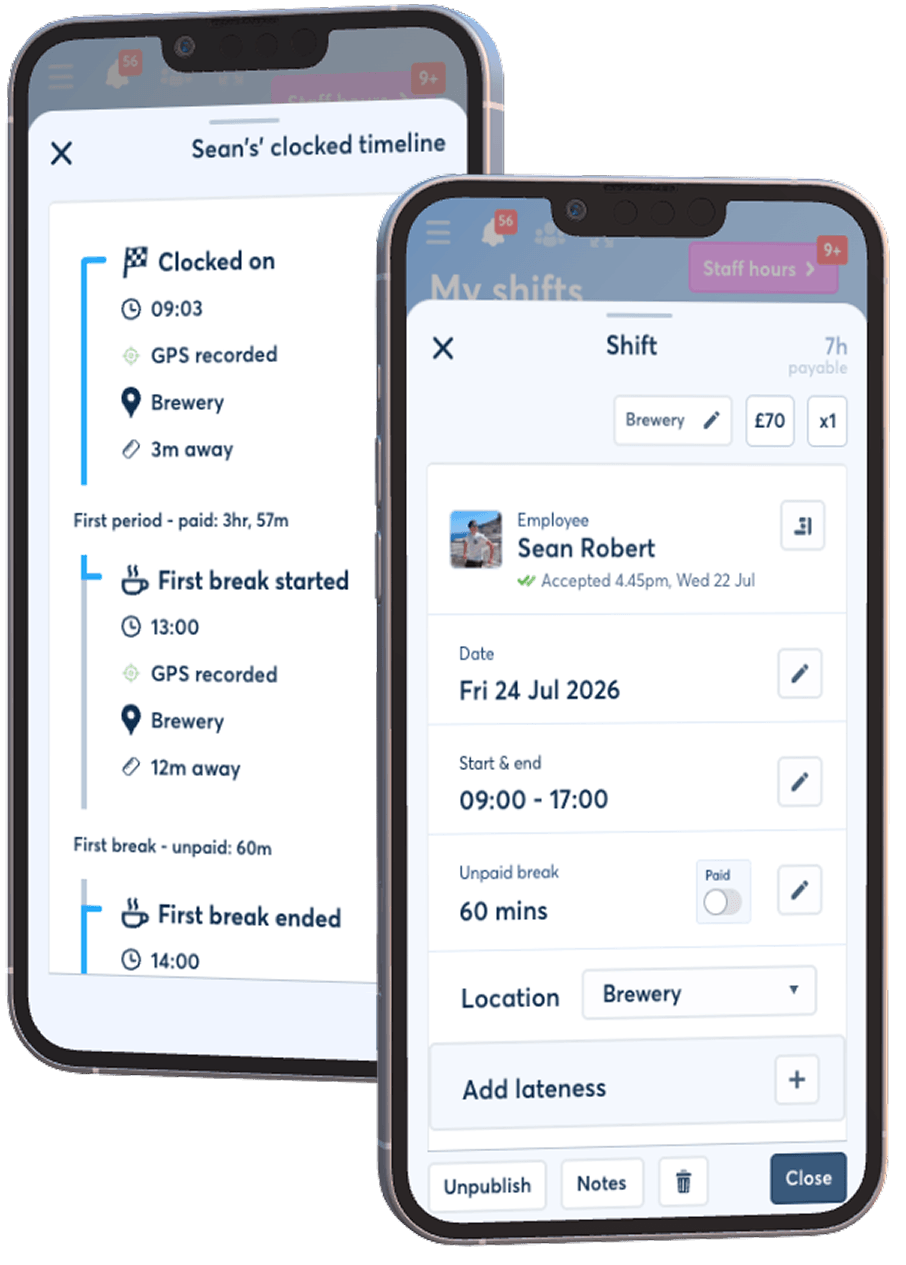
Where GPS clocking helps
FlowRota is designed for shift-based businesses where working hours, locations and staffing needs change across the week.
Keep a clearer attendance record across kitchens, bars, restaurants, taprooms and venues where start and finish times matter.
Track clocking for store teams and compare the working day with the shift that was actually scheduled.
Create consistent clocking records for operational teams working fixed, rotating or mixed shift patterns.
Add location context when employees or managers regularly work across more than one workplace.
More than a stopwatch
A standalone time clock records a timestamp. FlowRota becomes more useful because the employee, rota, clock card and timesheet already belong to the same workflow.

The value is not simply having more tools. It is removing the small, repeated problems that take managers away from the rest of their job: rebuilding the same rota, chasing availability, checking message threads and correcting hours at the end of the month.
Reuse regular patterns and make changes without starting from a blank spreadsheet each week.
See availability, leave and existing shifts before publishing, then offer gaps to suitable employees.
Connect scheduled shifts with clocking, timesheets, overtime, leave and absence information.
Employees can see their rota, receive changes and submit requests without relying on group chats.
Use FlowRota's shared on-site terminal when employees should clock from a workplace tablet or shared device instead of a personal phone.
Explore the clocking terminal →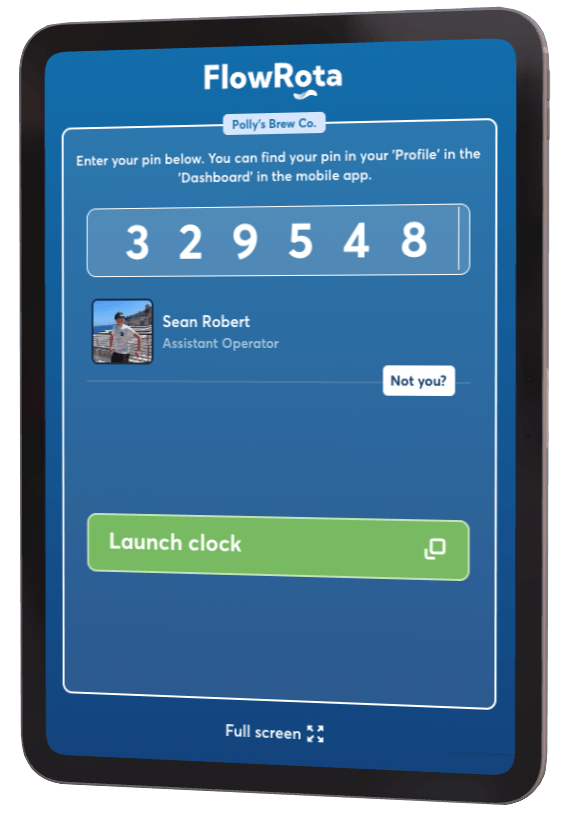
Automatic clock-off options can help close forgotten clock cards using manager-set rules, keeping attendance records easier to review.
Explore automatic clock-off →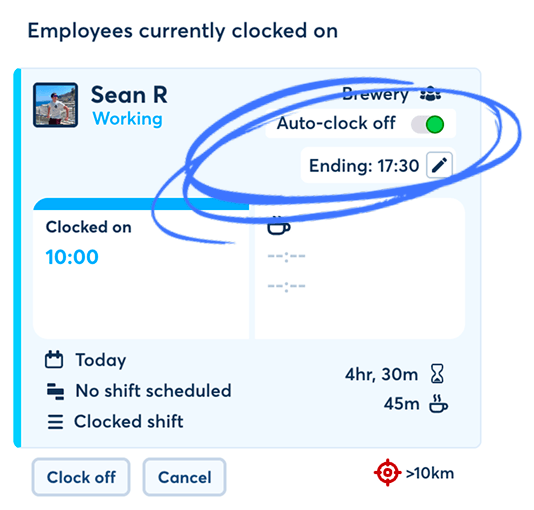
Straightforward pricing
£1 + VAT
per user, per month

GPS clock-in and attendance tools included
Rotas, timesheets, leave and every feature included
Cancel any time – no long-term commitment
No payment card required

I wish we had discovered FlowRota sooner.
Sean
Managing Director
Polly's Brew Co. – Brewery & Restaurant
Time clock app FAQs
Yes. Employees can use mobile clock-in and clock-off from FlowRota on supported devices, with GPS location attached to the clocking action where enabled.
Yes. GPS location can be recorded with a mobile clock-in or clock-off action so managers can review where the clocking action took place.
No. FlowRota records location with the clocking action rather than providing continuous all-day employee location tracking.
Yes. Scheduled shifts and clocking records are connected so managers can compare the rota with the hours actually recorded.
Yes. GPS clocking can support teams working across different sites and locations because the clocking action can include location information for manager review.
Yes. FlowRota also supports a shared on-site clocking terminal for businesses that prefer employees to use one workplace device.
FlowRota costs £1 per user per month after a 30-day free trial. No payment card is required to start the trial.

Ask how GPS clock-in, timesheets or shared-terminal clocking would work for your team before you get started.
Start a chat
Try it with a real shift
Let staff clock in, review where the clocking action happened and compare worked hours with the shift you originally scheduled — all in FlowRota.
30 days free · No payment card required · £1 per user each month thereafter