

Self approve permissions
Overview
In FlowRota, every user should belong to a team, and each team has
one or more managers who can view and update the records of their
team members. A manager can also be a regular team member, meaning
they can appear as both a manager and a member within the same
team. Managers themselves can have their own managers, creating a
clear, hierarchical structure that supports multiple levels of
oversight. This flexible setup ensures that permissions and
responsibilities flow naturally throughout the organisation — from
team members, to their managers, and up through higher management
where required.
This page explains how to correctly configure permissions for
managers who are also members within the teams they manage —
helping you prevent unintended or unauthorised self-management.
Leave approval permissions
Leave requests in FlowRota can only be approved by the manager of the user’s primary team , or a system administrator. Even if a user belongs to several teams, only the manager of their primary team has authority to approve, decline, amend or add leave and absence periods.
When a user manages their own primary team, FlowRota needs to know whether that user should be allowed to approve, decline, amend or add their own leave and absence periods. The first option in the team manager modal (shown in the image below) controls this behaviour.
Permissions can be set in the Admin panel at Admin → Permissions
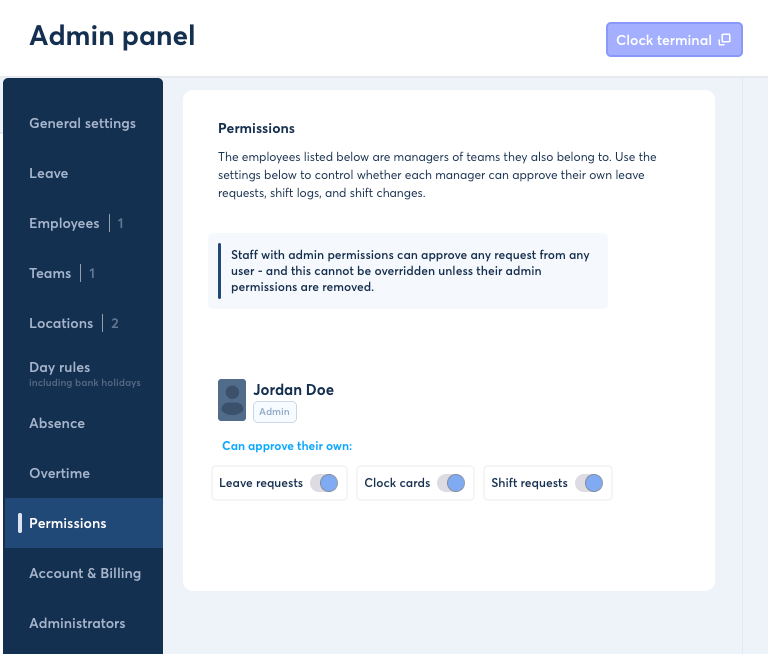
Permissions can be set in the Admin panel
They can also be set within the team modal opened from the Teams page at Admin → Teams and clicking 'Manage Team'.
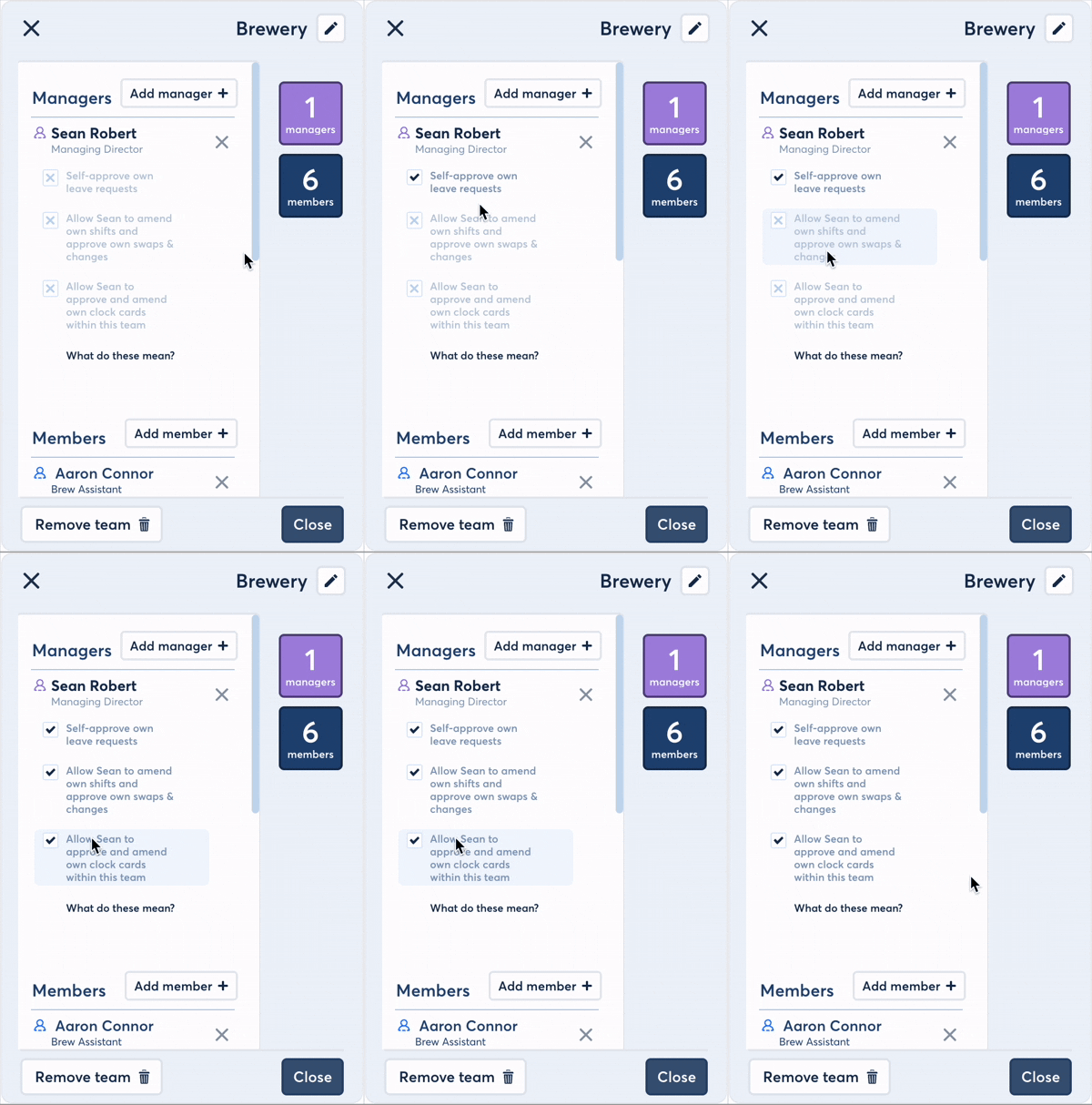
Permissions can also be set within the team modal opened from the Teams page in the Admin panel
Shift & timesheet management permissions
Managers who are also part of the teams they oversee may have permissions to manage shifts they are assigned to — including amending, deleting, or adding their own shifts. The same rule applies to their own timesheets that they have added within a team that they are manager of. FlowRota allows administrators to decide if this is permitted.
The second option in the permissions settings determines whether a user who manages a team they belong to (including secondary teams) can:
- Amend, delete, or add their own shifts within that team
- Approve or deny shift swap requests
- Approve or decline shift amendments such as shortening their own shifts using TOIL balances
Clock card permissions
The third option relates to clock cards — the system’s record of a user’s clock-ins and clock-outs.
In FlowRota, if a user manages the team for which they have clocked onto a shift, administrators can decide whether that user can approve, amend, or decline their own clock card. Unlike leave approval (restricted to the primary team), this setting applies to any team the user manages — whether primary or secondary.
Summary
Self-approve permissions in FlowRota ensure that team management remains fair and transparent. By controlling whether managers can approve or edit their own data, organisations can maintain accountability while allowing flexibility where appropriate.